





Nubit is a project building Bitcoin Thunderbolt — a technology that makes Bitcoin as fast and flexible as modern L1 networks.
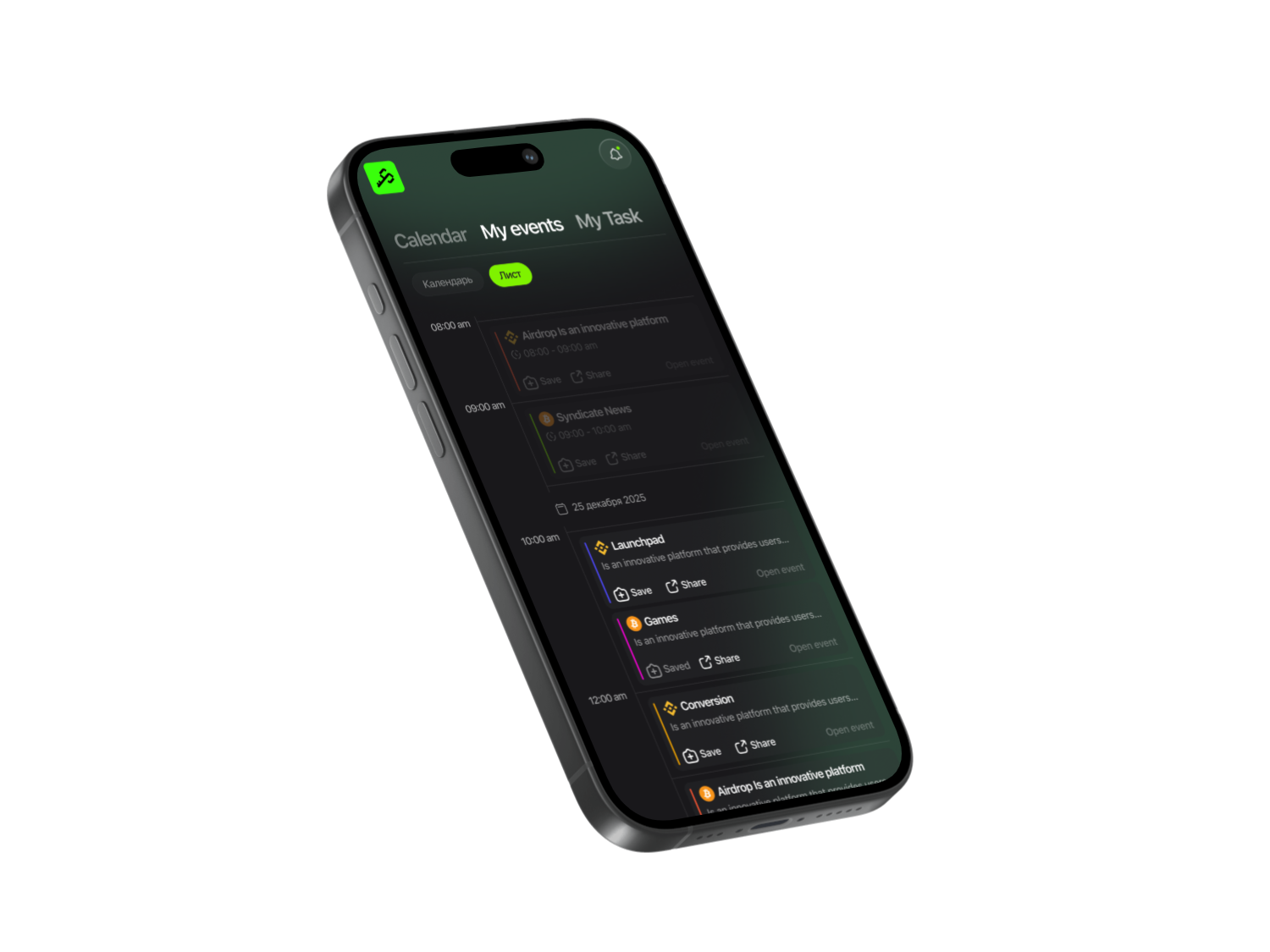
Open the Syndicate app and search for Nubit Thunderbolt. Go to the project’s main page. The app tracks all your activities and sends you updates as one of the first to know. Inside, you’ll find a detailed guide and a convenient checklist for completing all tasks.

Syndicate – Less Noise, More Action
Never miss an Airdrop with a smart calendar, instant notifications, and community-driven insights.


How to earn points
The main task — make transactions.
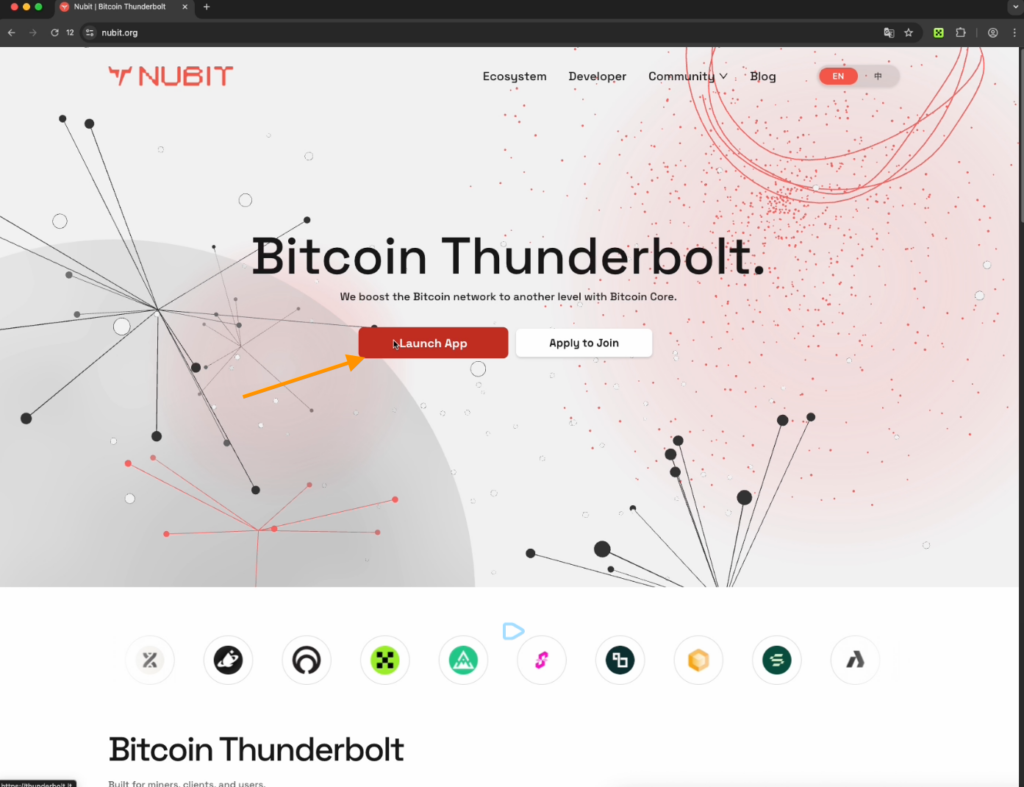
- Go to the project website from Syndicate app and click Launch App to enter the Thunderbolt site.
- To create an account, enter your email and complete registration — Get Started.
- Connect a crypto wallet that supports Bitcoin networks from the available options.
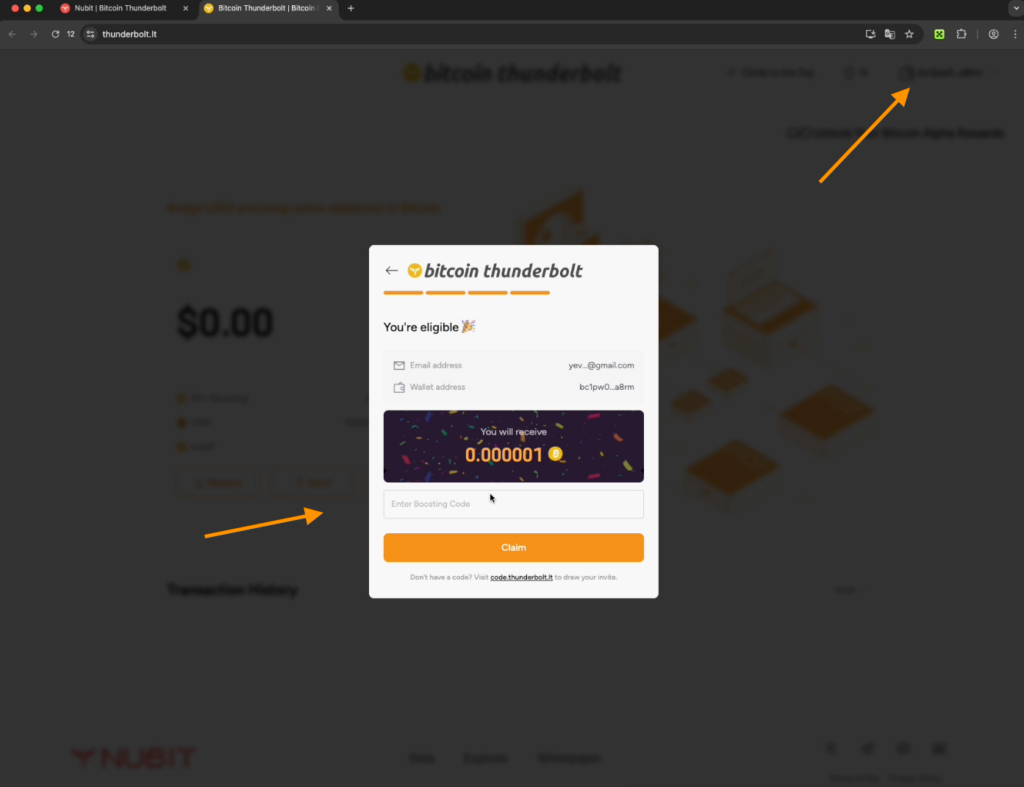
Next, enter a boosting code. You can get it in two ways:
- Free on the raffle code website: on the main page of Thunderbolt, click Claim Code. Connect your wallet. Select your country, and you will go to the page generating codes, which appear every hour.
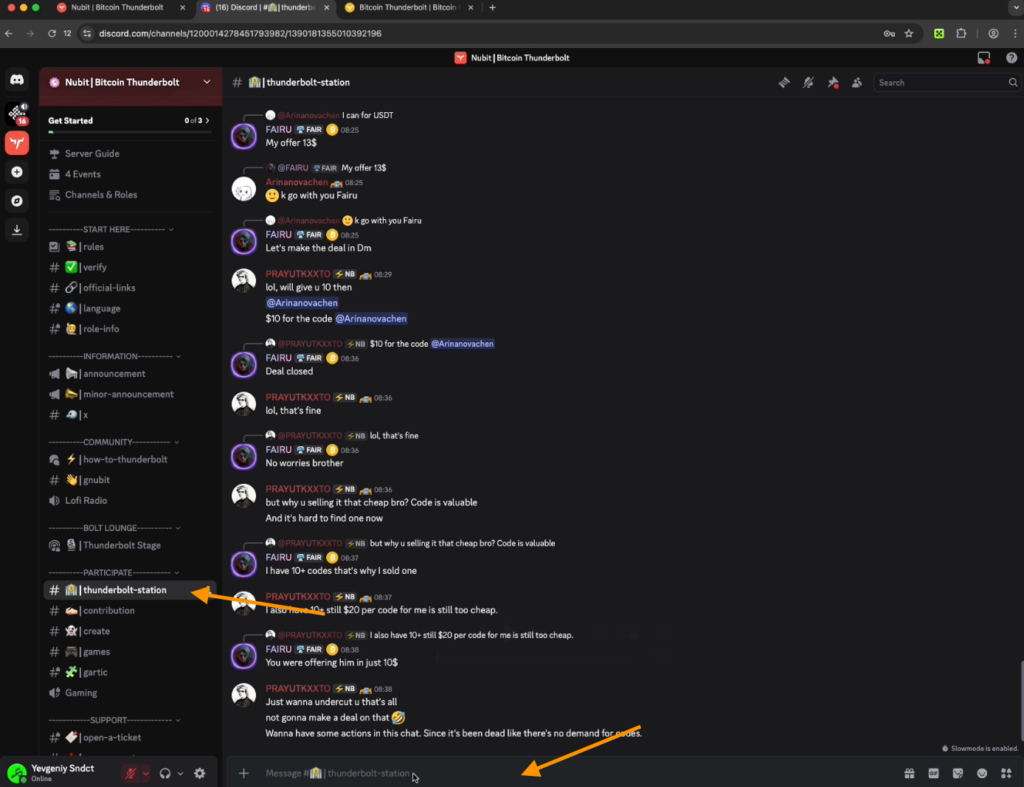
- Buy a code through Discord from other participants: this is faster. In the top menu, click Community to go to the project’s Discord server. Accept the invite, complete verification, and take all available roles. Say hi in the Welcome chat. Go to the Thunderbolt Station channel, where users sell codes. Price: $10–$20. Buy from those who have roles Bitcoin Thunderbolt or Thunder Squad.
- Return to the project website and enter the boosting code in the field.
- Now, go to Bitcoin Thunderbolt and click Transfer. The system automatically gives you starting Bitcoins.
Send a transaction to yourself
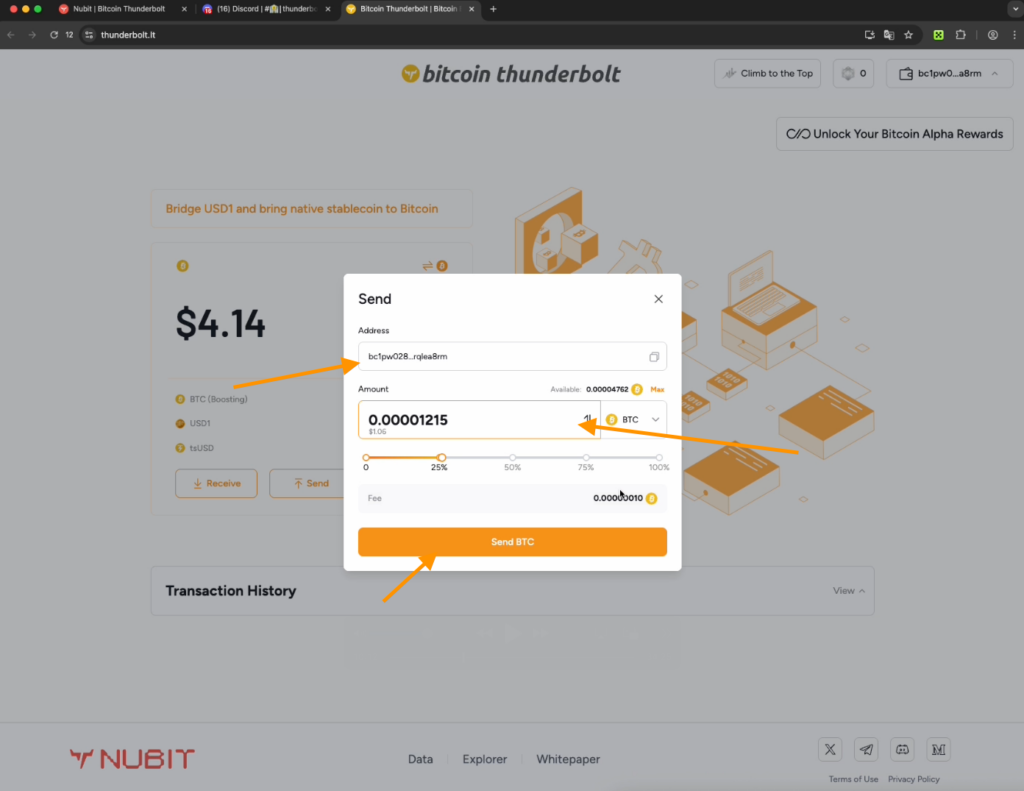
- Click Receive and copy your wallet address.
- After clicking Send, enter any minimal amount (0.00001215 BTC) and click Send BTC.
- A transaction window will appear on the screen with a speed image.
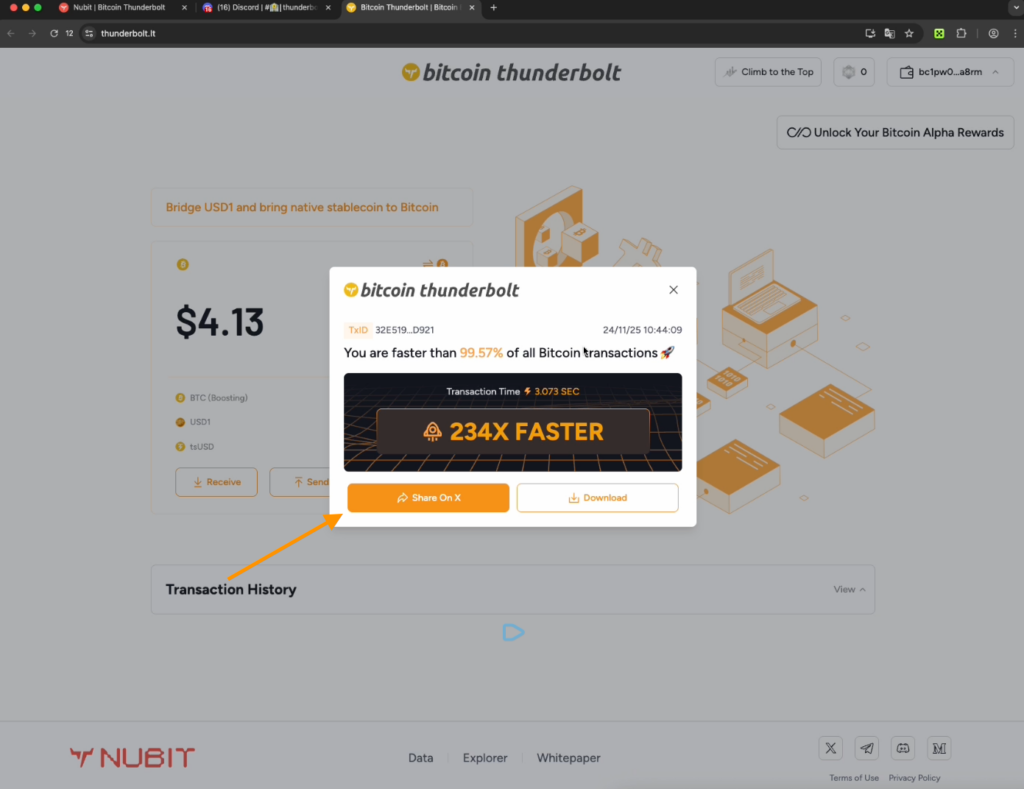
- Using the Share X button, post it on X and include a screenshot of the transaction — this will give you the Bitcoin Thunderbolt role in Discord.
- Copy the post link, go to Discord in the Contribution thread, and publish it.
- In the Open Ticket channel, click Create Ticket. After it loads, a support channel with your ticket number will appear at the top. Write to support requesting your role and duplicate X post link.
What’s next?
- Find a partner in the community chat to exchange transactions with.
- Your partner sends you their crypto wallet address, and you enter the amount on the site and send it to the partner.
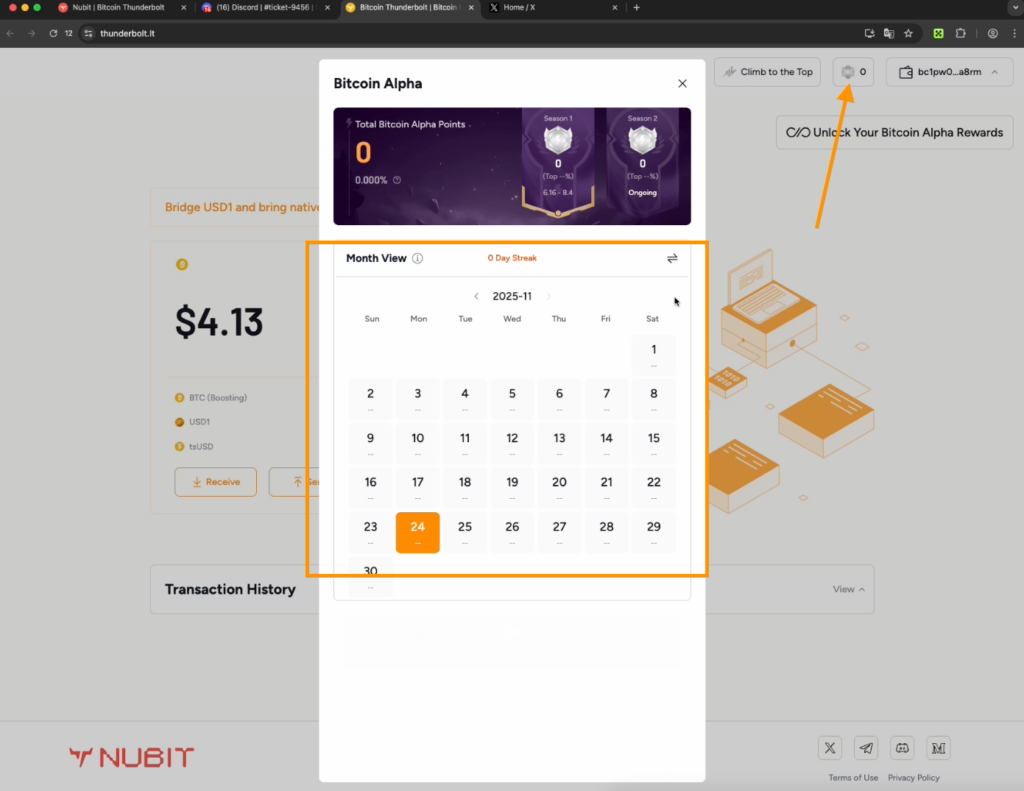
- Points are credited immediately after the first transaction. Daily activity is shown in the calendar.
- Then, send your address to the partner. They return the funds and also earn points.
- You can make 10–20 transactions per day. If you send more than 10 transactions to the same address, points are credited at half rate.
How to add more funds to your account
- On the main page, you have a USD1 token. Click the Bridge button next to it to go to the site and transfer USD1 from BNB Chain to Bitcoin Thunderbolt.
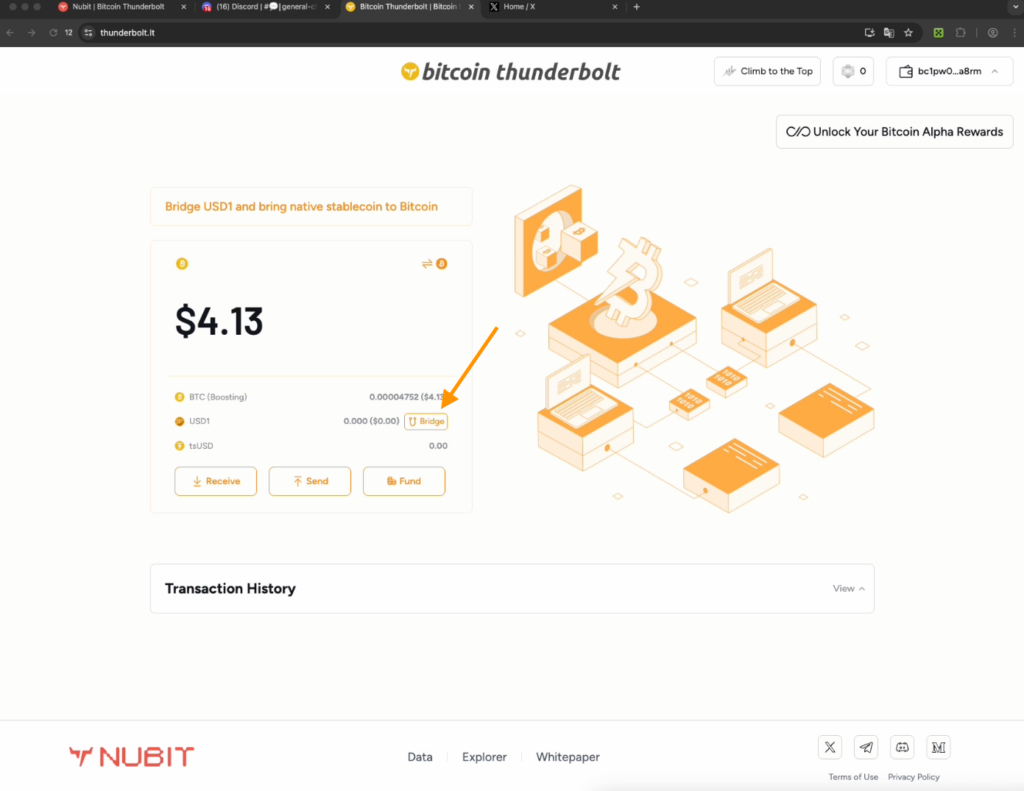
- Go to Pancake Swap, connect your wallet, and swap BNB for USD1 on the BNB Chain.
- When you return to the Bridge USD1 Thunderbolt site, you will see USD1 from BNB Chain in your balance.
Next step — make the maximum transaction through the Thunderbolt bridge
- In the bottom field, paste your Bitcoin address copied from your account page.
- After completing the transaction, USD1 will appear in your balance — now you can send funds to partners.
How else to earn points
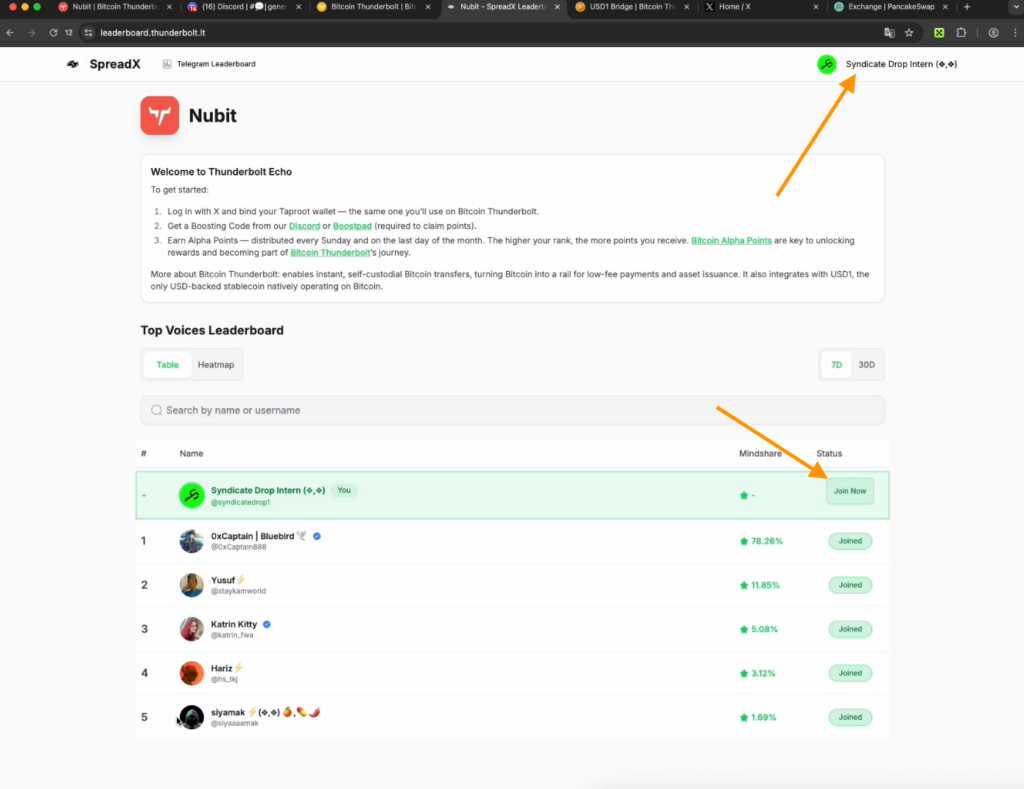
- Go to the SpreadX Nubit leaderboard website.
- Log in with your X account using the button in the top right and authorize.
- On X, find Nubit Community, click Ask to Join, and send them a message.
- Publish posts in the community with hashtags #Thunderbolt, #Nubit.
At the bottom of the SpreadX leaderboard site, you will find the table with points for X activity. Click Join next to your account, enter the Bitcoin address from the Receive section — and you’re done!
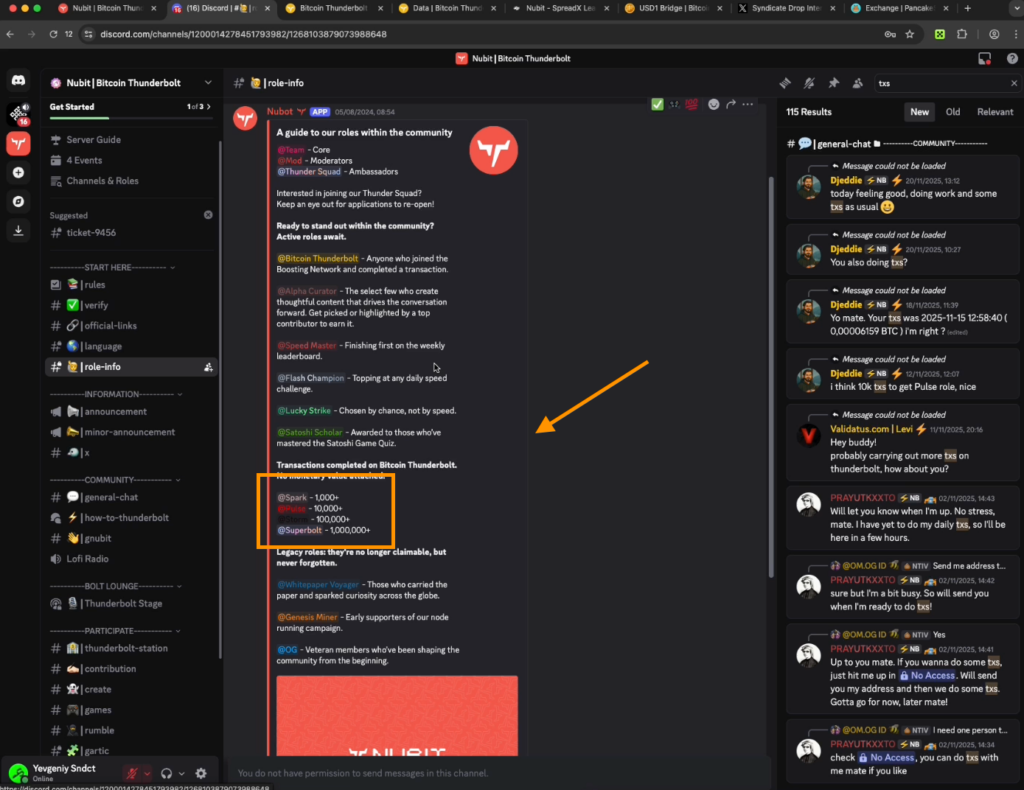
Discord activities for earning points
- 1000 transactions in Thunderbolt — role Spark
- 10,000 transactions — role Pulse
- 100,000 transactions — role Storm
- 1,000,000 transactions — Superbolt
In the Rumble chat, games take place where you can win a boosting code, which you can sell to new participants.
If you like generating AI images — post them in the Create channel or on X and share them in Discord. We hope you now understand how the Thunderbolt project works. It is truly promising.
On our YouTube channel, we break down the entire journey from scratch: how to get started with Thunderbolt, make your first transactions, get a role in Discord, and avoid losing points due to mistakes.

Share this post
Link copied!