






Opinion is a global trading terminal where any economic event can be transformed into transparent prediction markets.
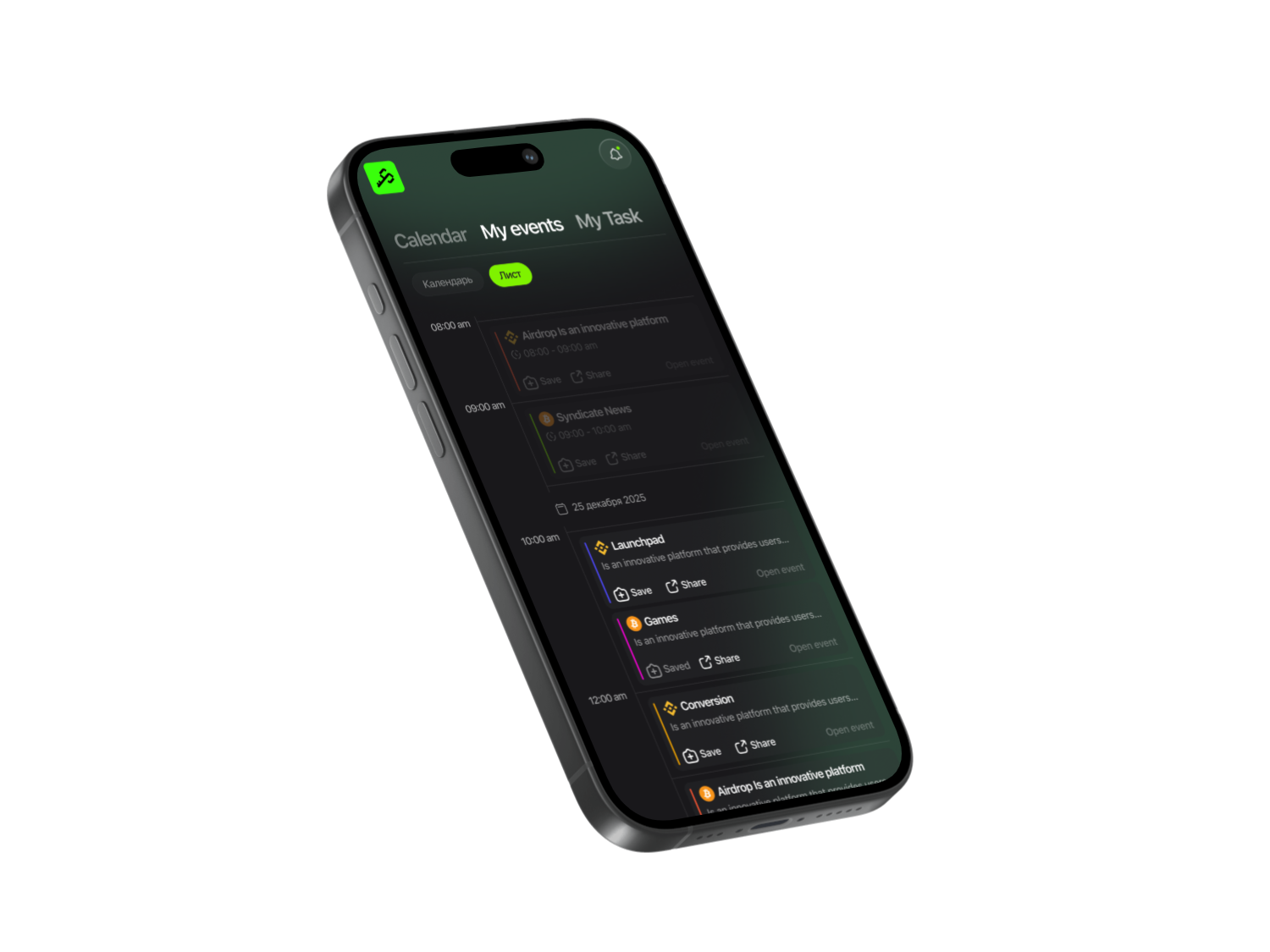
To get started, open the Syndicate app and search for Opinion — click the link to visit the project website. If you haven’t installed the app yet, make sure to download it.

Syndicate – Less Noise, More Action
Never miss an Airdrop with a smart calendar, instant notifications, and community-driven insights.


On Opinion, you can farm points directly on the production market of their website.
Getting Started
The platform operates on the BNB Chain, so you’ll need USDT on BNB Chain and the BNB token. How to fund your BNB Chain wallet: open your wallet (e.g., OKX Wallet), search for BNB, and get your deposit address. Send tokens to this address from your exchange or another wallet.
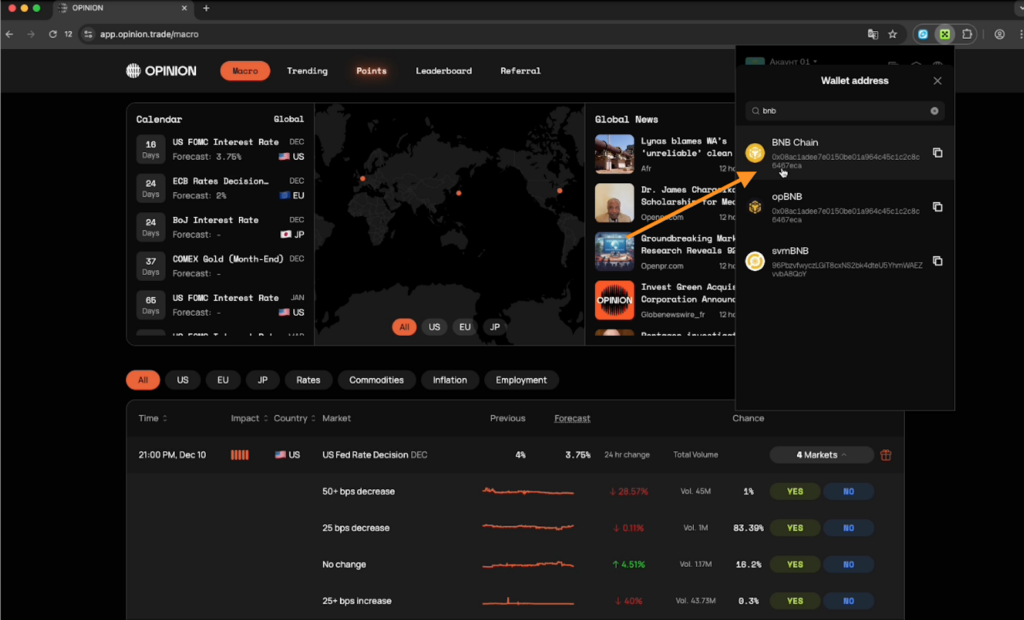
- Connect your wallet to the website (e.g., OKX Wallet).
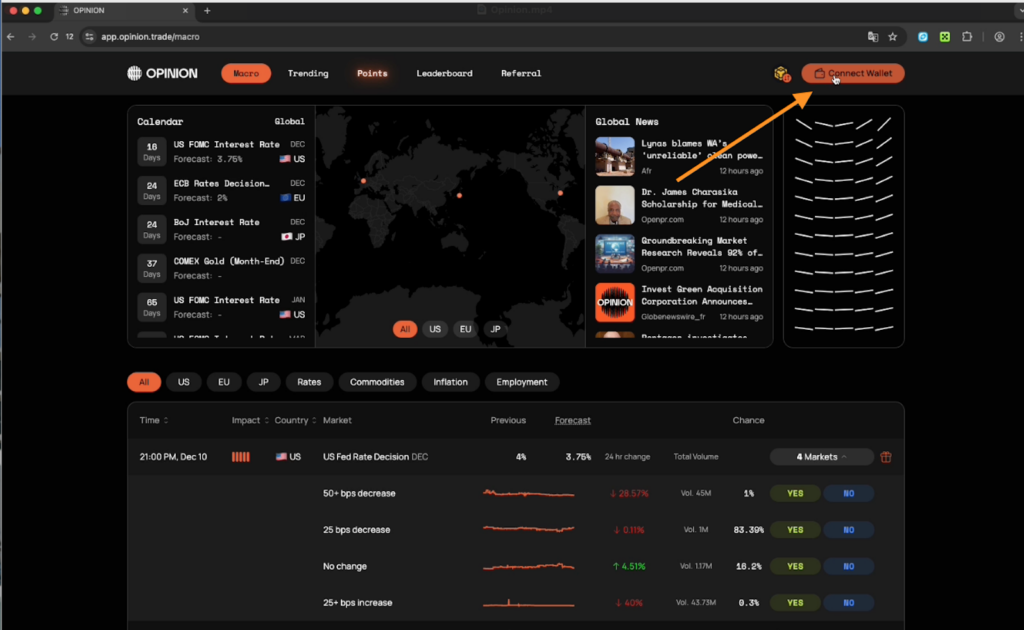
- The system will prompt you to create an account: enter your username and confirm.
- At the top of the site, you’ll see your balance. To deposit funds, go to your profile in the top-right corner and click Deposit.
Trading on Opinion
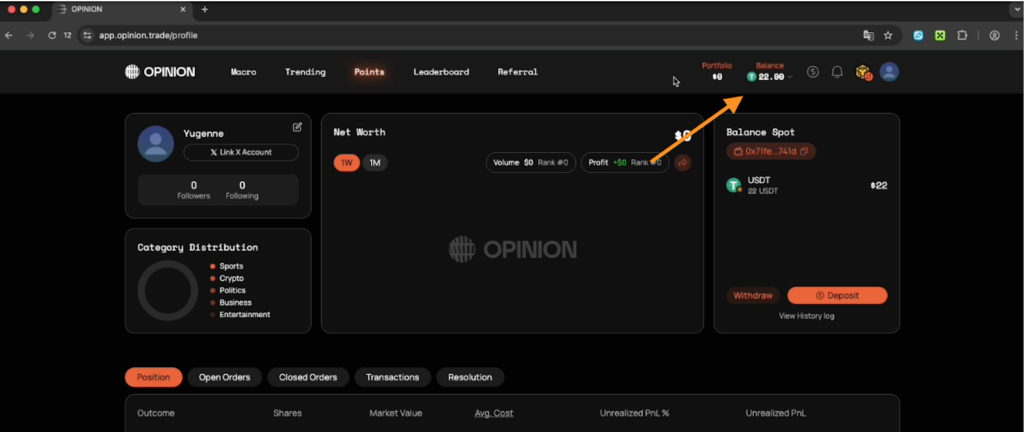
- The system will load your main wallet — deposit $22 in UCDT. You’ll need BNB tokens to pay for transaction fees.
- After a successful deposit, your balance will appear on the site. Next to the Balance section in the top menu, under Portfolio, all your open prediction positions will be displayed.
How to earn points on the platform
- Keep an open position in a prediction: the longer it’s held, the more points you earn.
- Trade actively to increase your trading volume.
- Place limit orders below or above the market and wait for them to be executed.
Go to the Trading section with available predictions. At the top, you’ll see categories to trade in: Crypto, Business, Political, Sport, Culture, and Technology.
In the Points tab, you’ll see your farming statistics.
In the Trading section, set the filter from Low to High to see predictions by volume. Try placing 5 UCDT — the fee here is 50 cents. Buy using a limit order instead of the market price to keep the fee low.
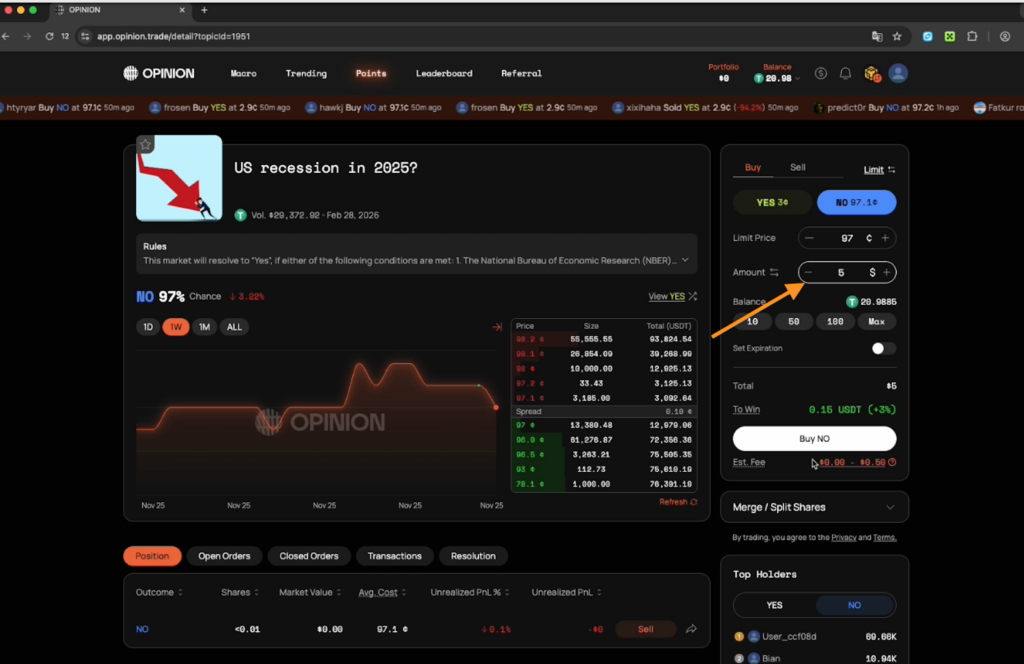
- Open an order above the market price so it executes immediately. You can increase the Amount field to your desired number of UCDT. You can also keep the order at a lower price until it fills.
- Click Confirm.
On the screen, you’ll see the result: shares = 4.63, and the unrealized PNL is displayed in both % and $. The position is open.
To close the contract and sell the position
Go to Sell, select No, and use a limit order. You’ll have 4.63 shares to sell with a 50-cent fee.
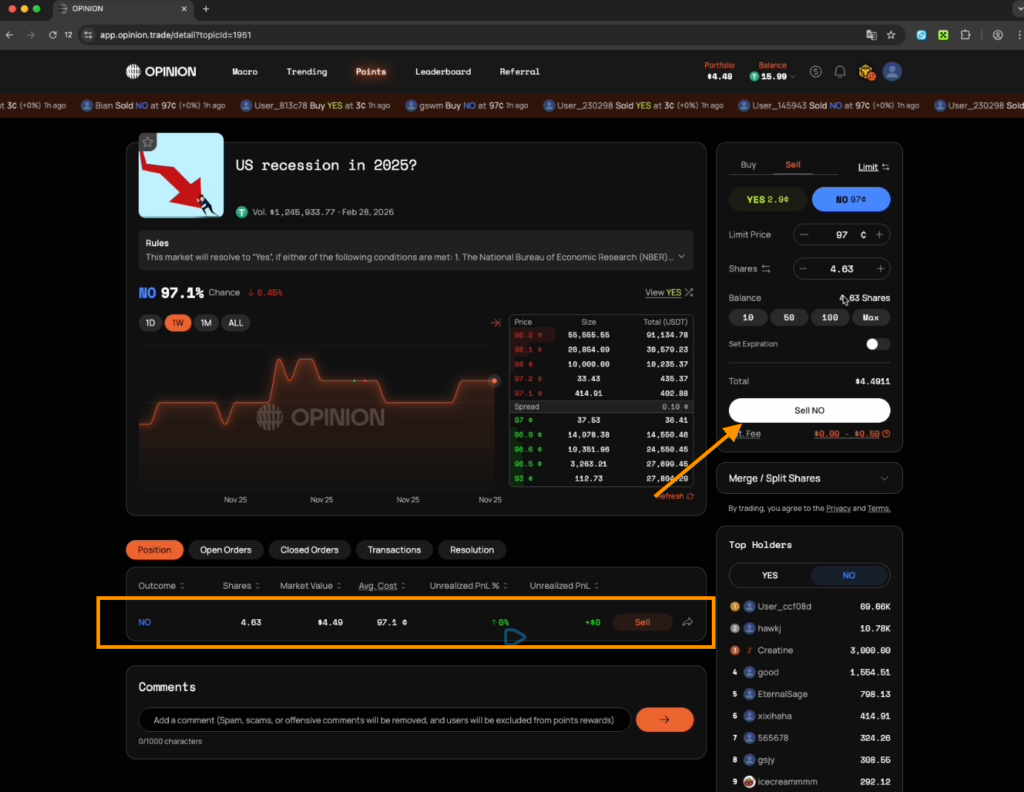
- Sell the maximum number of shares.
- In your wallet window, approximately 4.49 UCDT should return to your balance. The project will take a 50-cent fee, so 4 USDT will ultimately be credited to your project balance.
- A confirmation will appear at the bottom of the interface, indicating that you have successfully sold the position.
Check your results
In the Portfolio section, your deposit will decrease, and the funds will return to your main Balance on the platform.
At the bottom of the Points section, you’ll see your Trading Volume — points will be awarded based on this trading volume. Points will be credited at the end of the week.
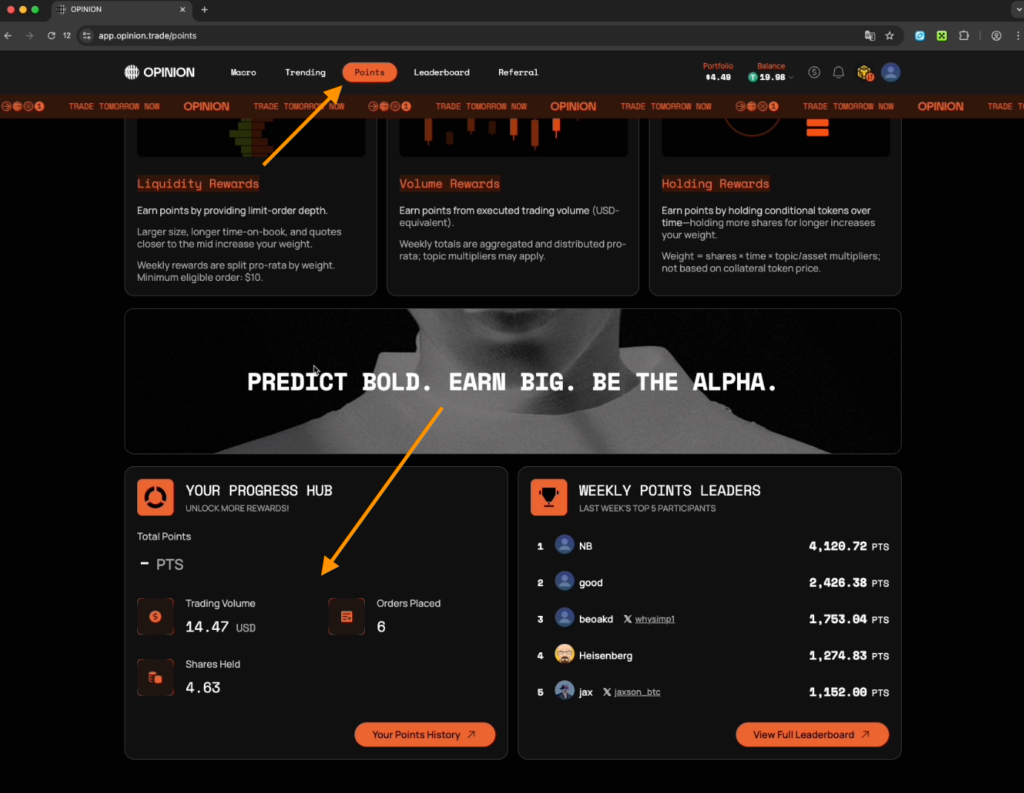
Requirement: You need to trade a minimum of $200 in volume with any predictions within a week.
You can also watch a video with a detailed guide about the project on our YouTube.
Share this post
Link copied!