





Gopher is a Layer 1 blockchain that simplifies everything: searching, collecting, storing, and analyzing data.
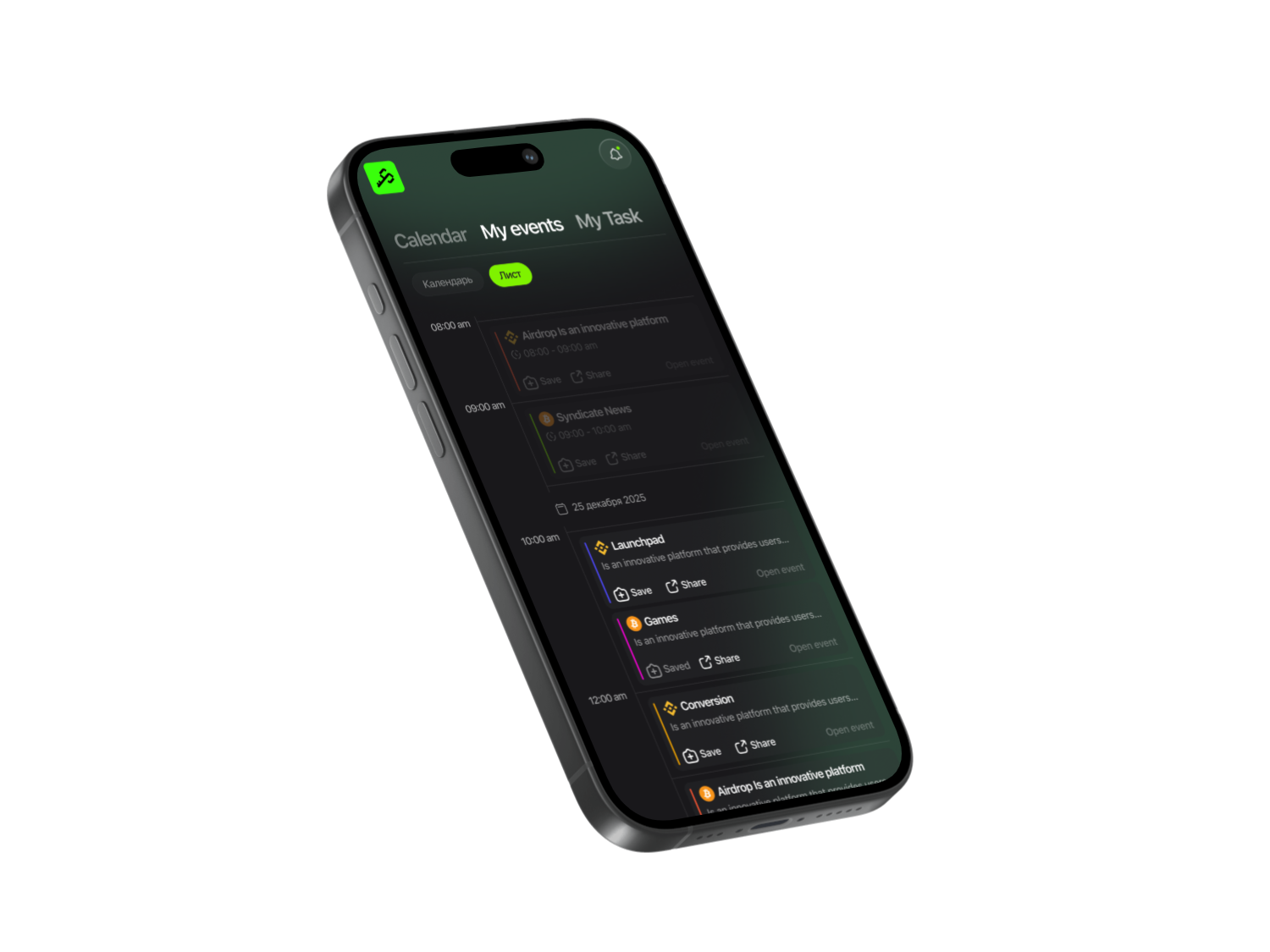
To get started, open the Syndicate app and find the Gopher project. The complete guide for the project contains all the necessary and verified links you need to follow and complete tasks. And we’ll help you figure everything out from scratch.

Syndicate – Less Noise, More Action
Never miss an Airdrop with a smart calendar, instant notifications, and community-driven insights.


To get started
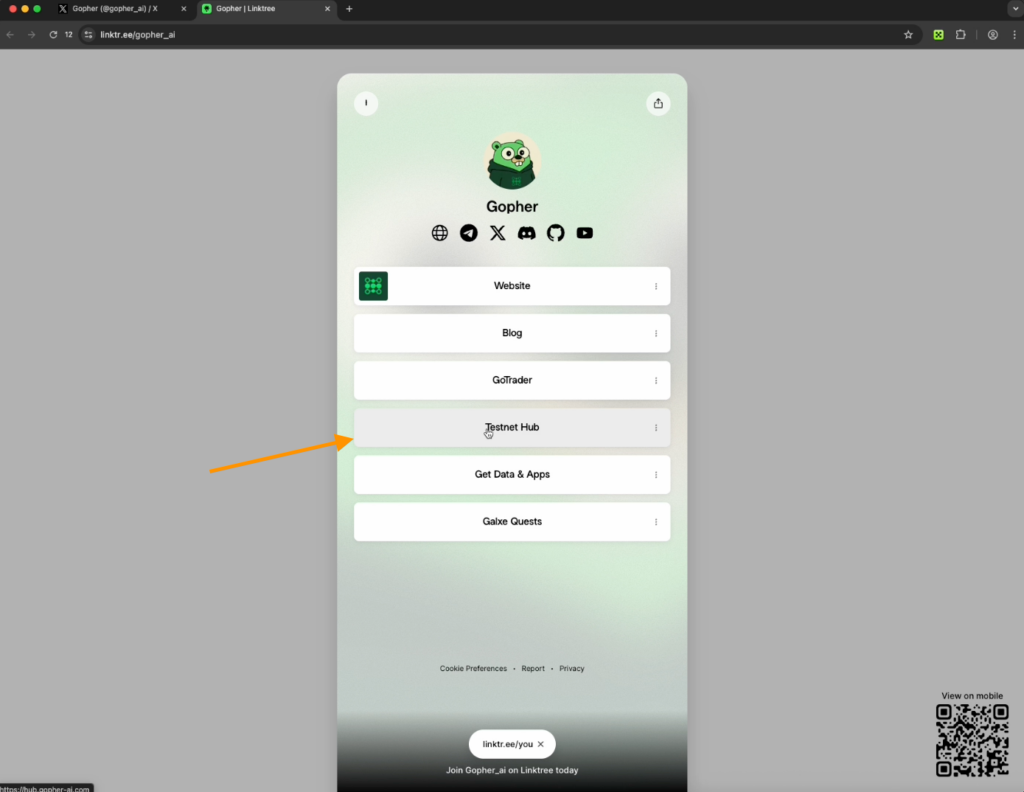
Open the Testnet Hub and connect the Keplr Wallet. If you don’t have it, install it from the Chrome Web Store.
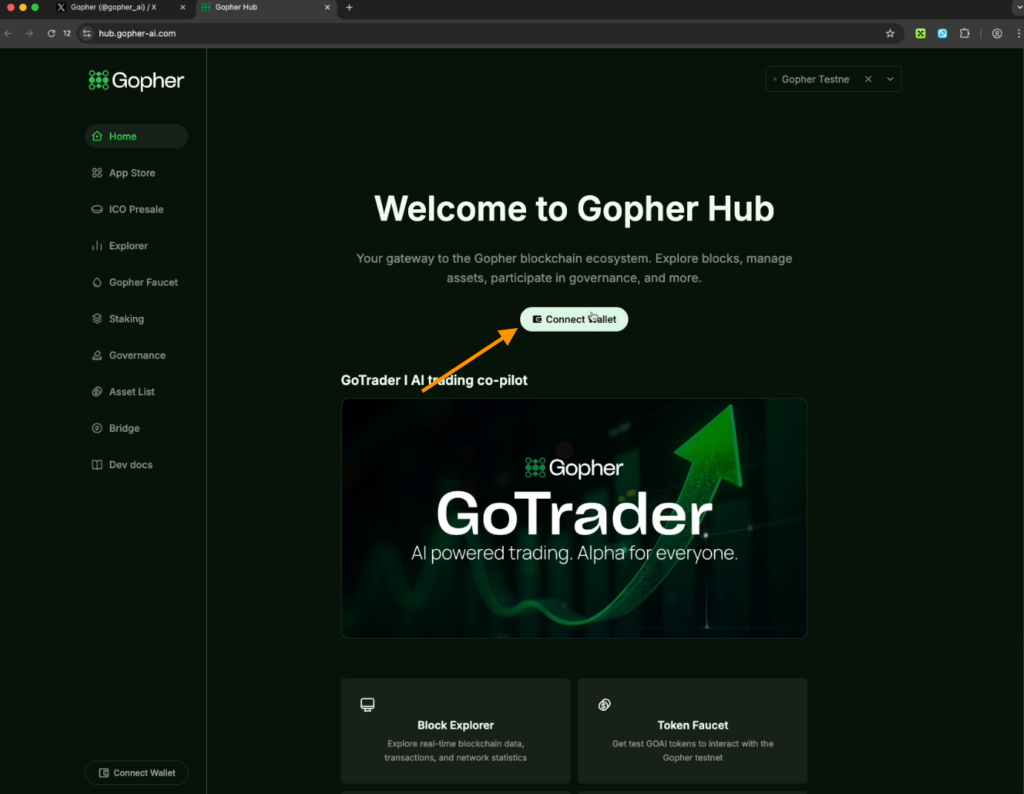
Select “Create a new wallet” and click Create New, agree to display the seed phrase.

Important information
Write the seed phrase on paper and keep it in a safe place. Never share it with anyone.
- Complete the verification: you need to enter certain words from the seed phrase.
- In the “Wallet Name” field, write Gopher and create a password for the wallet.
- You will be redirected to the settings page — check all the listed Native Chains.
- At the top, where the Keplr wallet appears, connect it to the Gopher website. Refresh the page.
In the pop-up window click Approve.
Tasks to receive tokens
- Copy your wallet address from the top of the project page into the first field and click Go Tokens. You can use the faucet several times.
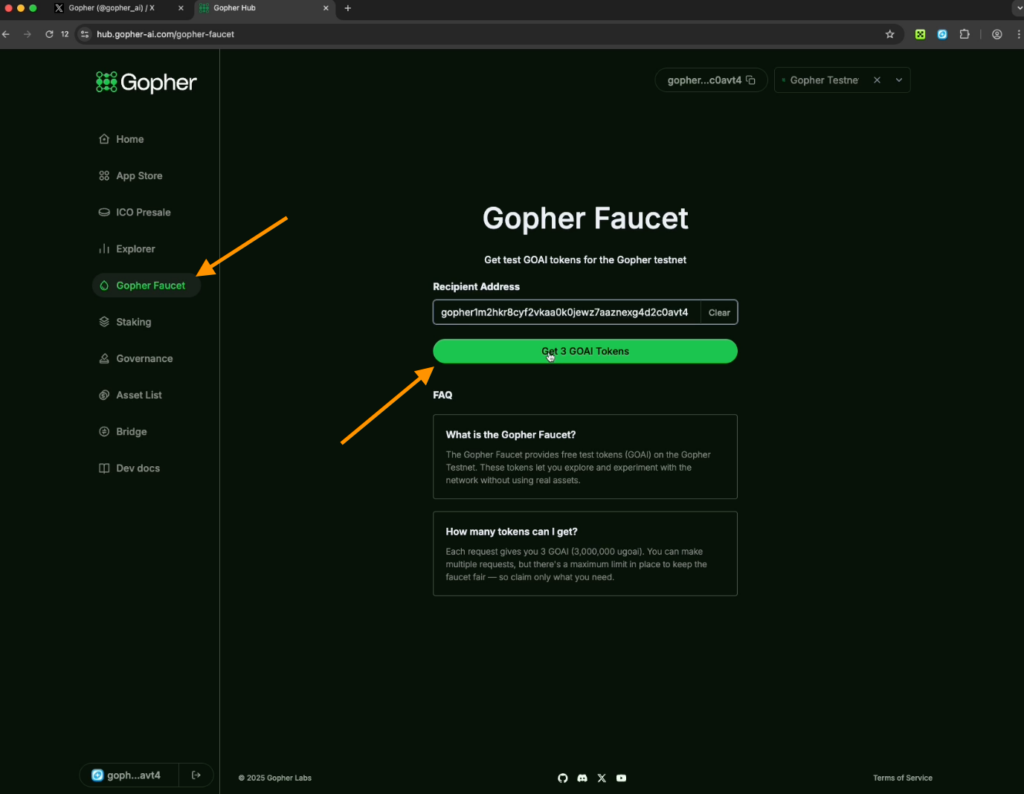
- To check your balance, go to the menu on the left, open the Explorer tab, and enter your Gopher wallet address in the search field.
- You will see 33 GoAI tokens in your account — you can start working. Here you can track not only your delegation balance but also token rewards after staking.
The first task — stake tokens
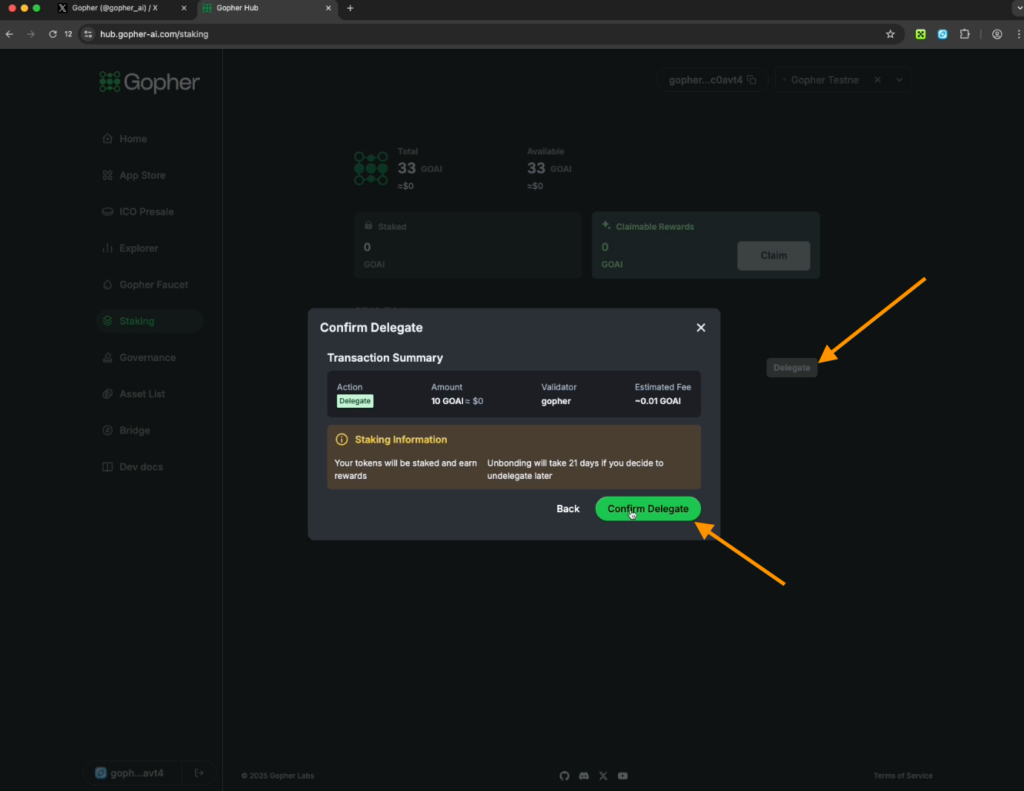
- Go to the Staking section and click Delegate.
- Enter 10 tokens and click Continue, then Confirm Delegate.
- You will see 10 staked GoAI tokens.
Important information
Note that the fee is 10%.
If you click Undelegate, the tokens from the validator will return back to your wallet.
In the Governance section you will be able to participate in future project voting regarding updates and development — this option is not available yet.
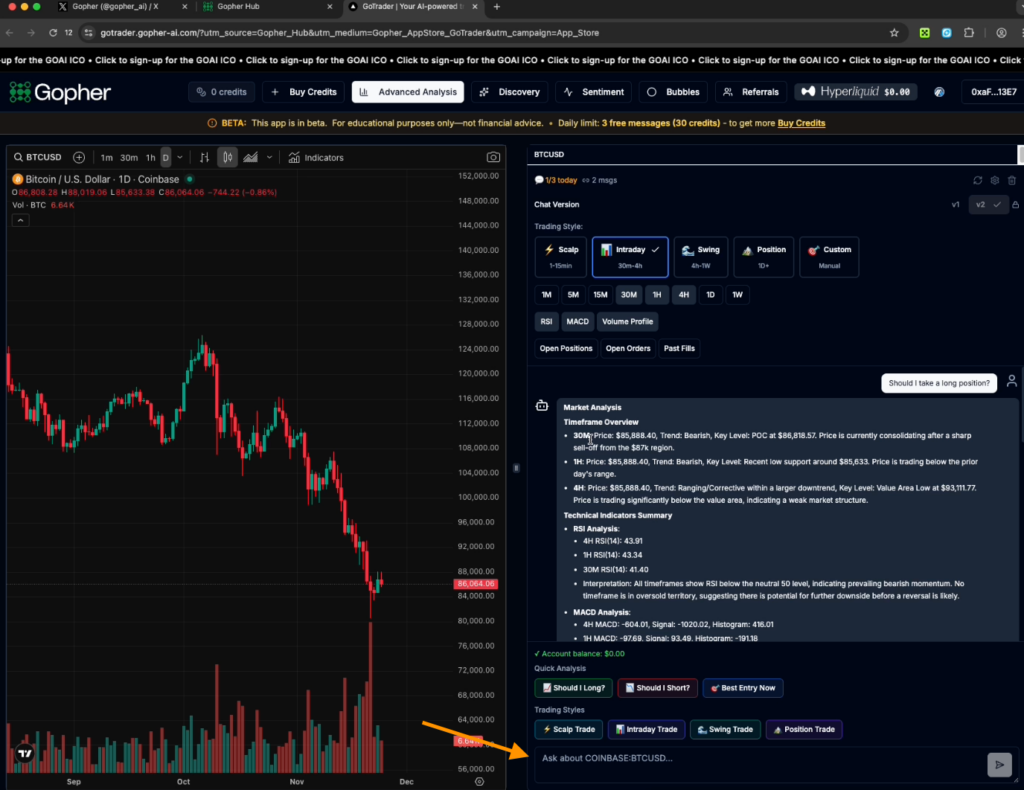
Gopher analyzes trading using artificial intelligence. In Go Trader you can view charts of most coins in different timeframes.
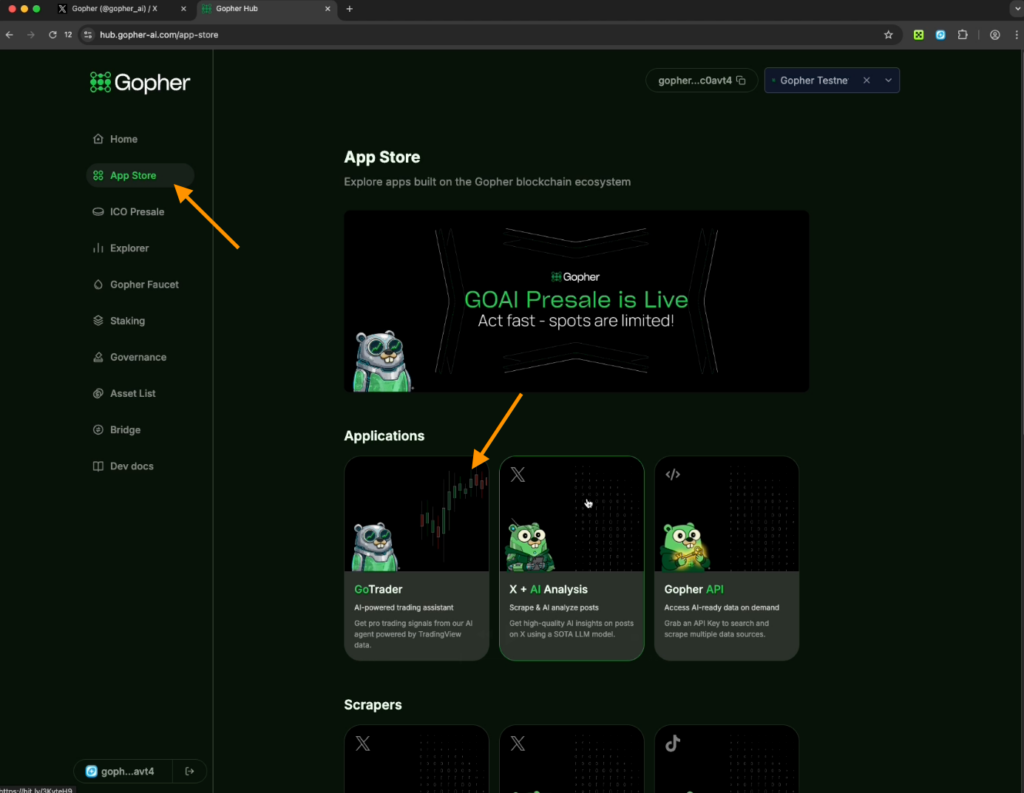
To start working in this block:
- Connect the Keplr wallet.
- In the settings, Scalping is listed from 1 to 15 minutes, Intraday from 30 minutes to 4 hours. You can configure Swing, Position, and Custom however you like.
Important information
You have a daily limit: 3 free messages in the AI Gopher chat, and for trading — 30 credits per day.
- Look at the Bitcoin chart and ask the AI: should you open a long or a short? The AI processes Bitcoin technical analysis, analyzes the crypto market situation, and gives an answer.
- Pay attention to the Trade Summary with conclusions.
How to earn points through quests on the Galxe platform
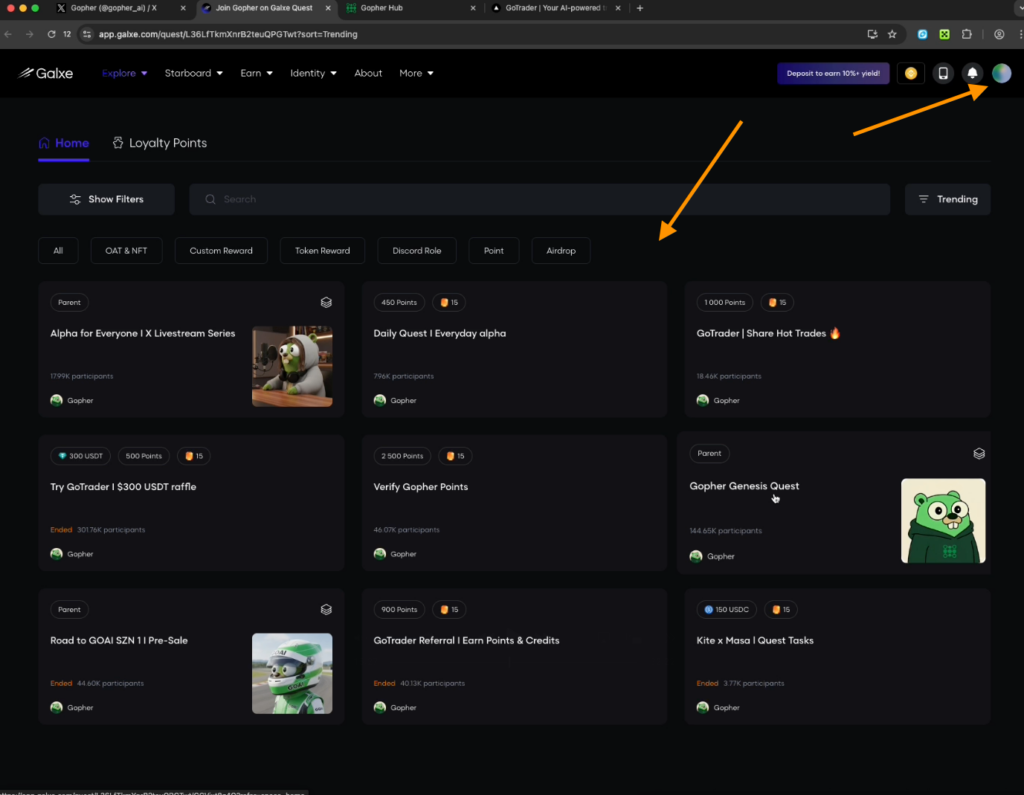
- Go to the Galxe quest website.
- Select from the available active options.
- Before starting, log in using your wallet:
- Open OKX Wallet, enter its password, and click “Add new wallet”
- Enter the seed phrase you received when creating the Keplr wallet.
- Connect it to Galxe.
- To create a profile in the pop-up window, enter a name and accept all notifications.
Gopher Genesis Quest
- Subscribe to the Gopher project on Galxe.
- To subscribe on X, connect your account:
- Enter your email and the confirmation code sent to it.
- Connect your X-account.
- The system will show an ID with a link for posting to X feed — click Publish. Copy the link to this post, paste it into Step 2, and click Verify.
- Connect your Discord account by authorizing it on the website.
- Return to the quest page and click Confirm.
- Subscribe to the Gopher community on X and join the Discord server to receive the Gopher role. Accept the invitation, enter the server, and claim all assigned roles. Write GM in the welcome chat.
- Return to Galxe and refresh the Discord task — make sure it is completed.
- Connect Telegram to your Galxe account through the web version of Telegram: open your account in the browser and receive a code in the app, which you need to enter in the pop-up window. Through the Join in App button, switch specifically to the web version and join the channel there.
Refresh the task page to see the points credited.
To claim all earned points, you will need G tokens on the Gravity network.
- Click on the quest — Claim — and you will see that you received +500 Masa Points.
- Click Confirm.
In Daily Data and Daily Visit Gopher Dashboard you simply need to log in: the project collects visit statistics, and you earn points.
Claim all completed tasks.
On the main quest page, find Verify Gopher Points:
- Your Gopher role in Discord is already obtained, and Telegram and X are connected.
- Additionally, you need to like X post about the start of the testnet, retweet it, and answer the suggested questions below.
Important advice: do not perform all reposts and likes at once. Otherwise, X may permanently ban your account. When everything is done — click Approve.
Another quest — Share Hot Trades
- To make a post about how you traded and used AI, go to the Go Trade website, log in through your wallet, and simply take a screenshot of your interaction with the AI.
- Attach it to X post and write unique content with project tags.
- You also need to like the Go Trade X post, retweet it, and like additional posts from the project.
Refresh the page again to receive points.
In the Alfa for everyone quest, the tasks are the same: like, retweet, like, retweet. Complete all tasks in order and claim the points at the end.
Follow project updates: if voting appears in the Governance section — participate.
You can also watch a video with a detailed guide about the project Gopher on our YouTube.
Share this post
Link copied!