




Unichain is a new Ethereum-based L2 project developed by the Uniswap team and one of the leading candidates for a major airdrop in the near future. In 2020, the project made a breakthrough with one of the largest airdrops ever, distributing around $6 billion to users, with each participant receiving roughly $1,400.
How to qualify for a potential top-tier airdrop
Task 1. Complete a bridge transaction
- Go to the Unichain bridge page.
- Click Connect, choose your wallet, and connect it.
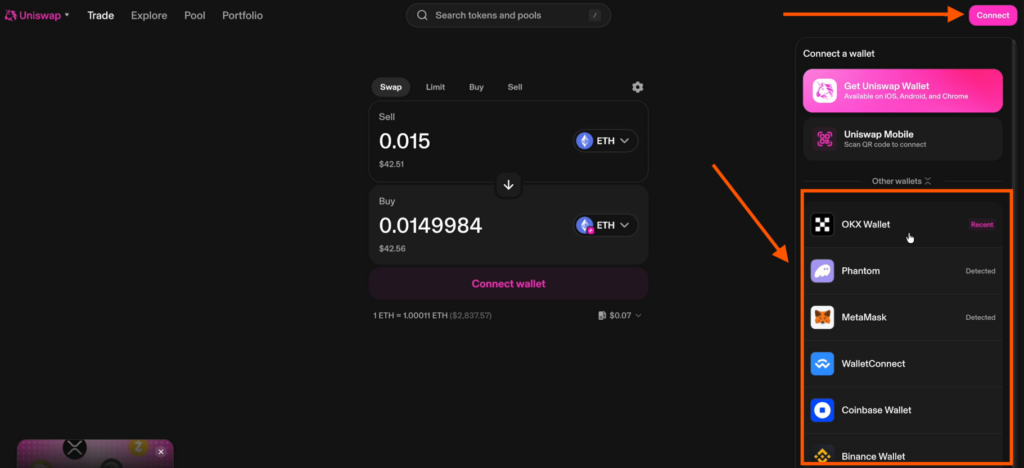
- Perform the bridge: select the network you’re sending funds from and the network where you want to receive them. Always use the Unichain–ETH route.
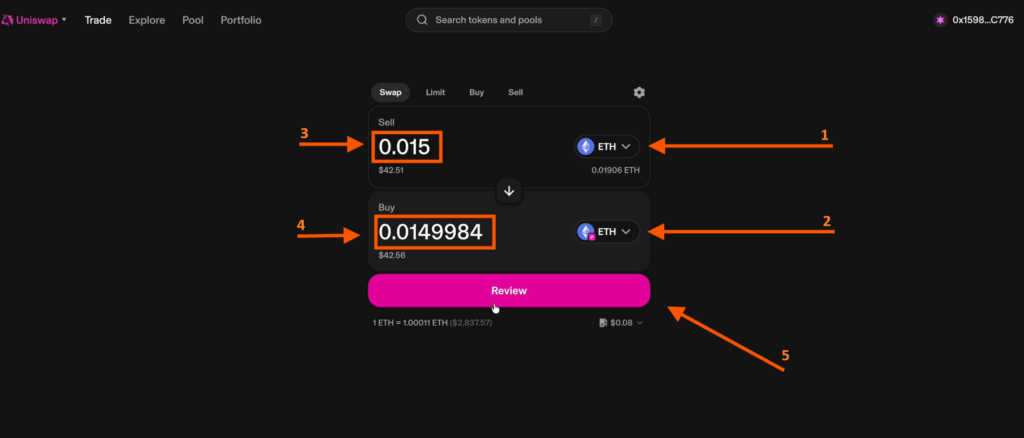
- Confirm the bridge, approve the transaction, and wait for it to complete. Repeat bridge activity once every two weeks.
Task 2. Connect your wallet to the Unichain network
- Add the network using the ChainList website.
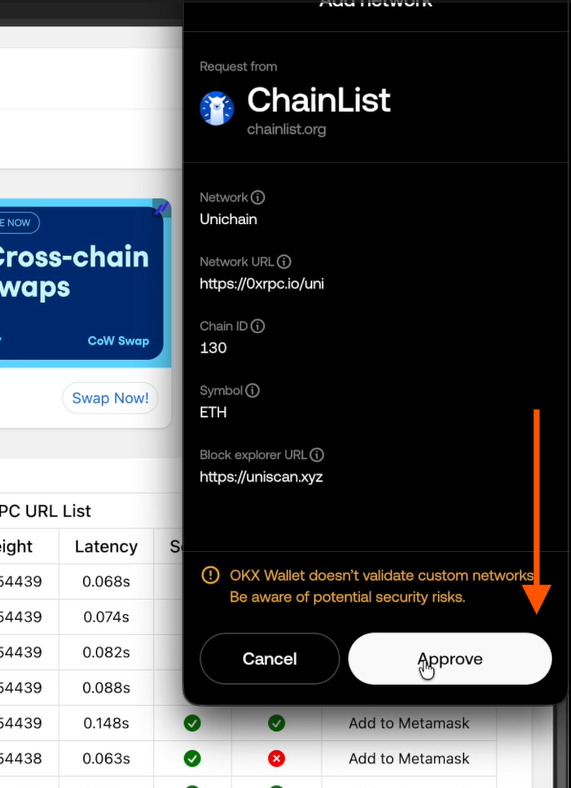
- Click Add MetaMask. The platform detects MetaMask automatically, but you can connect another wallet as well.
- Make sure the Unichain network is added and that ETH has been credited on the new network.
Task 3. Perform swaps
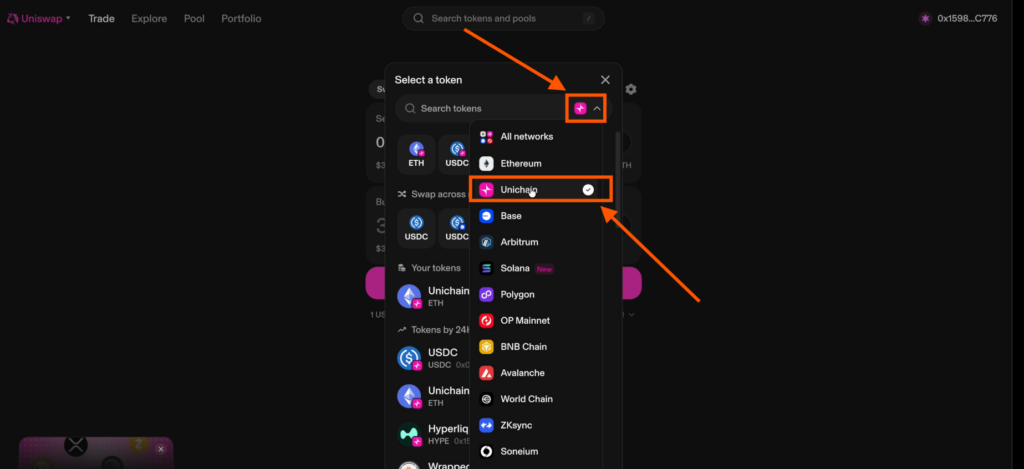
- Return to the Unichain page and connect your wallet to the network, confirming access.
- If Unichain doesn’t appear, switch to Ethereum and select Unichain from the available networks.
- Make swaps totaling about $300, splitting the volume into 2–10 transactions.
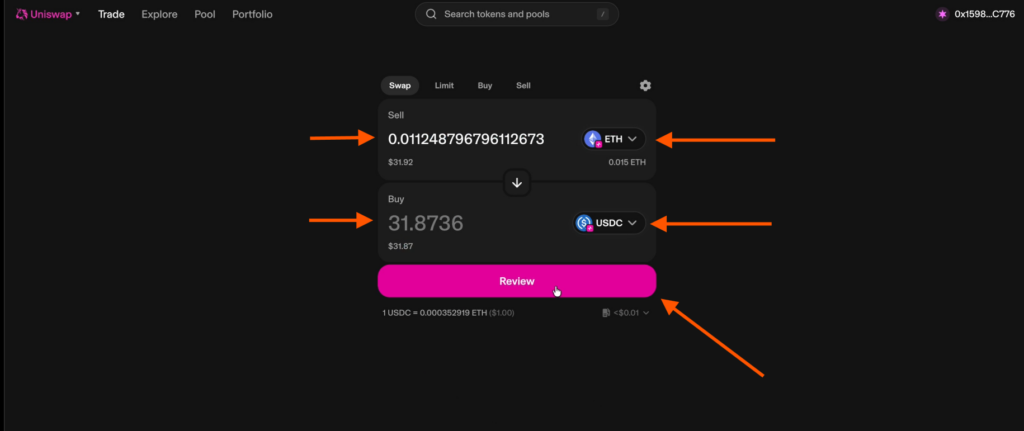
- Confirm each transaction and wait for completion.
- Swap between different tokens to interact with more smart contracts. Use various pairs, but avoid highly liquid tokens such as zcash, dogecoin, unidoge, unicorn, ABE.
Task 4. Add liquidity to a pool
- Open the Pool tab and, in Your Positions, select the Unichain network.
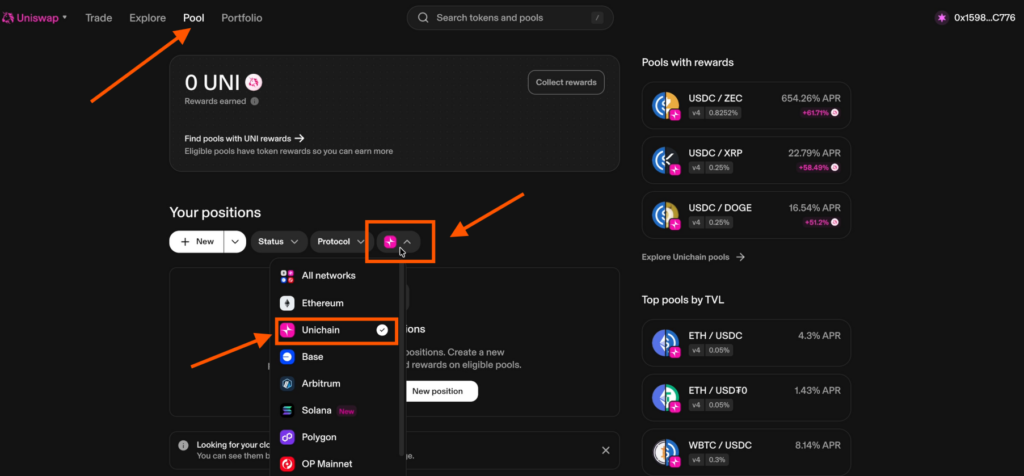
- On the right, choose an available trading pair. To add liquidity to ETH–USDC, both tokens must be in your wallet. For other pairs, ensure the required tokens are on balance.
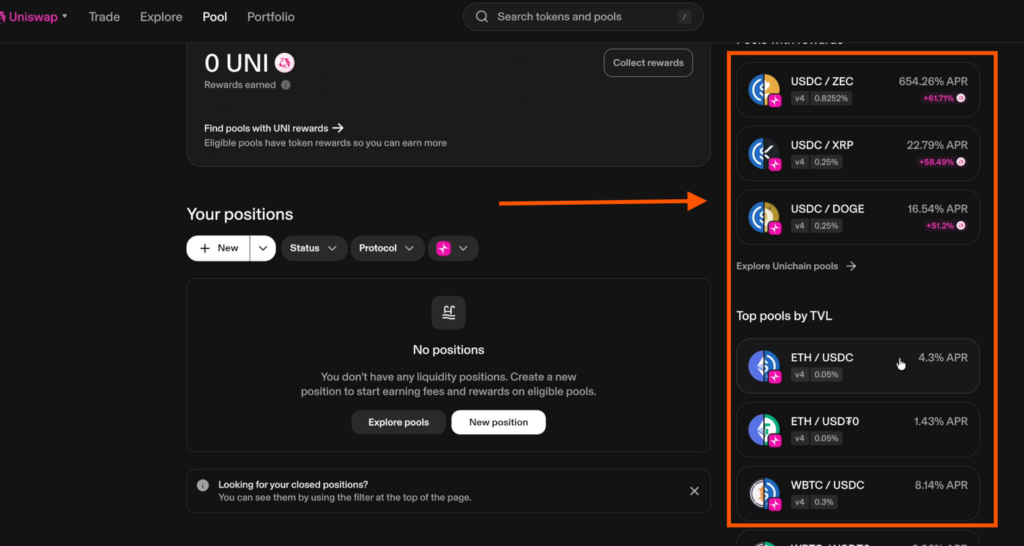
- Each pool shows an APR—the annual yield earned for providing liquidity.
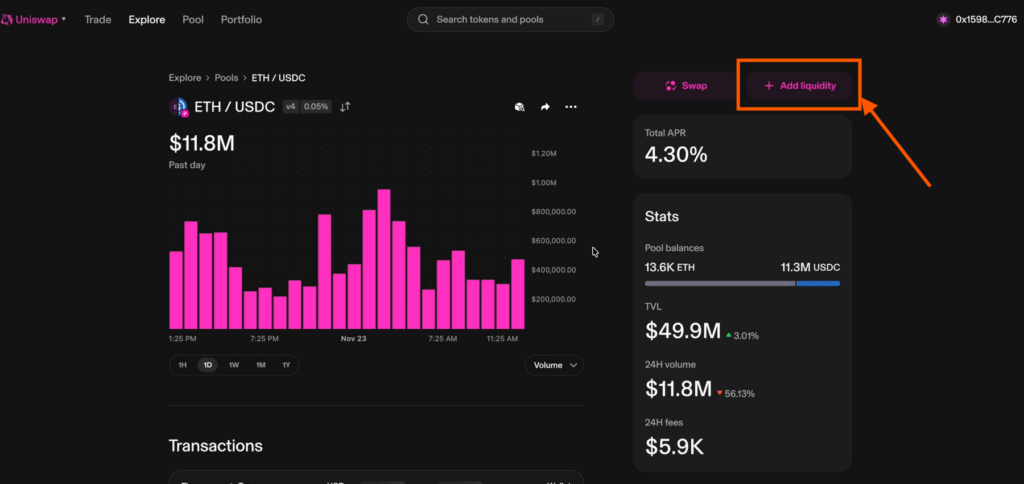
- Select ETH–USDC, click Add Liquidity, then Continue.
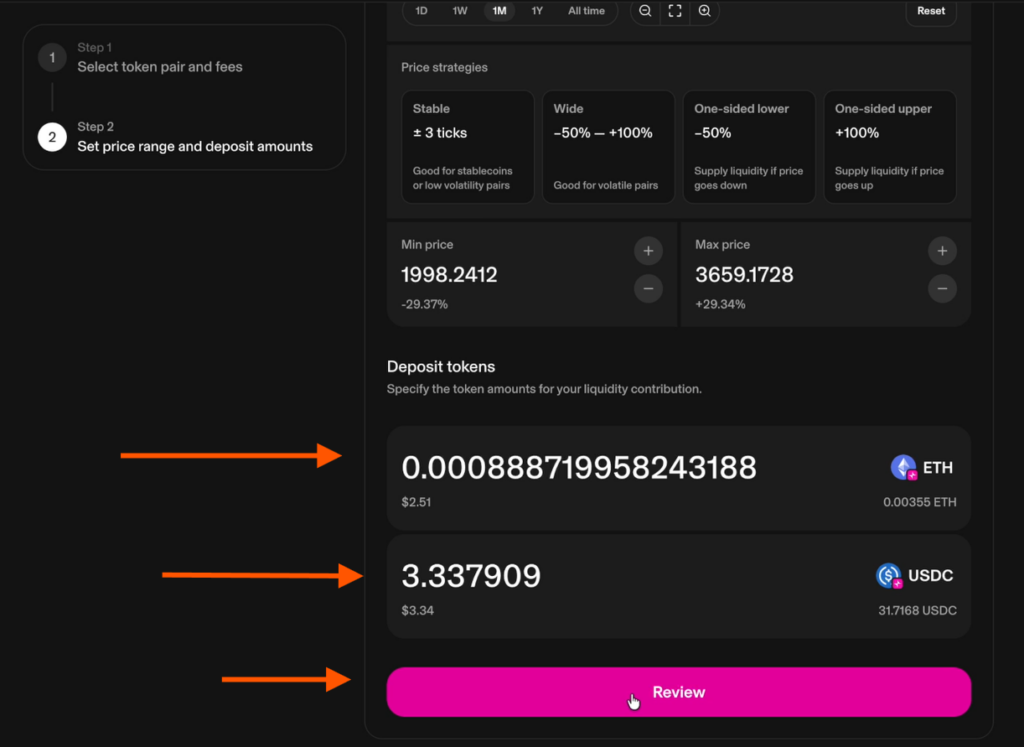
- Specify 25% of your available balance to create a position. The more liquidity you add, the higher your overall activity on the platform.
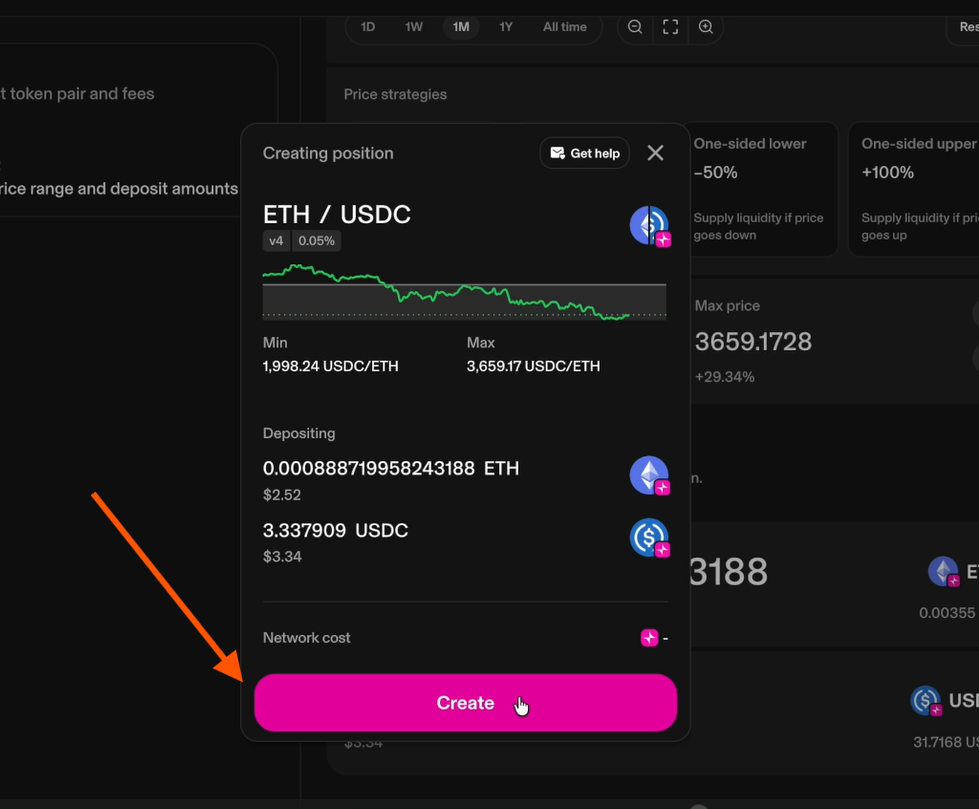
- Click Review → Create, confirm in your wallet, and the pool will be created successfully.
Task 5. Withdraw liquidity
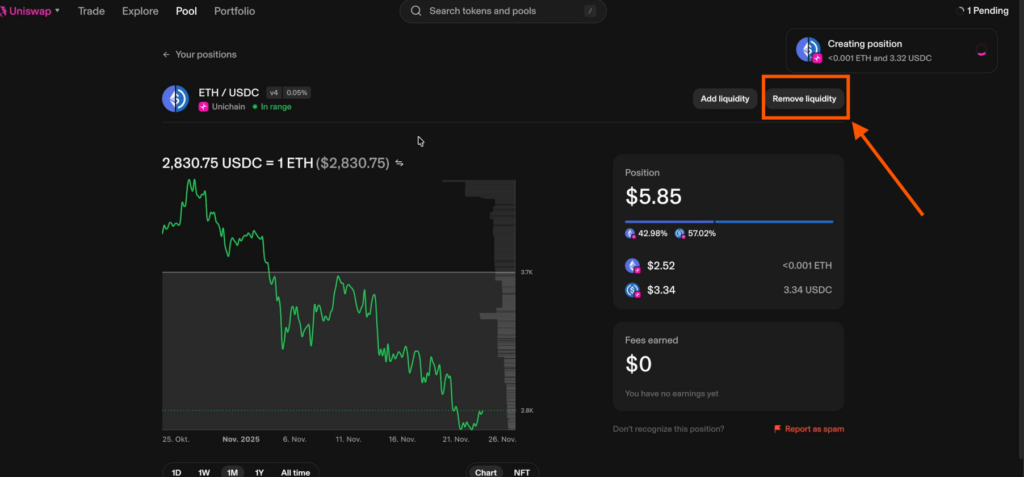
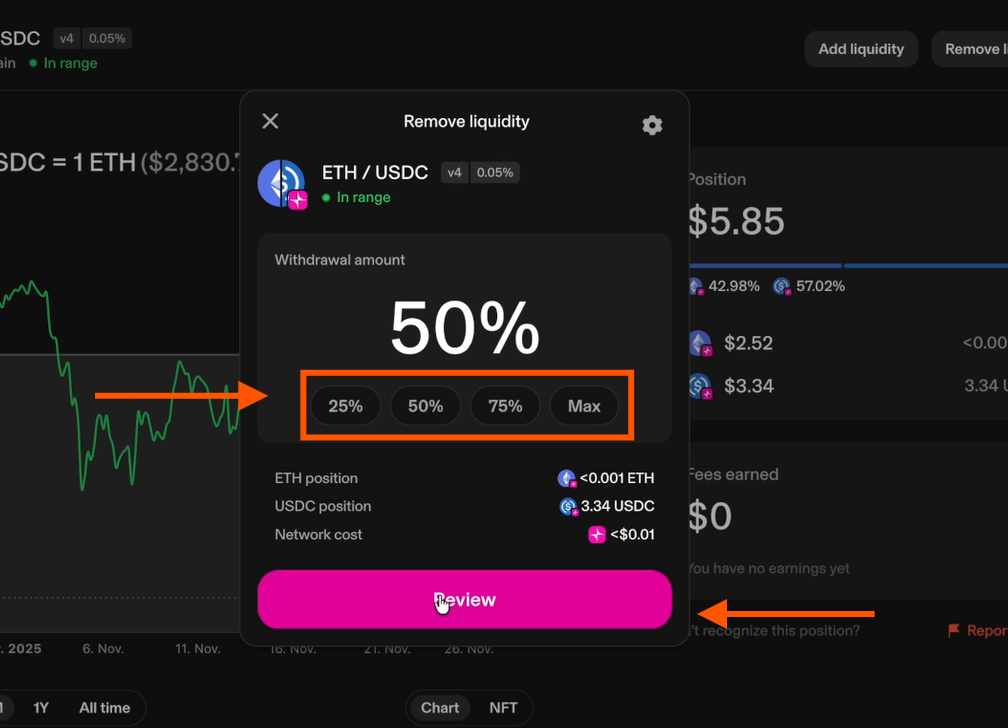
- Enter 50% of your pool amount and click Confirm.
- Approve the transaction in your wallet and wait for completion.
Task 6. Deploy and interact with smart contracts
- Go to the ThirdWeb website and click Start for free.
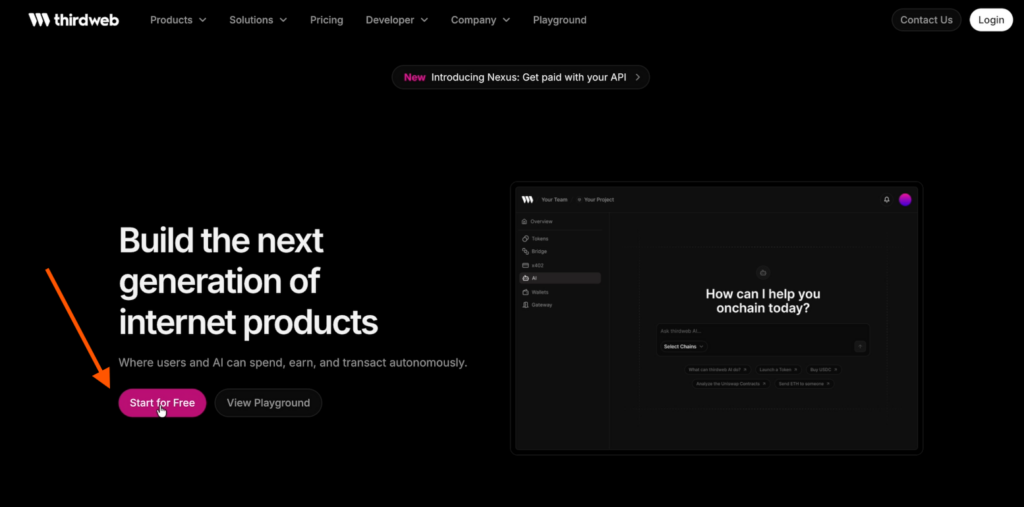
- You’ll be redirected to choose a wallet and log in.
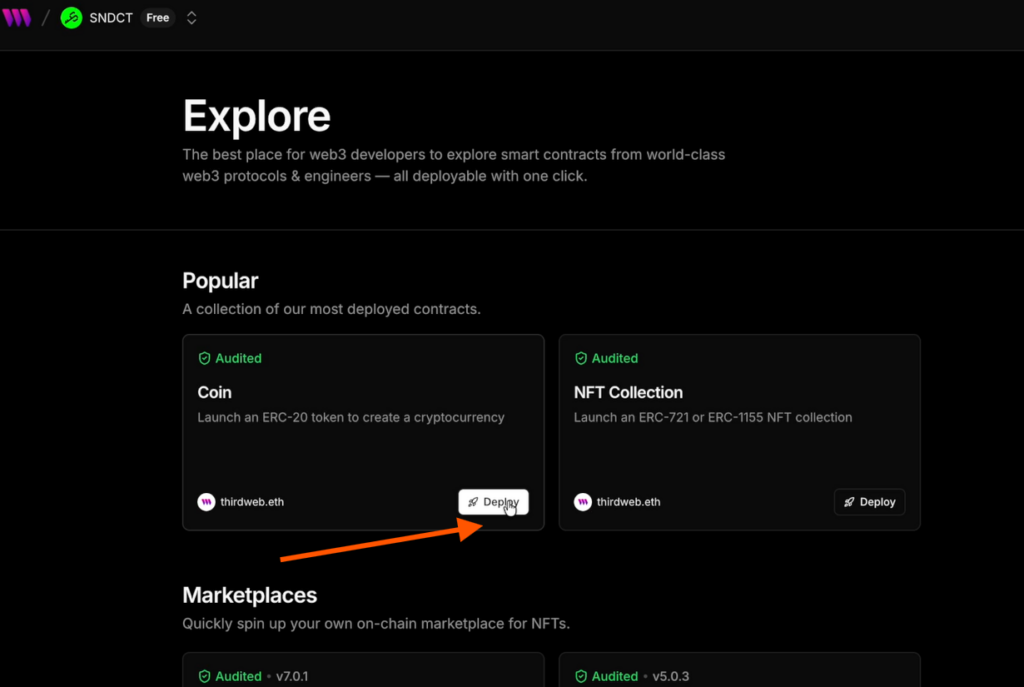
- Open Resources → Explore Contracts and select Coin.
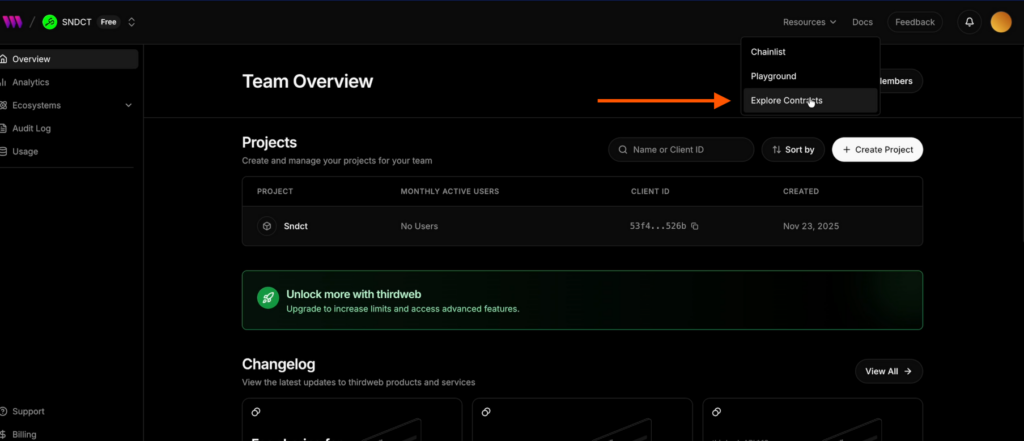
Click Deploy and enter your nickname in the Create Coin field.
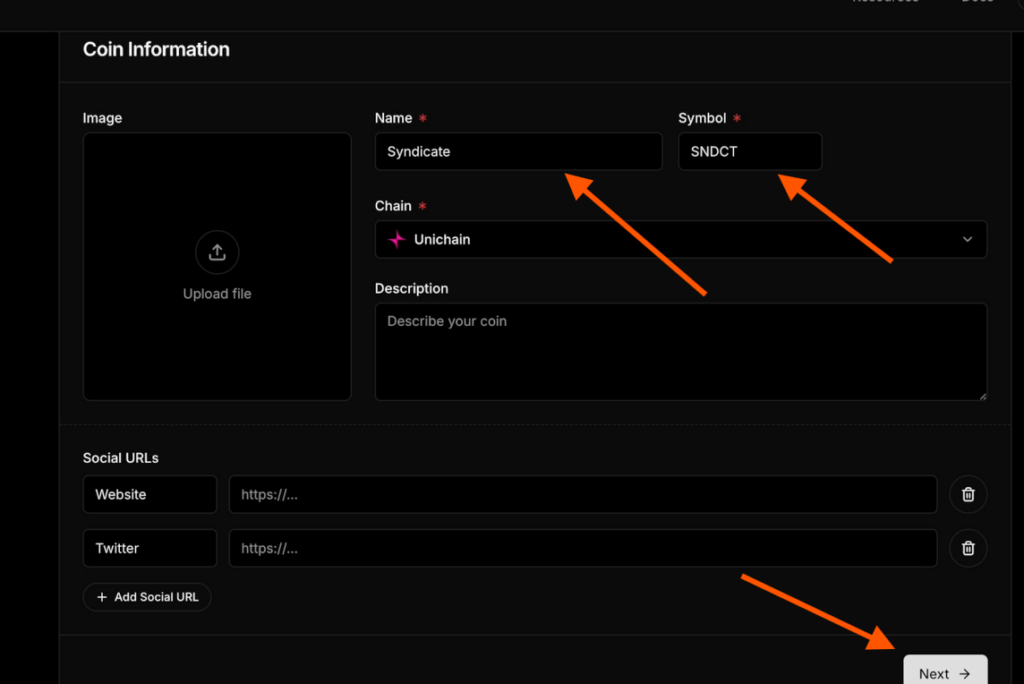
- Proceed to Launch Coin and confirm all required actions.
- On your coin’s page, open the Token tab in the left menu, where you’ll see Burn, Airdrop, and Transfer.
- Start with Transfer: copy your wallet address, paste it into the first field, enter any token amount, and confirm the transaction.
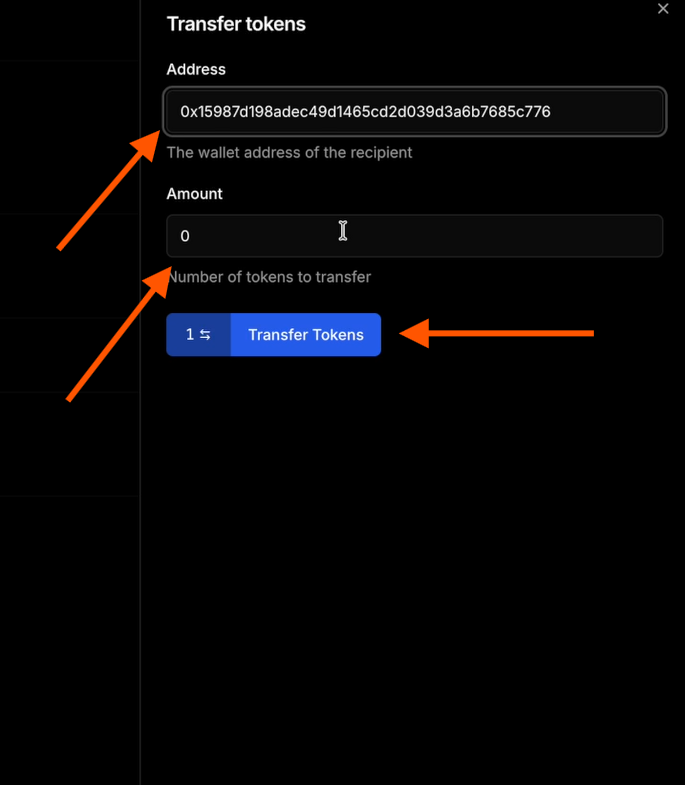
Next, go to Burn to destroy tokens.
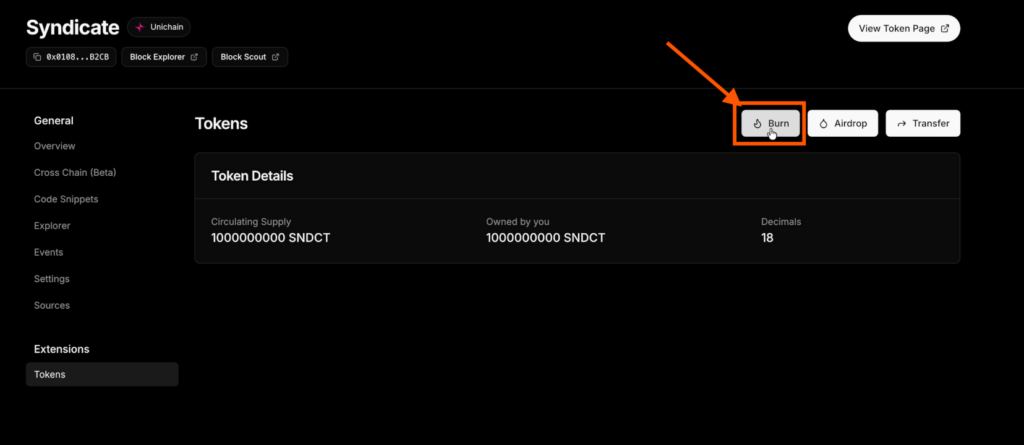
Enter the amount, click Burn Tokens, and confirm in your wallet.
Final task. Perform additional transactions
To increase interaction with Unichain smart contracts, go to Opensea.io:
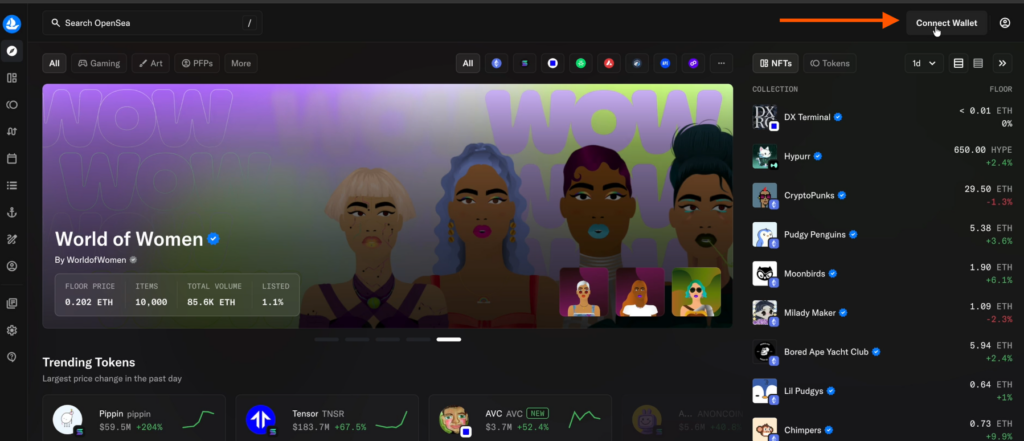
- Connect your wallet using the button in the top-right corner.
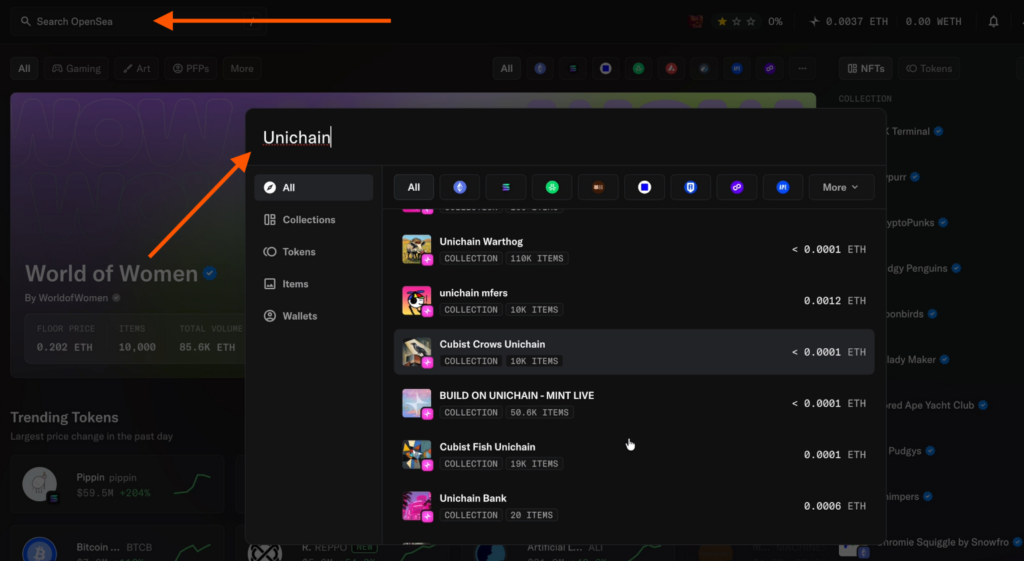
- Search for Unichain to view available collections.
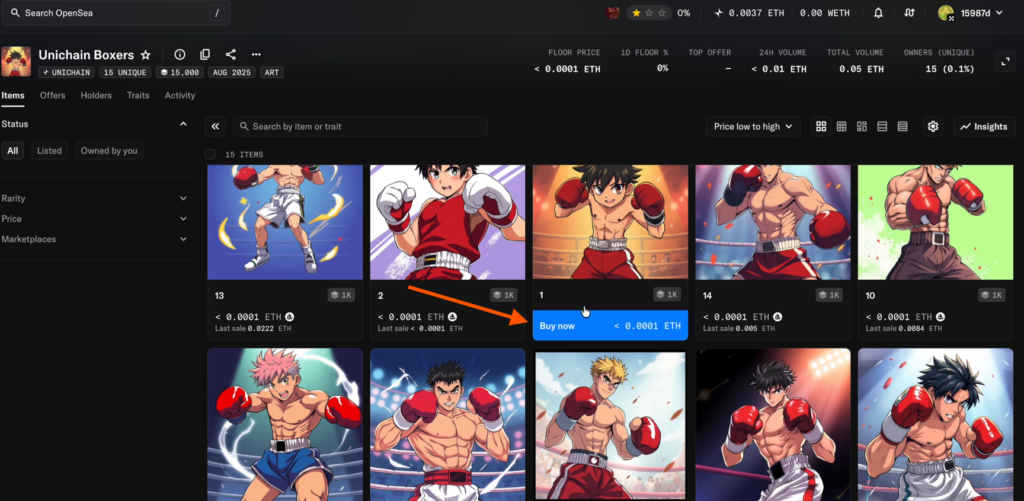
- Choose inexpensive NFTs to avoid high costs and purchase them.
Repeat all activities once every two weeks to boost account activity and improve your chances of receiving a potential airdrop.
Share this post
Link copied!