




Tempo is a new EVM blockchain built for payments: low fees, high speed, and real scalability for mass transactions. It works just like Ethereum — the same smart contracts, the same tools. Backed by $500M in investments from Paradigm Ventures and Sequoia Capital.
How to properly work through it and get into the TOP testnet users
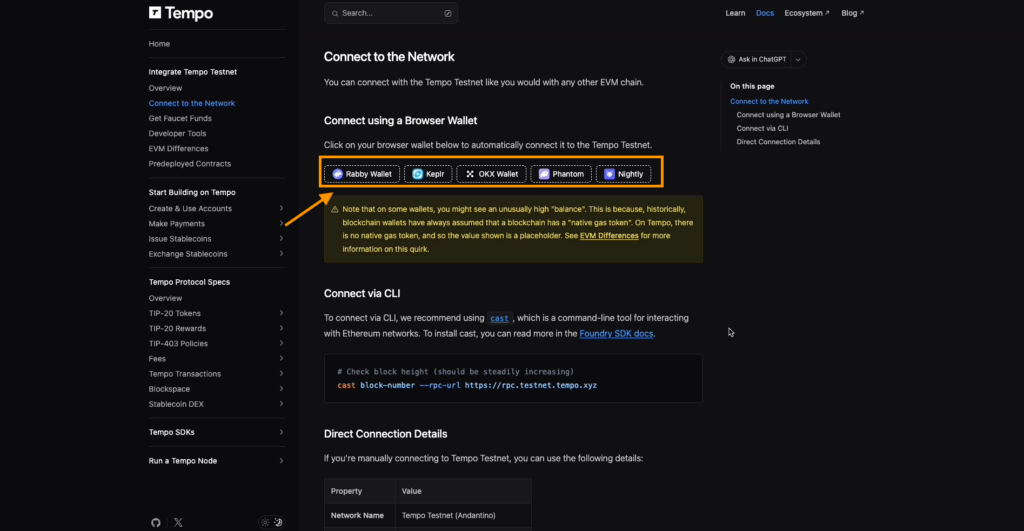
Step 1. Go to the testnet website and connect the Tempo network to your wallet from the available options: Rabby Wallet, Keplr, OKX Wallet, Phantom, Nightly. We use OKX Wallet. Click Approve.
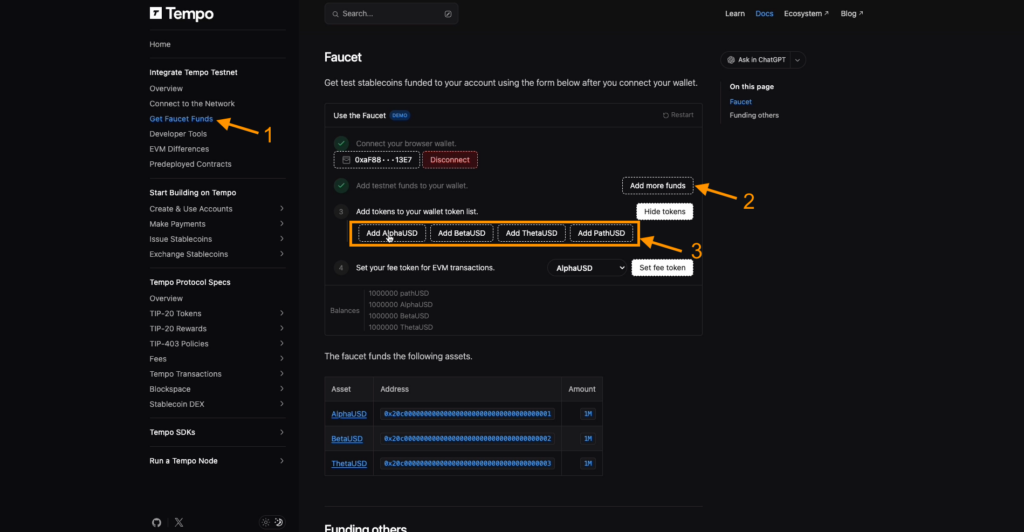
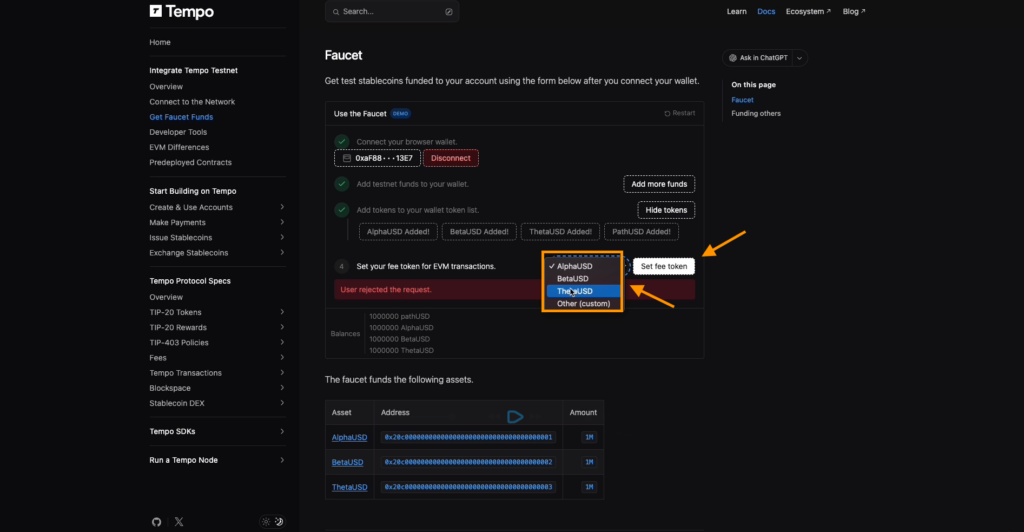
Step 2. Open the Get Faucet Funds section to receive test tokens to your wallet.
Step 3. In the Add testnet funds line, click Add more funds to add balance. In the third пункт, add the suggested tokens. Using the Show tokens button, select them one by one — they will appear in your wallet.
Step 4. Insert the gas payment token directly in the network. Try all available options one by one.
Your goal is to test the platform as much as possible and perform as many activities as you can every week.
Transfers between wallets
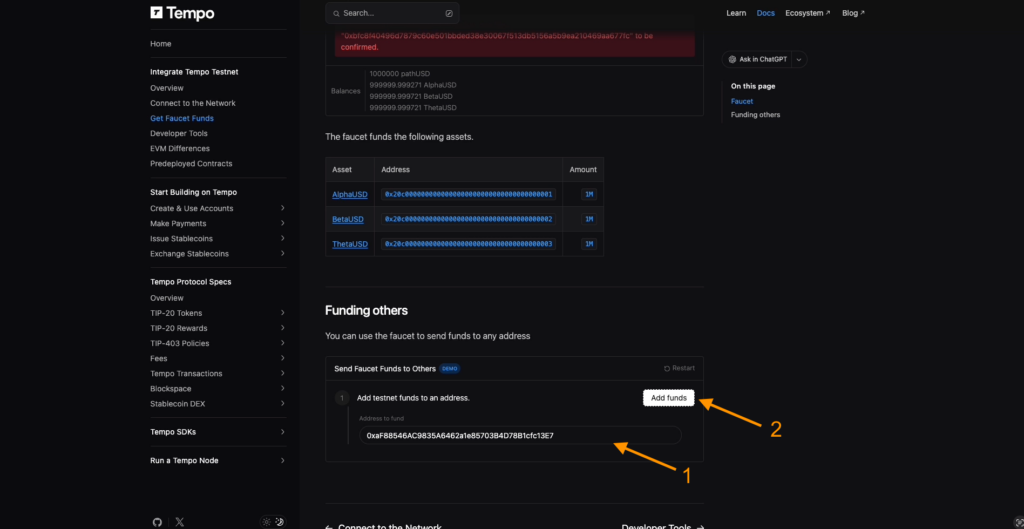
- In the last block of the testnet site, send funds to another wallet — for example, your alternative one. Copy its address, paste it into the field, and click Add fund.
- Top up your main testnet wallet: go to Add funds to your balance and click Add funds.
After that, open Make Payments and choose Send a payment. Send Alpha USD to any address — a friend’s or your second wallet — and confirm the transaction.
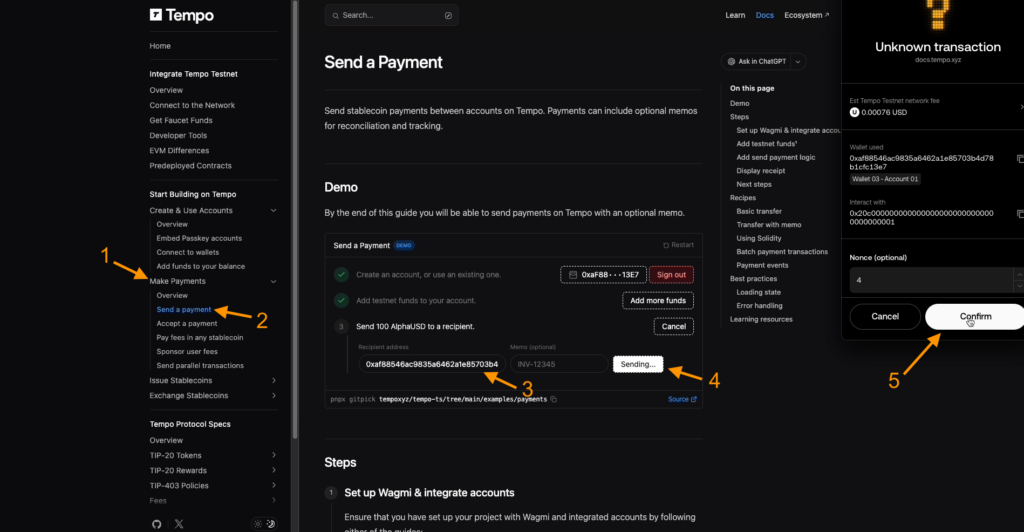
You can check the transaction status in the blockchain via the View receipt link that appears after sending, and your active balance will be shown in Accept a payment.
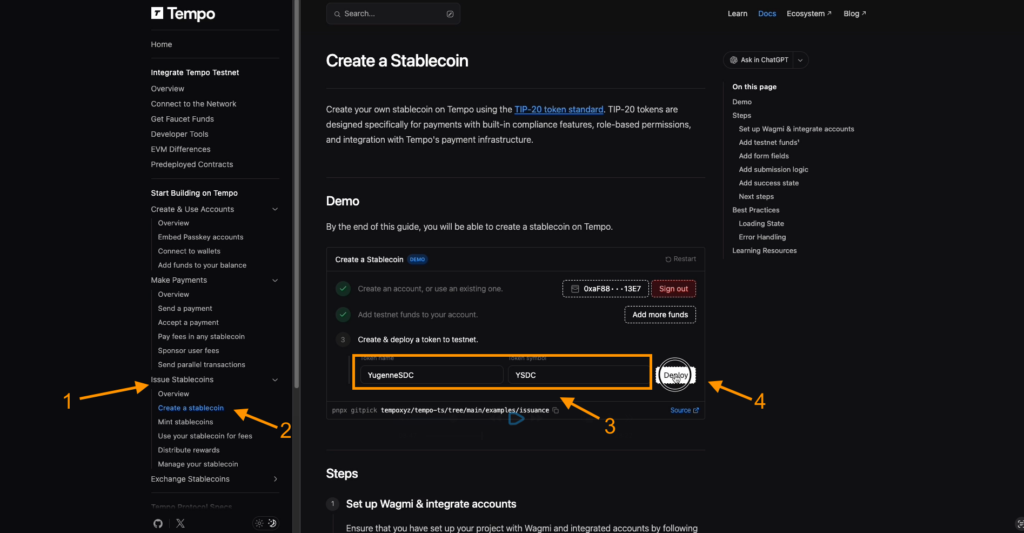
Go to Issue Stablecoin → Create a Stablecoin.
Come up with a token name and symbol. It can be a nickname — for example, like ours, “YugenneSDC,” with the symbol “YSDC.”
Click Deploy and confirm the transaction in your wallet using Confirm.
If it doesn’t work the first time, try different token symbols.
Mint Stablecoin
This function is used to mint new stablecoin tokens and is available only to addresses with the issuer role. Click Enter Details and then Grant.
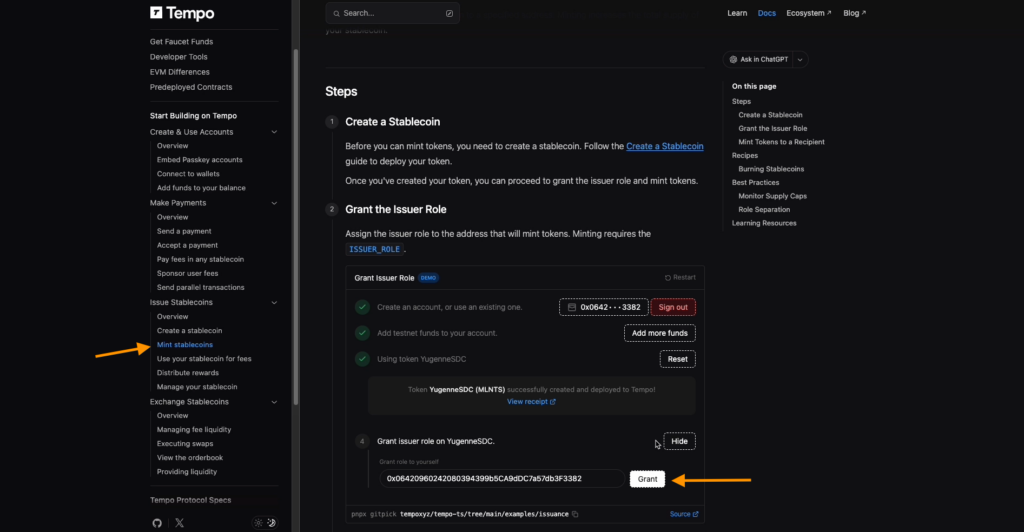
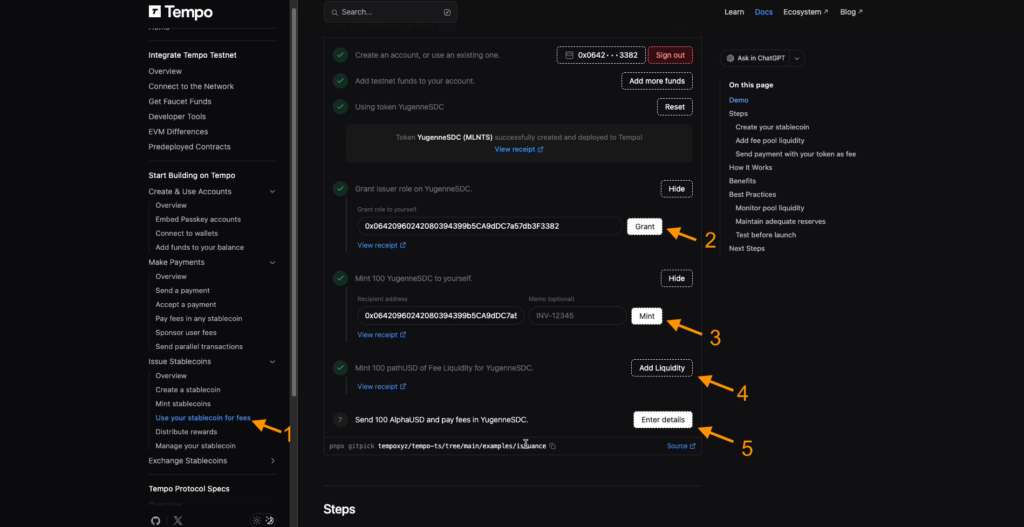
Immediately proceed to Use your Stablecoin for fees. Follow the steps in order:
- Click Add Funds
- Enter your token name and symbol
- Click Deploy, then Grant, and Enter Details
- Click Mint
- Then Add Liquidity
- In step seven, where AlphaUSD is indicated, choose Enter Details
- Finally — Send
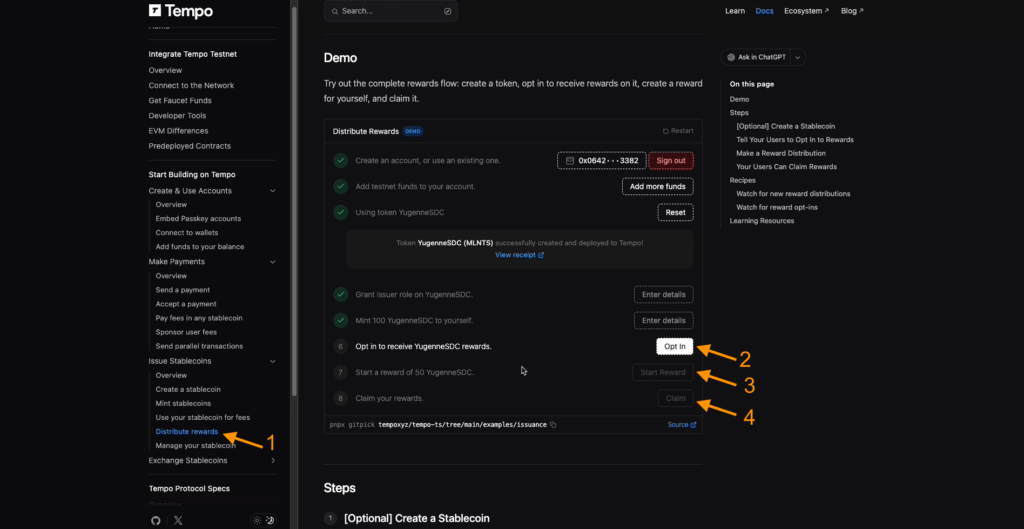
- Connect to the rewards program in Distribute Rewards: click Opt In, then Start Reward. At the end, be sure to claim the reward.
The final step in this block is Manage your stablecoin.
Find item 4: Revoke the issue role. First click Enter Details, then Revoke.
In the next blocks — Exchange Stablecoin and Managing Fee Liquidity — similarly click the active buttons Add Liquidity and Burn Liquidity. The second one may not work immediately — remember, this is a testnet.
Go to Providing Liquidity and complete two actions in sequence: first Place Order, then Query Order.
Executing Swap
Потрібно протестувати функції Buy і Sell. Транзакції можуть не проходити з першого разу або скасовуватися. Періодично повертайтеся та перевіряйте статус. Якщо не спрацювало — пробуйте знову.
You need to test the Buy and Sell functions. Transactions may fail the first time or get canceled. Check the status periodically and try again if needed.
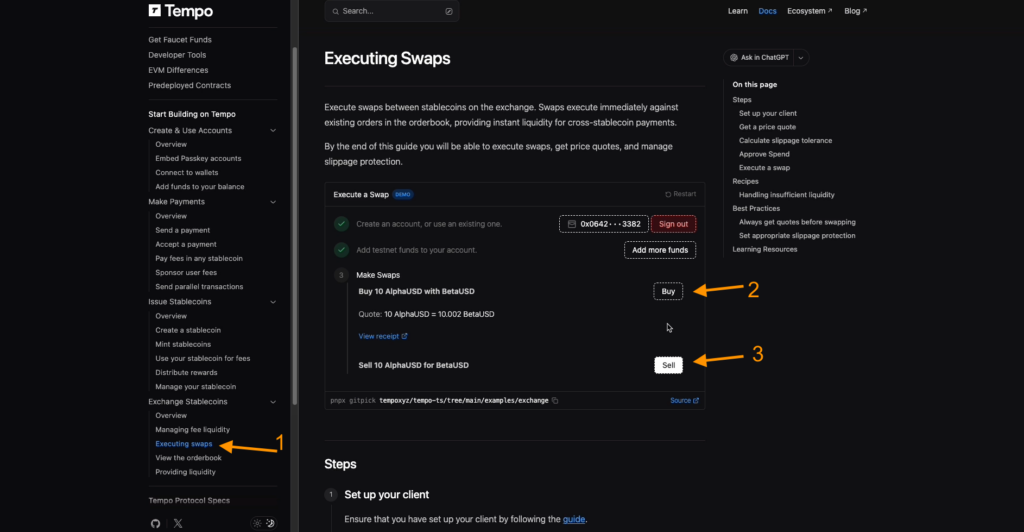
We recommend repeating this entire flow on the testnet site every 2–3 days so the project records your activity. The more consistently you test the platform, the higher your chances of getting early-user status and the maximum drop.
Working through the testnet on third-party platforms
Go to onchaingm.com.
- Connect the same wallet you used on the previous site.
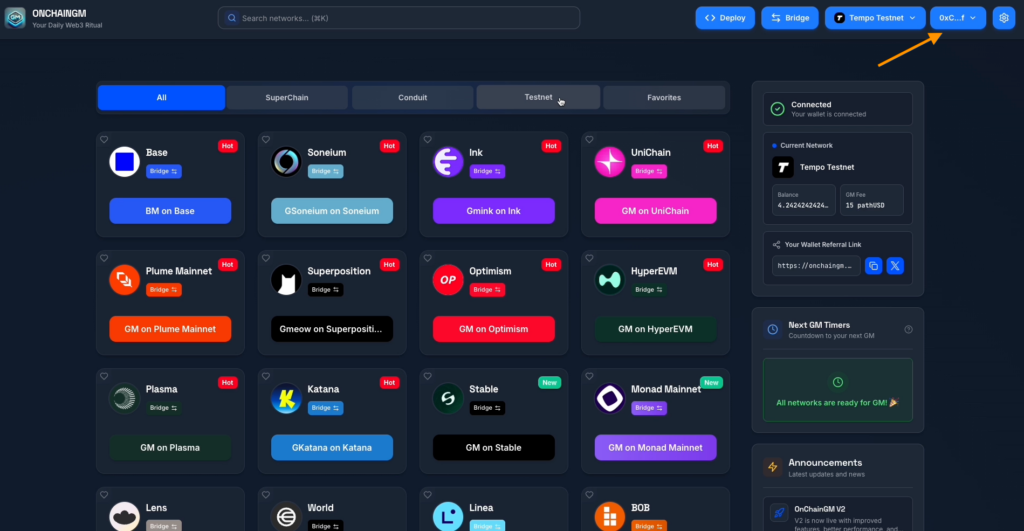
- Open the Testnet tab, find Tempo Testnet, click it, and confirm the action in your wallet. This operation can be repeated every 12 hours, so return regularly.
- In the top menu, click Deploy.
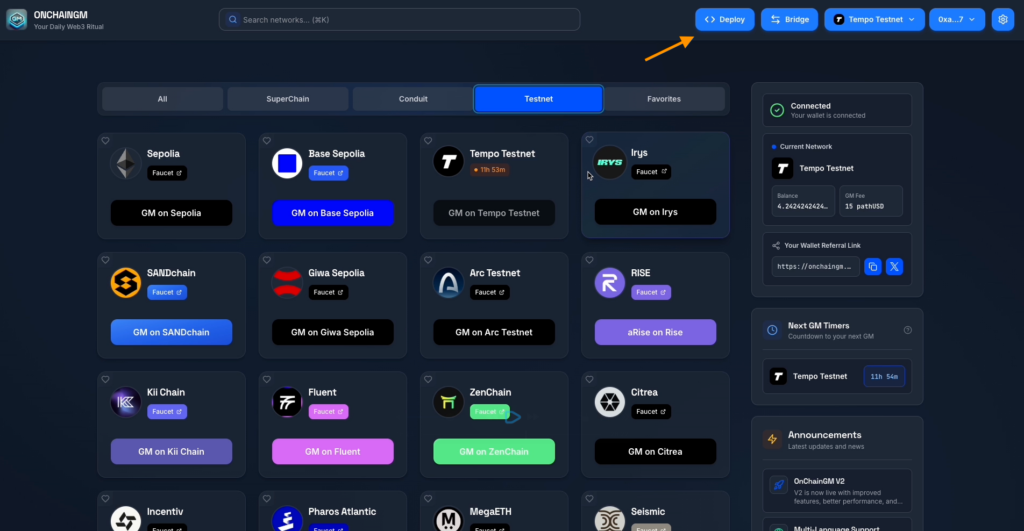
- Go back to the Testnet tab and select Tempo Testnet again.
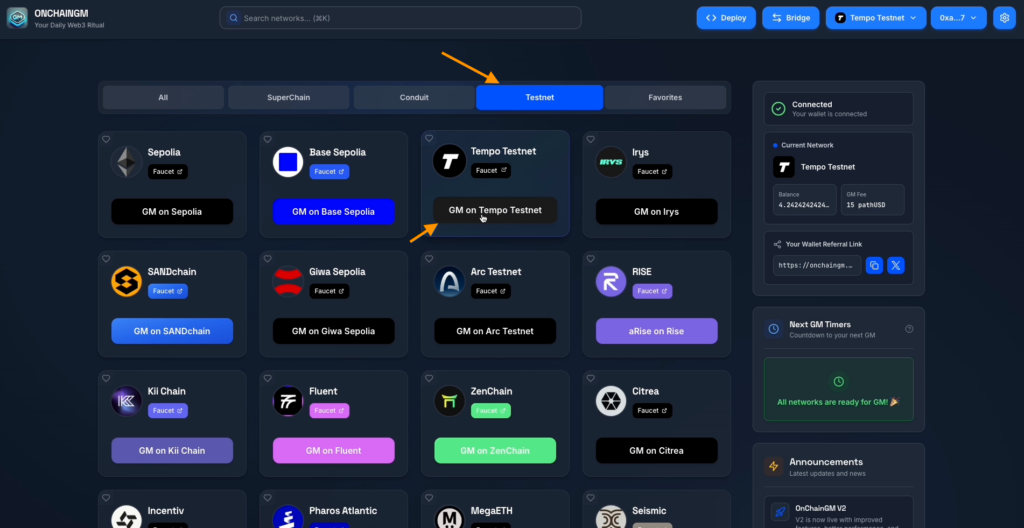
- Wait for the transaction to process and confirm it in your wallet. This action can be repeated an unlimited number of times — the more often, the better for your activity.
The second testnet domain is infinityname.com.
- Connect the wallet you used previously.
- Create a nickname and click Search.
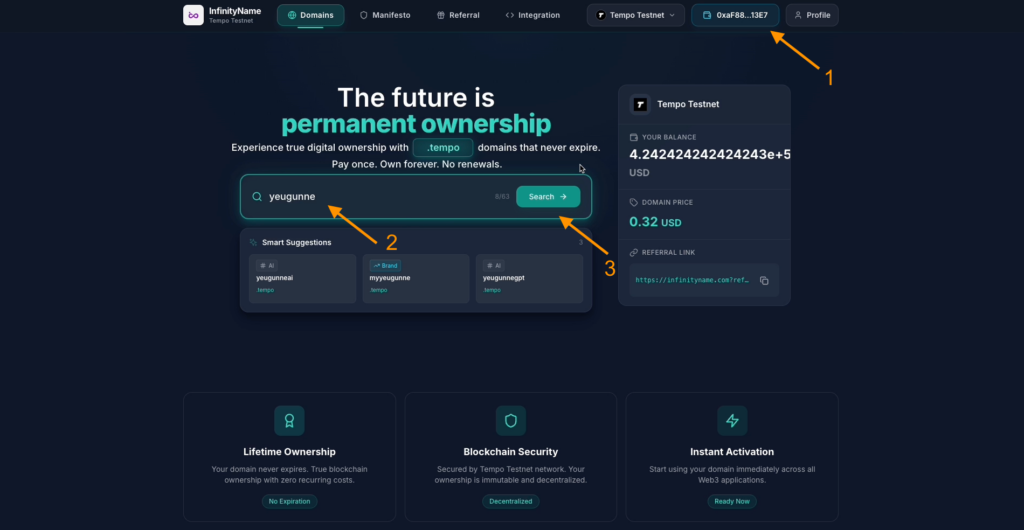
- In the dropdown menu, select Tempo Testnet, then Approve USD.
- In your wallet, set a higher transaction speed: choose Fast in gas settings and click Confirm.
- Then click Register, set fast speed again, and confirm.
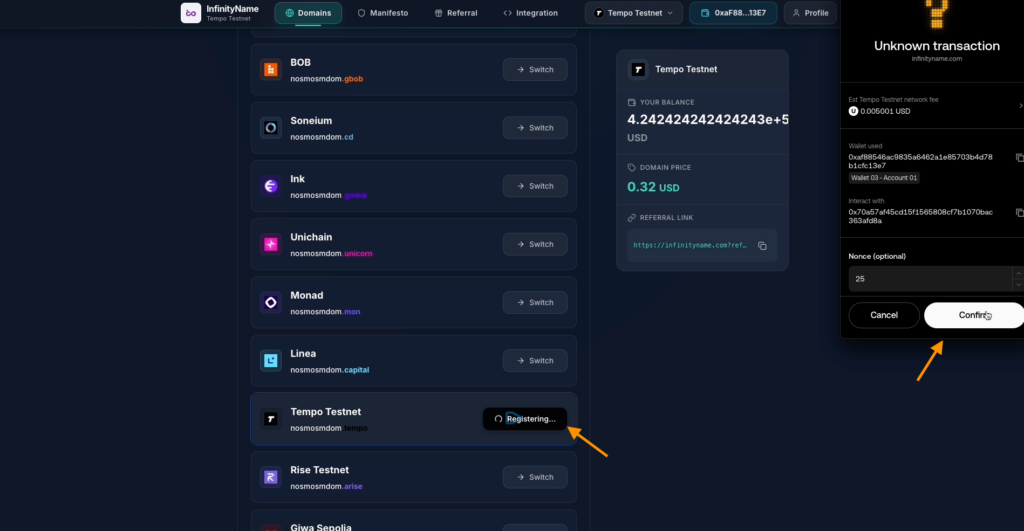
- Your domain is now registered in Tempo Testnet.
Go to superboard.xyz.
Use the Sign In button to connect your wallet. Open Tempo Testnet Exploration and start completing all quests in order.
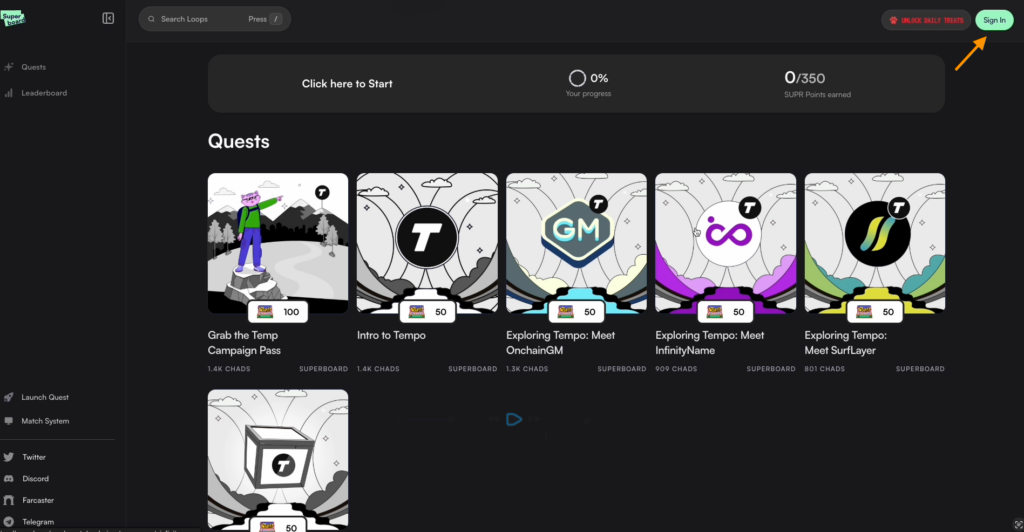
Grab the Temp Campaign Pass
- Click Start, then Visit NFTs2Me — you’ll be redirected to a page to purchase an NFT on the Base network for ETH. Cost: 0.0005 ETH (about $1.47 at the moment).
- Grab the Temp Campaign Pass
- Click Sign In and connect your wallet.
- This activity is a Superboard daily and is not required, since it’s not directly related to the Tempo testnet.
- Go to Explore, select Tempo tasks, and open the first Superboard quest — Grab the Temp Campaign Pass.
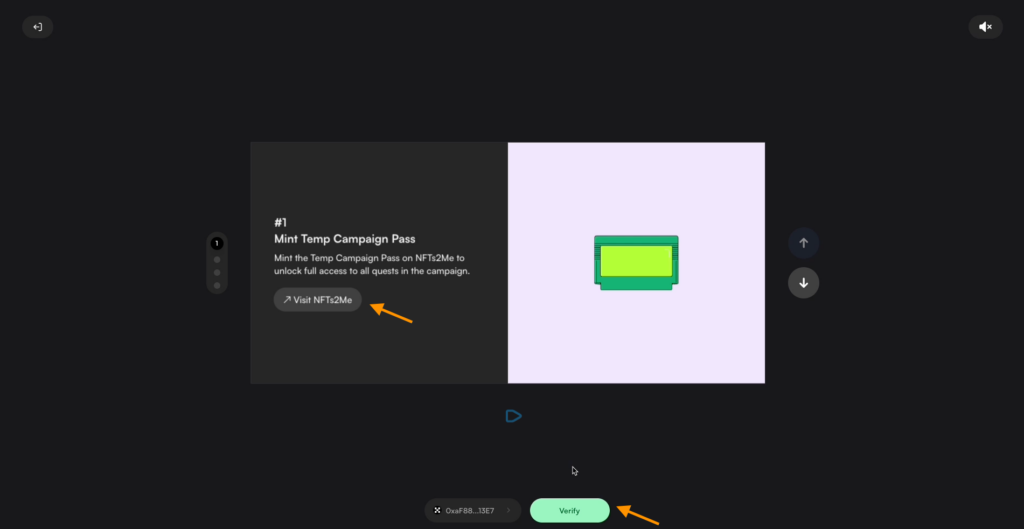
- After completing the transaction, return to Superboard and click Verify for the task to count.
- Subscribe to Superboard on X and click Verify.
- Join the Superboard Telegram group and click Verify again.
- Claim your first 100 SUPR Points.
- After completing this first quest, click Verify.
Next quests
- Hold the Campaign Pass — click Start → Visit Quest → Completed → Verify.
- Intro to Tempo — click Watch to learn about the testnet (its features and how it works).
- Quiz answers:
- Question 1 — B
- Question 2 — A
- Question 3 — C
Get Faucet — already completed earlier; click Verify, then Claim Rewards
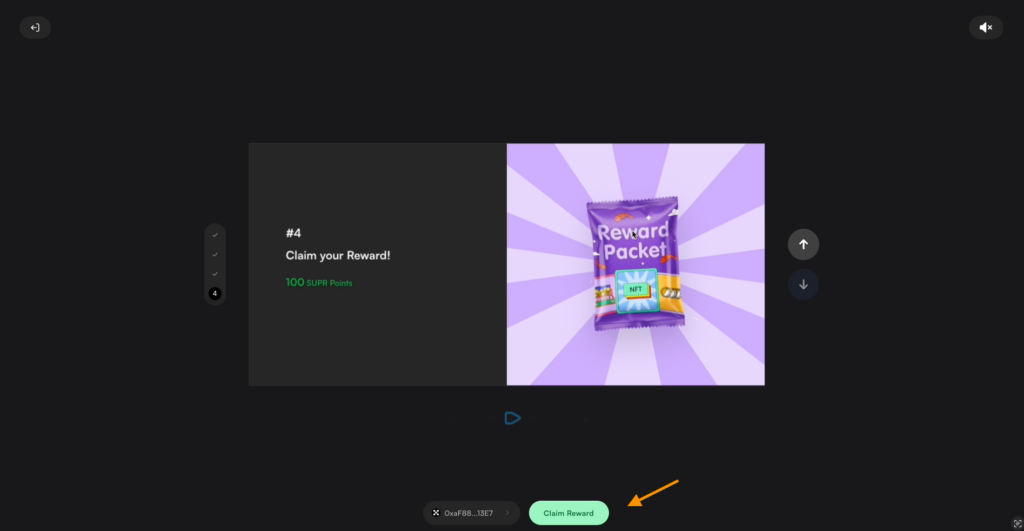
Do the same for Exploring Tempo: Meet OnchainGM — after Start and Visit Quest, verify completion and receive rewards.
Meet InfinityName — click Verify and Claim.
Meet Surflayer:
- Connect your wallet
- Find Tempo Testnet in testnets and open GM on Tempo Testnet
- Confirm the action in your wallet using Confirm
- Finally click Verify and Claim Rewards
Follow the project through our app — you’ll receive push notifications, won’t miss anything, and will have the best chances for a strong future drop.
Share this post
Link copied!