






Project X — a decentralized exchange with a second season of point farming. The project belongs to the DeFi category and represents a full-fledged DEX platform. The platform is designed for token swaps, providing liquidity to pools, and convenient portfolio management.

Syndicate – Less Noise, More Action
Never miss an Airdrop with a smart calendar, instant notifications, and community-driven insights.


How to start farming points
- Go to the project’s website.
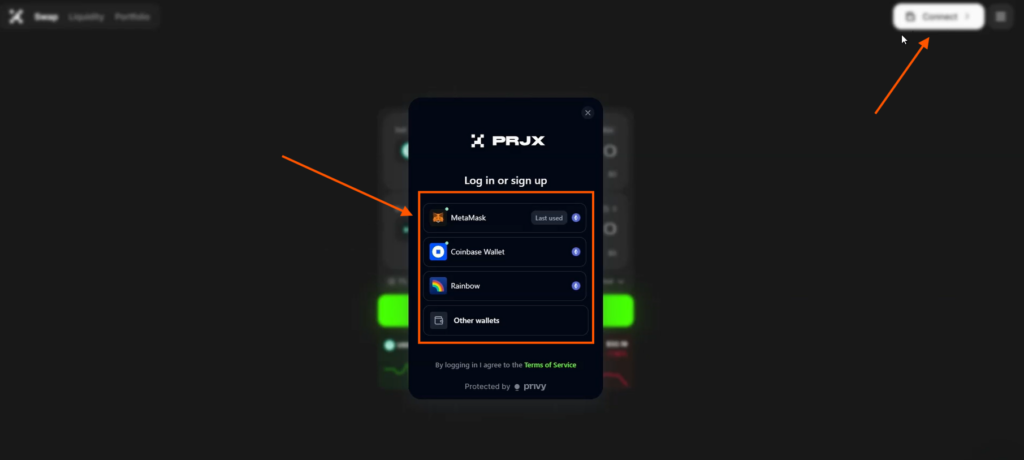
- Connect your wallet using the Connect button.
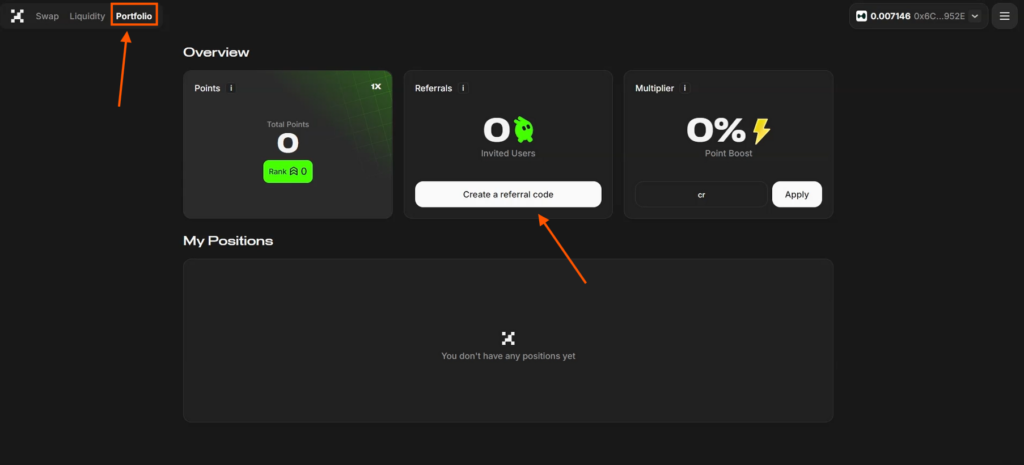
- In the Portfolio tab, you can see the number of your points, referrals, and boosts.
Referral program
Invite a friend to the project using a referral link:
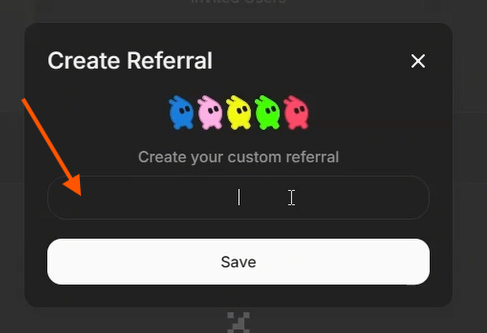
- click Create Referral Code
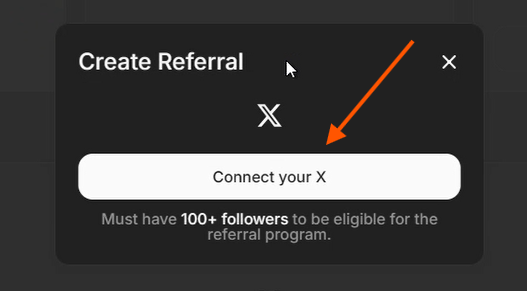
- connect your X account — authorize it
- in the pop-up window, create your referral code and save it
- send the generated referral link to a friend to start earning points for it.
How to add liquidity to a pool
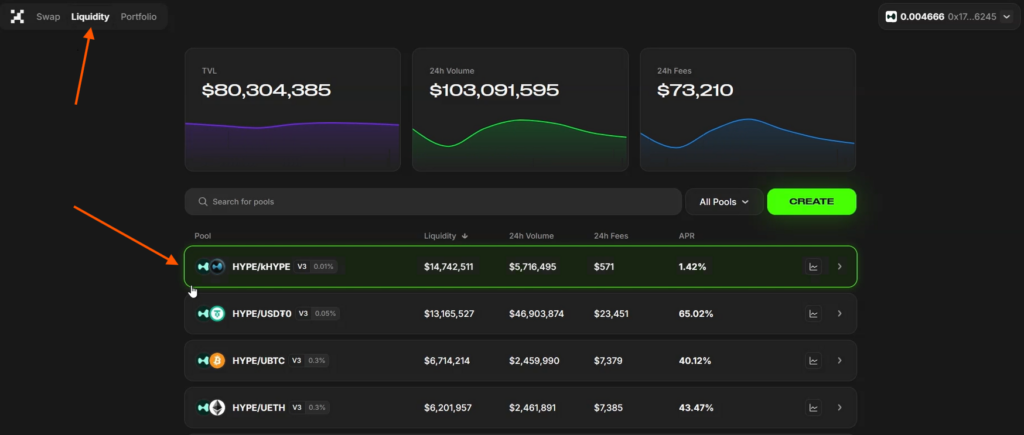
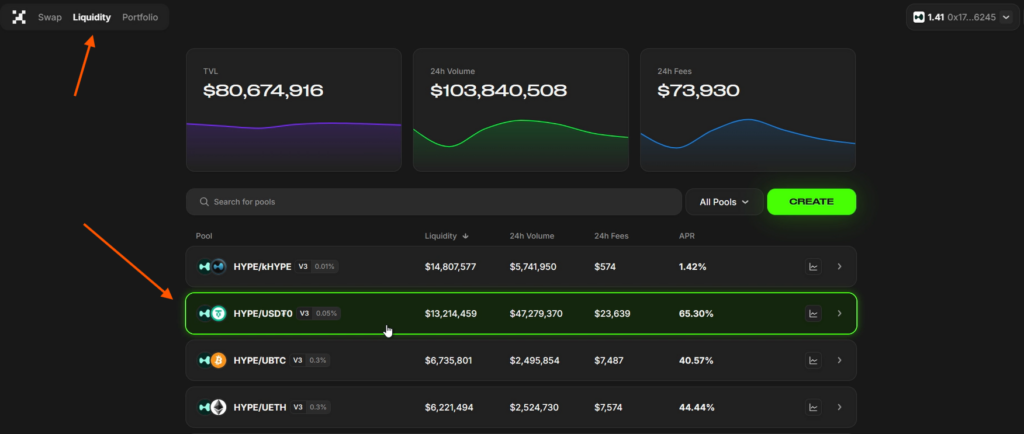
Go to the Liquidity tab and choose a liquidity pool that interests you, for example, HYPE-USDT. To participate in such a pool, you will need HYPE and USDT tokens on the HyperEVM network.
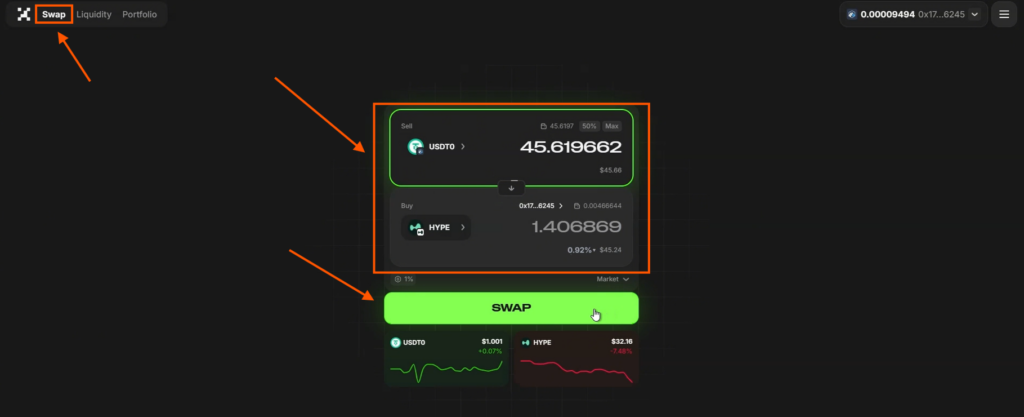
- Go to the Swap tab.
- Swap your USDT into the HYPE token: select USDT on your network, and in the destination field choose HYPE on the HyperEVM network; click Swap and confirm the transaction in your wallet by pressing Confirm.
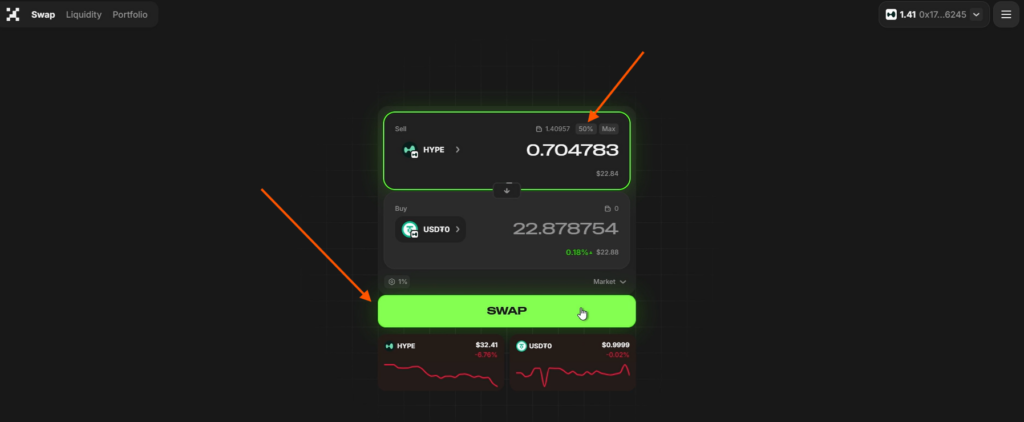
- For the pool, swap 50% of your HYPE tokens into USDT on the HyperEVM network.
- Select HYPE on the HyperEVM network, and in the destination field choose USDT on the HyperEVM network.
- Click Swap and confirm the transaction in your wallet by pressing Confirm.
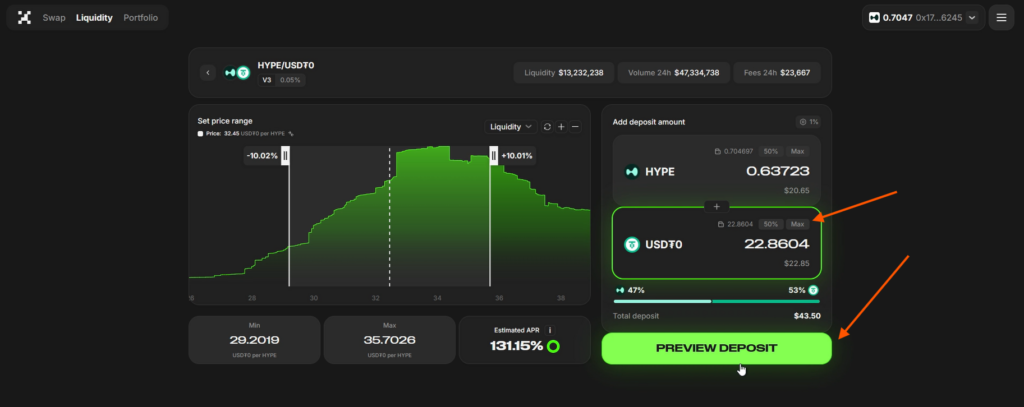
- Add liquidity to the pool: return to the Liquidity tab and select the HYPE-USDT pool.
- Then click: USDT and Max, Preview Deposit, then Confirm Deposit, and confirm the transaction in your wallet.
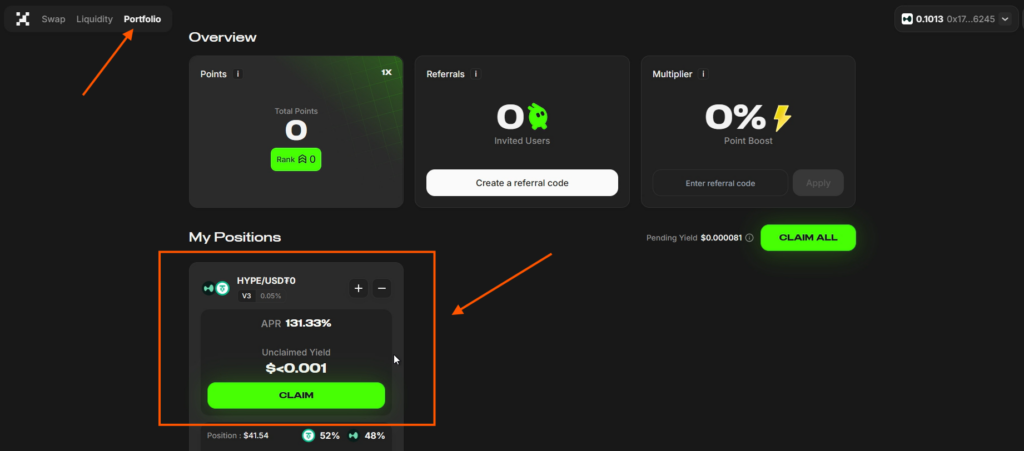
In the Portfolio tab, a new block will appear — My Position, where the liquidity pool you are participating in will be displayed. In this case, profit is generated automatically in HYPE tokens, since you have placed your liquidity in this pool.
- The more pools you create, the more actively you will farm points and earn token rewards from the pools.
- To claim your profit, click Claim, Confirm, and confirm the transaction.
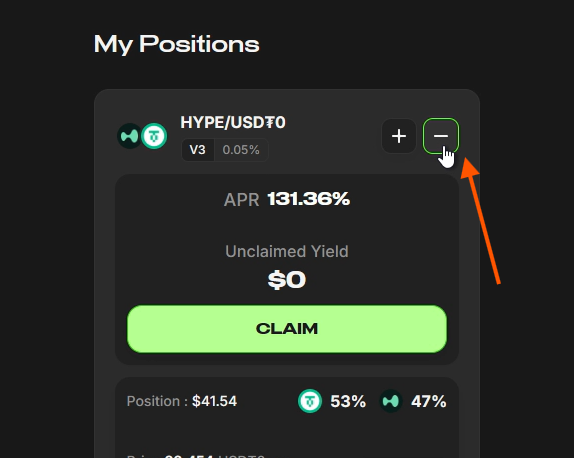
To withdraw liquidity from the pool, click “-”, select 100%, then Remove, and confirm the transaction.

Important information
Remember: points are updated once every 24 hours, after which the earned points will appear in the corresponding section of the Portfolio tab.

Share this post
Link copied!