





RiseLabs is an L2 solution for scaling Ethereum. Its mission is to deliver unprecedented speed and low latency required for real-time crypto projects, while preserving the security and decentralization of the base network.

Syndicate – Less Noise, More Action
Never miss an Airdrop with a smart calendar, instant notifications, and community-driven insights.


How to get tokens on the Rise testnet
- Go to the testnet website.
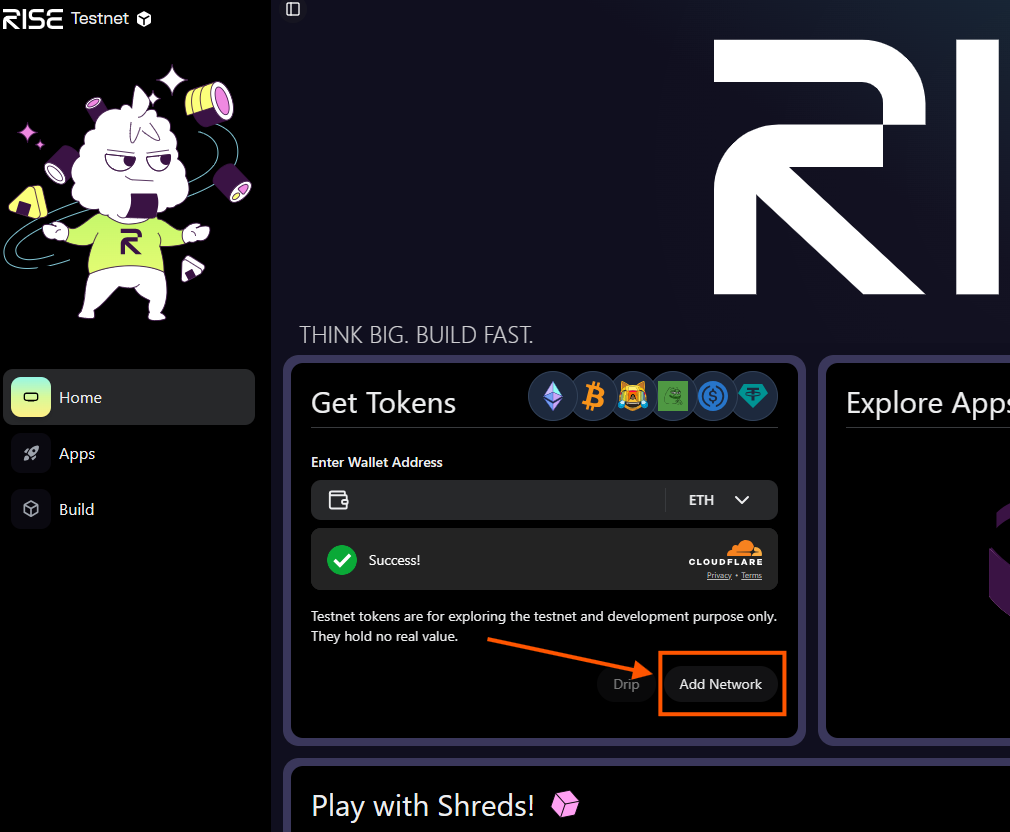
- Open the first tab, Get Tokens, click Add Network, and connect your wallet to the Rise network.
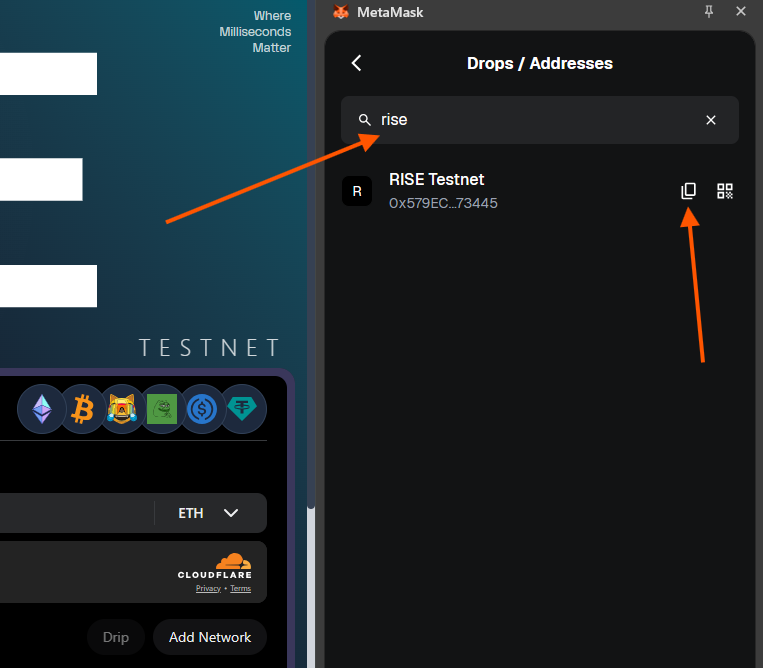
- Copy your wallet address on this network: open the list of networks in your wallet and find Rise Testnet.
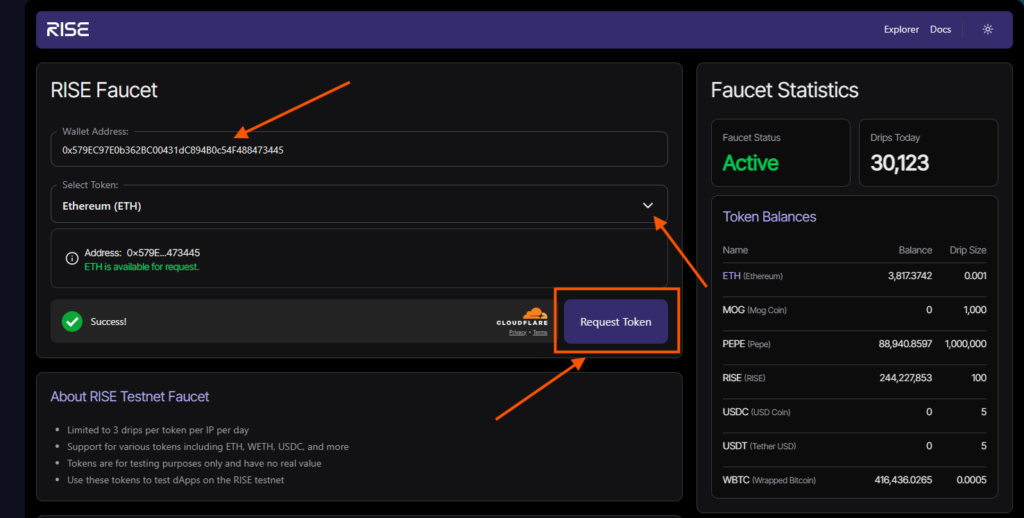
- To receive Rise test tokens, go to the Rise Faucet.
- In the Wallet Address field, paste the copied address, select RISE tokens, and click Request Token. Tokens can be requested once per hour.
- Also receive some Ethereum from this faucet for gas on the Rise test network. Use the same Rise testnet wallet address.
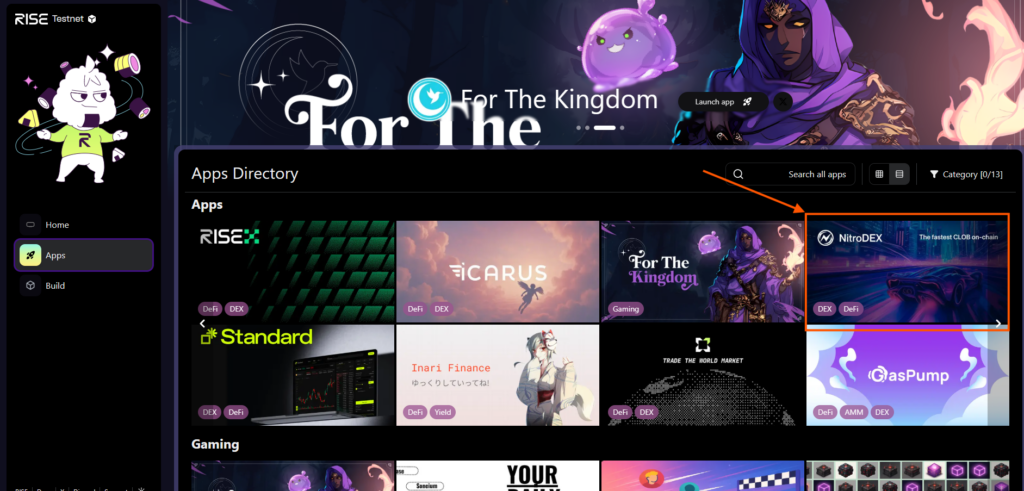
- Return to the Rise testnet website and open the Apps tab. You will see a list of applications and DeFi protocols.
DeFi applications
Let’s look at three DeFi applications as an example (you can interact with all available applications without limitation).
Nitrodex
Go to the Nitrodex application and connect your wallet.
- Open the Swap tab.
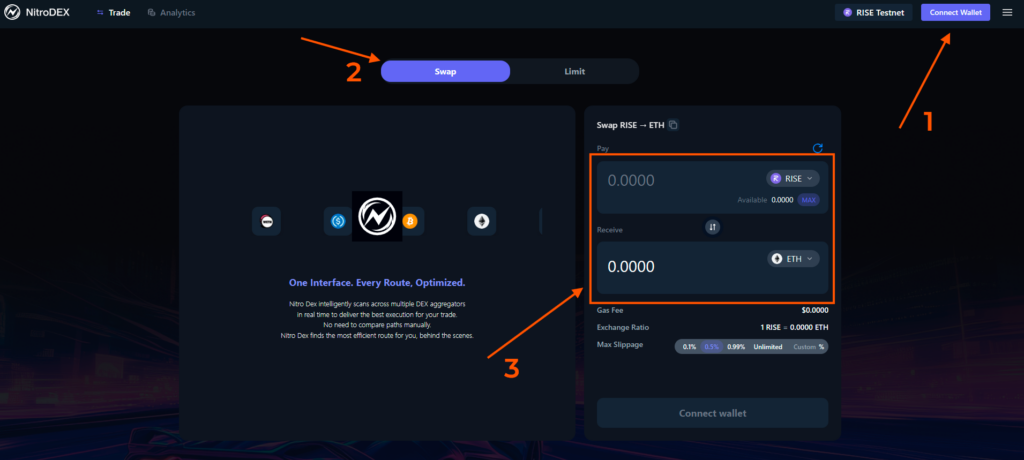
- Swap RISE tokens for Ethereum.
- Enter the desired amount of Rise tokens.
- Click Swap — your wallet will open automatically — confirm the transaction.
Icarus
- Go to the Icarus application and connect your wallet.
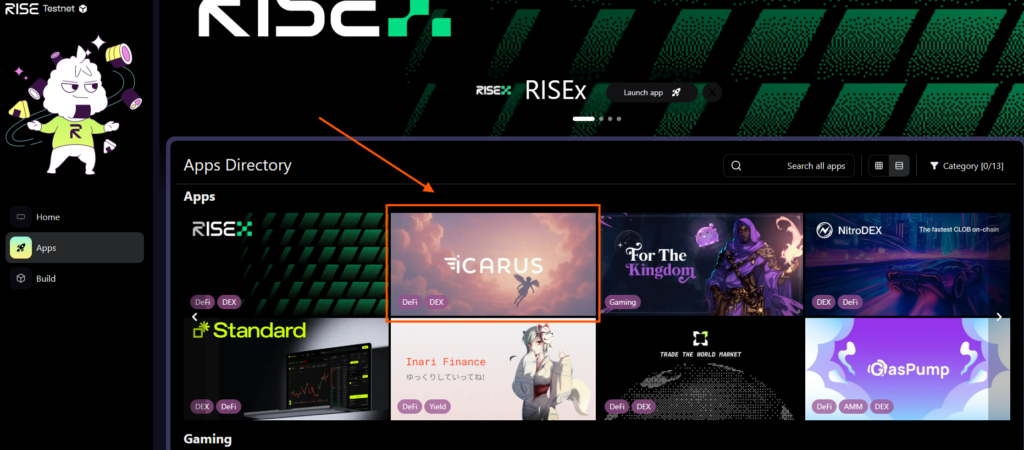
- Perform the same operation: swap RISE for Ethereum.
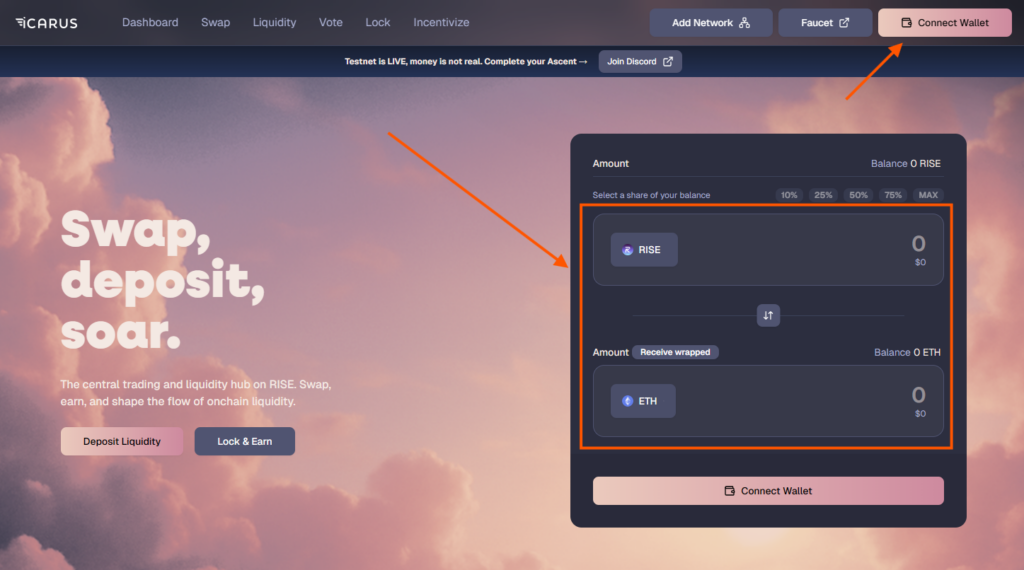
- Confirm the transaction in your wallet.
The game For the Kingdom
Go to the game application and connect your wallet to enter it.
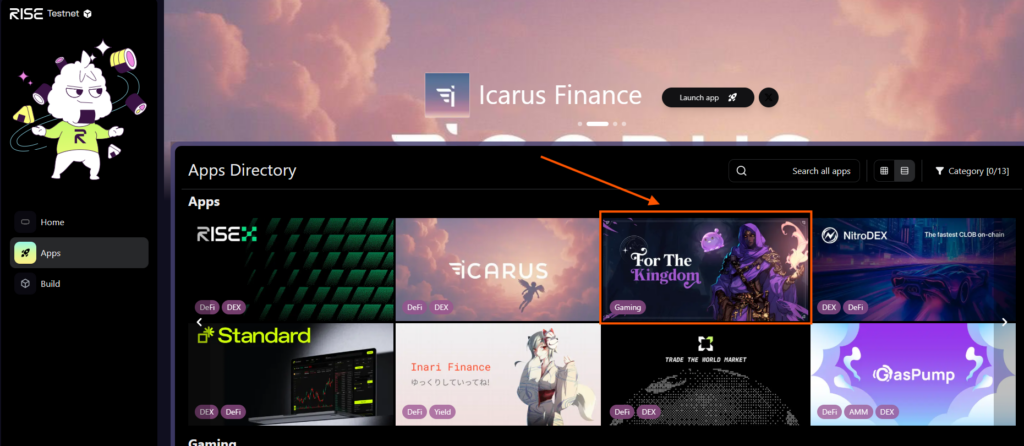
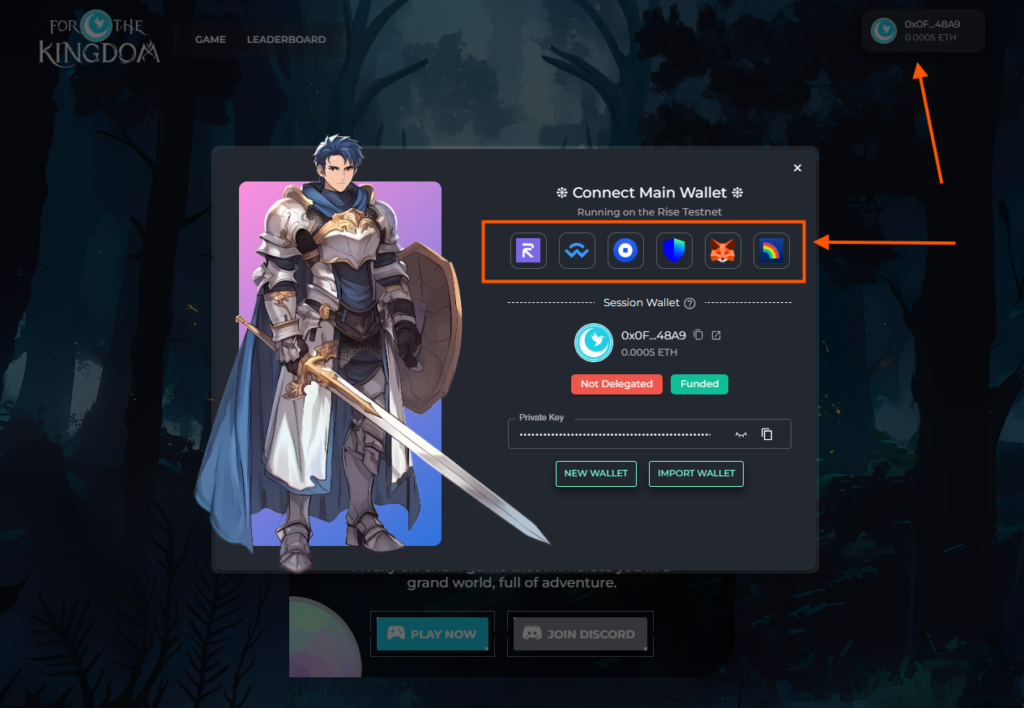
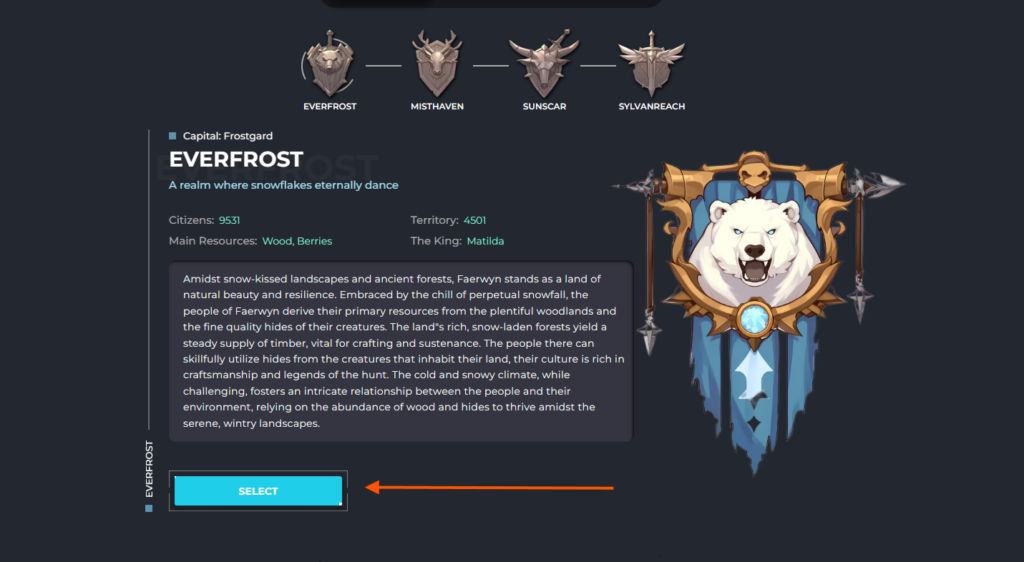
- Open the Game tab, scroll down, and click the Select button.
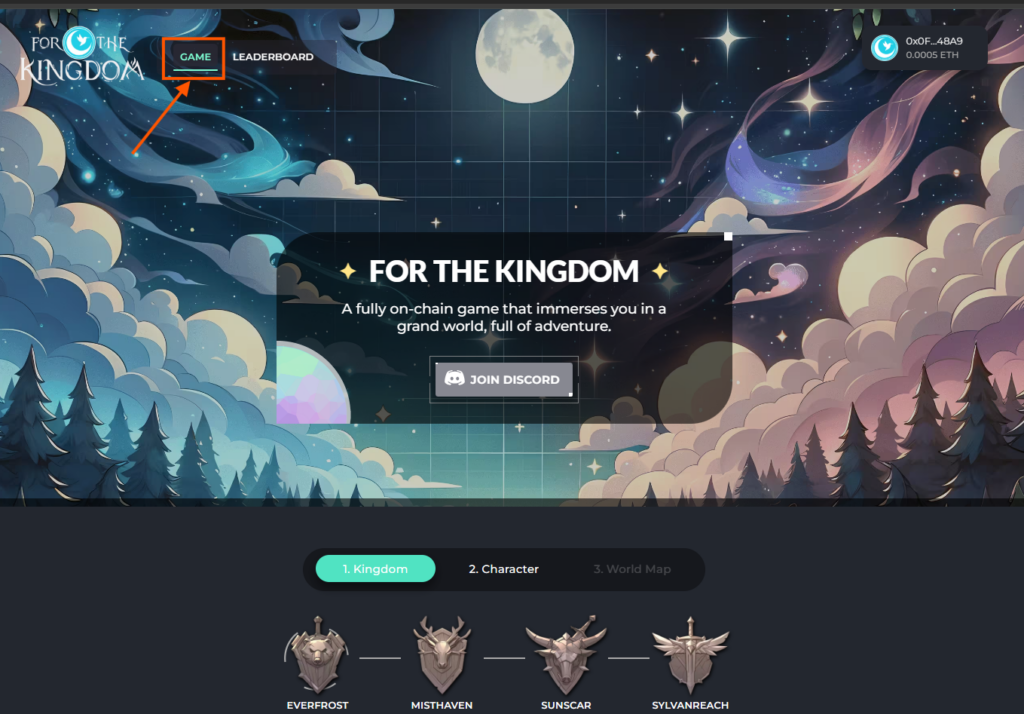
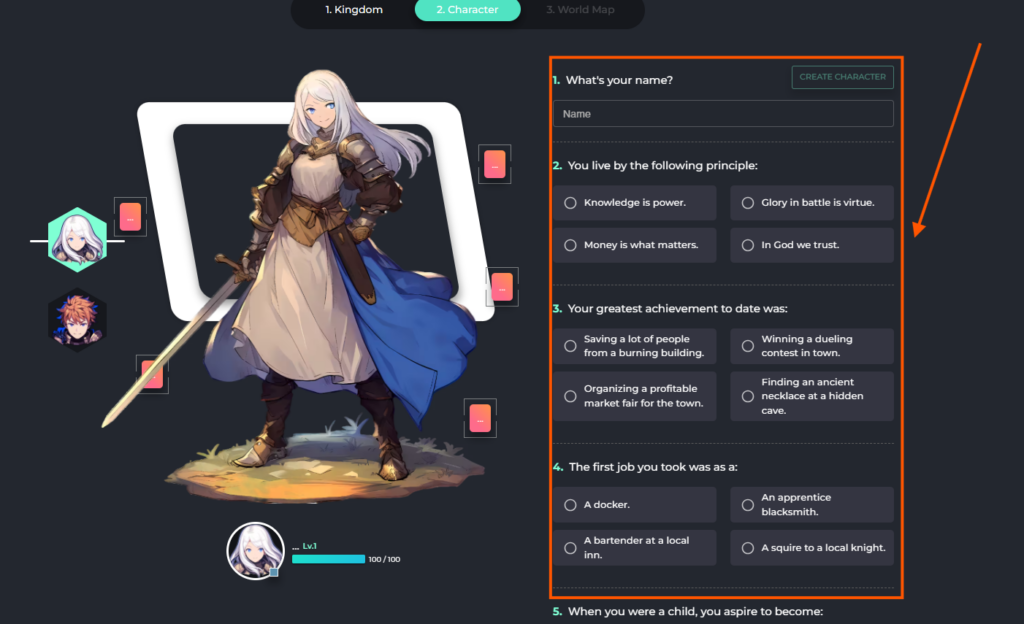
- To create a character, fill in all the required details.
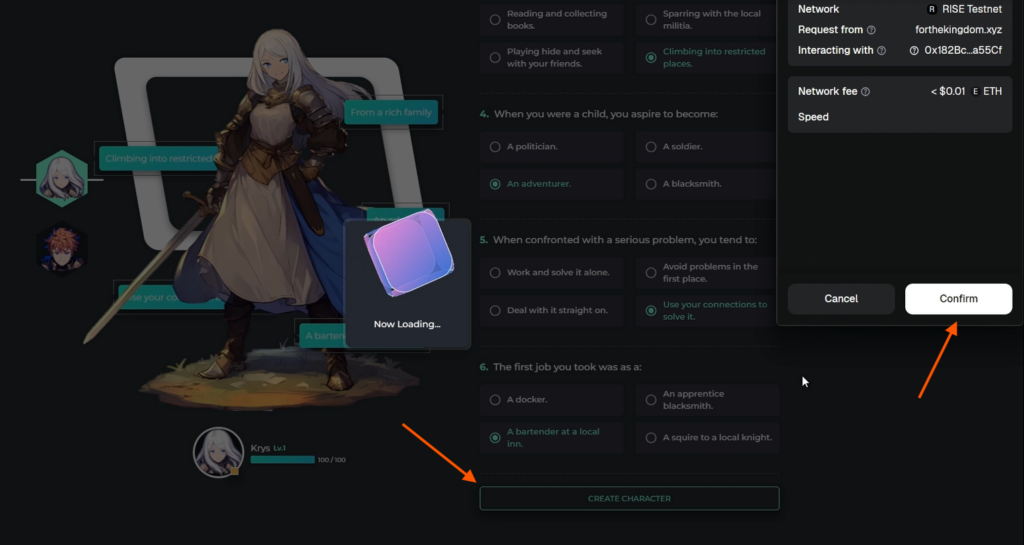
- When creating a character, confirm the transaction in your wallet.
- Complete the game tasks offered at each level.
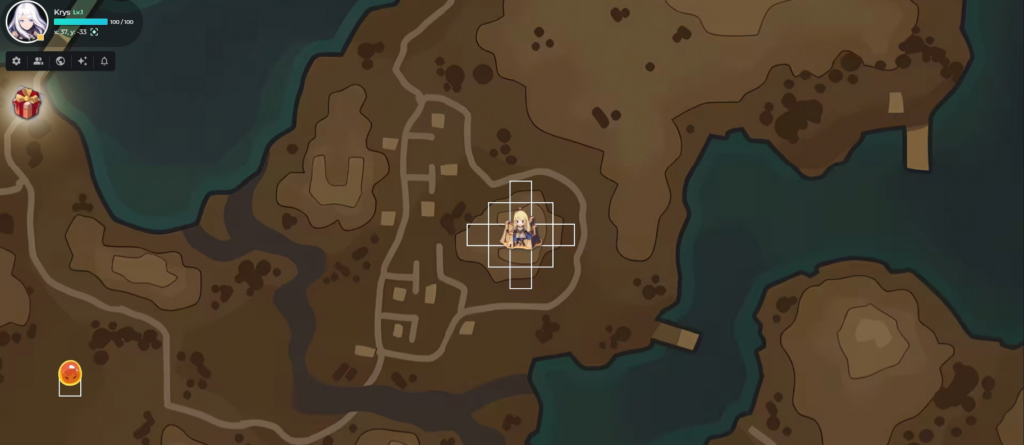
Regularly interact with different applications within the Rise testnet. The more active you are during the testnet phase, the higher your chances of receiving an airdrop from the Risechain project.

Share this post
Link copied!