





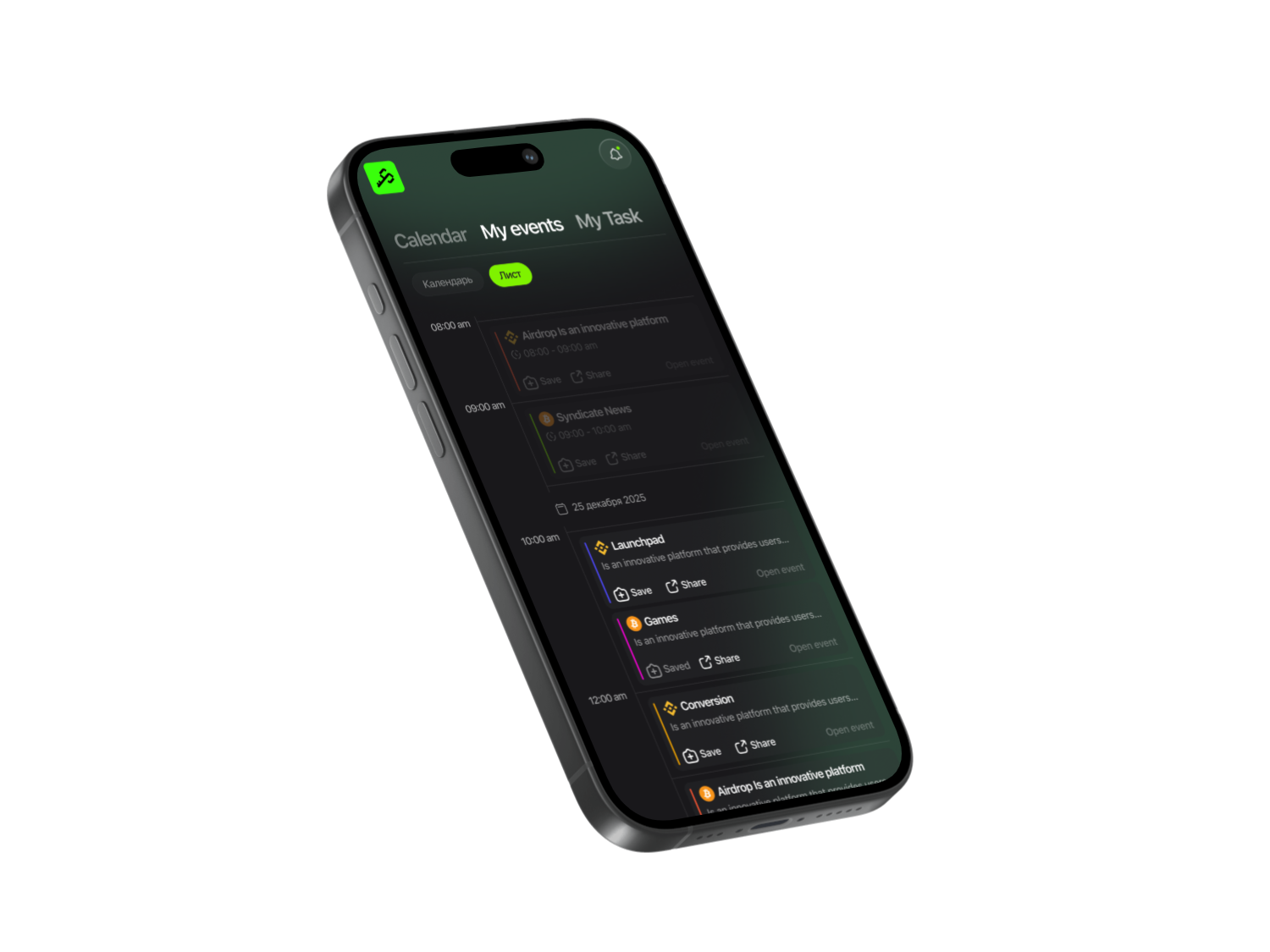
We start by opening the Syndicate app to find the Hey Elsa project, and it will be saved in your history. Then you’ll be able to track project updates and its first airdrops through notifications in the app.

Syndicate – Less Noise, More Action
Never miss an Airdrop with a smart calendar, instant notifications, and community-driven insights.


How to farm points
- Go to the main Elsa from Syndicate website and click Launch App. On this page, register by connecting your MetaMask wallet or any other supported wallet.
- In the Portfolio section, you can track your balance.
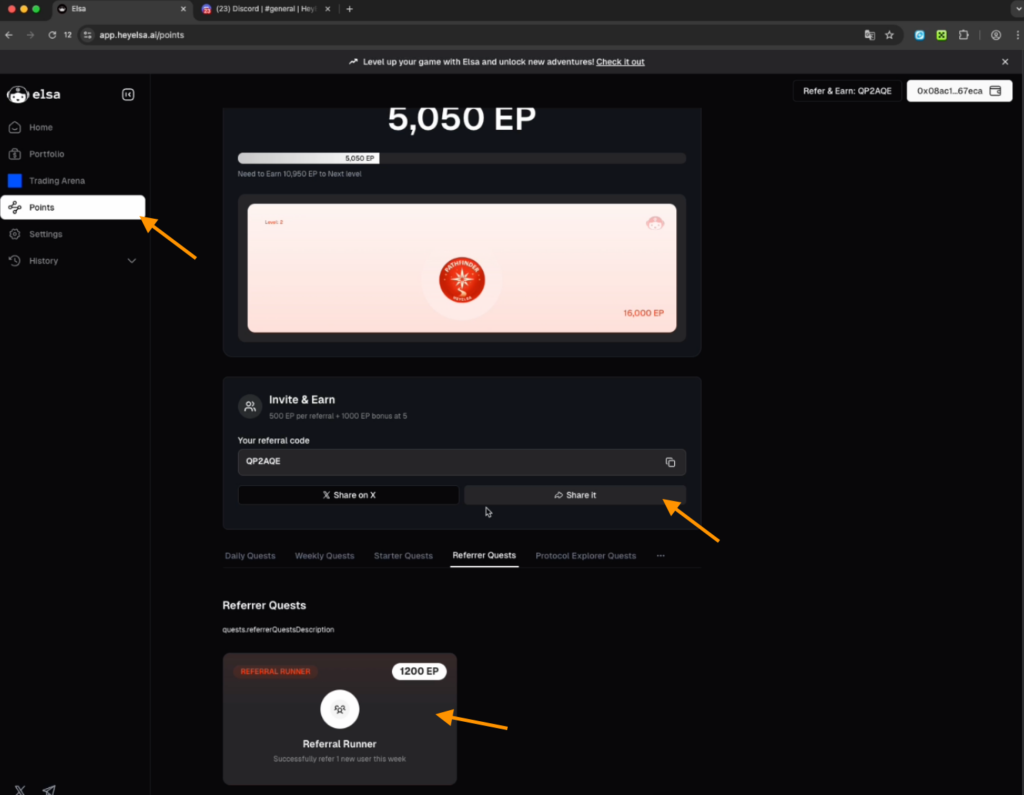
- In the Points section, you can explore the levels and the available ways to earn points.
Daily Quests
Make your first transaction
- Open a new chat from the left-hand menu and type the following command in the empty field: “swap Ethereum on Base to Ethereum on Arbitrum 10$”.
- The AI will automatically execute the transaction. To make sure the transaction is successfully credited, specify 11$ instead. $10.93 in Ethereum on Base will be bridged into $10.86 in Ethereum on Arbitrum. Click the Bridge button.
- The system will open your wallet — click Confirm.
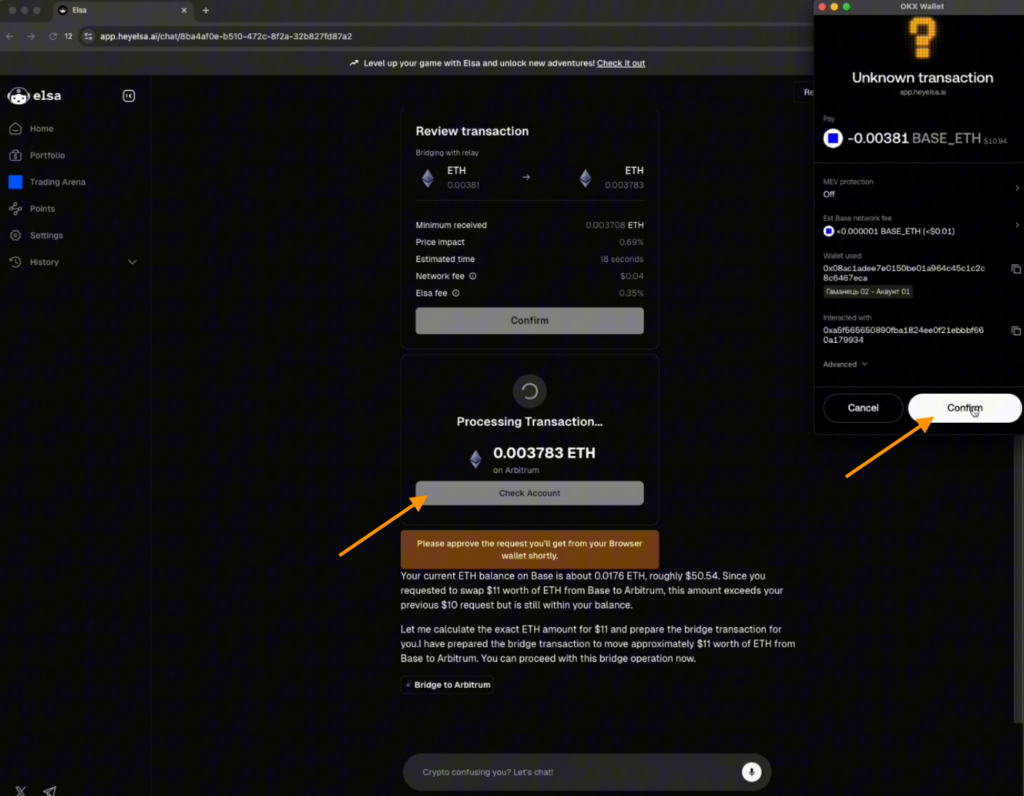
- Once the transaction is completed, check your balance in the Portfolio section.
- Then return to the chat and type: “Bridge Ethereum Arbitrum to Ethereum Base 10$”.
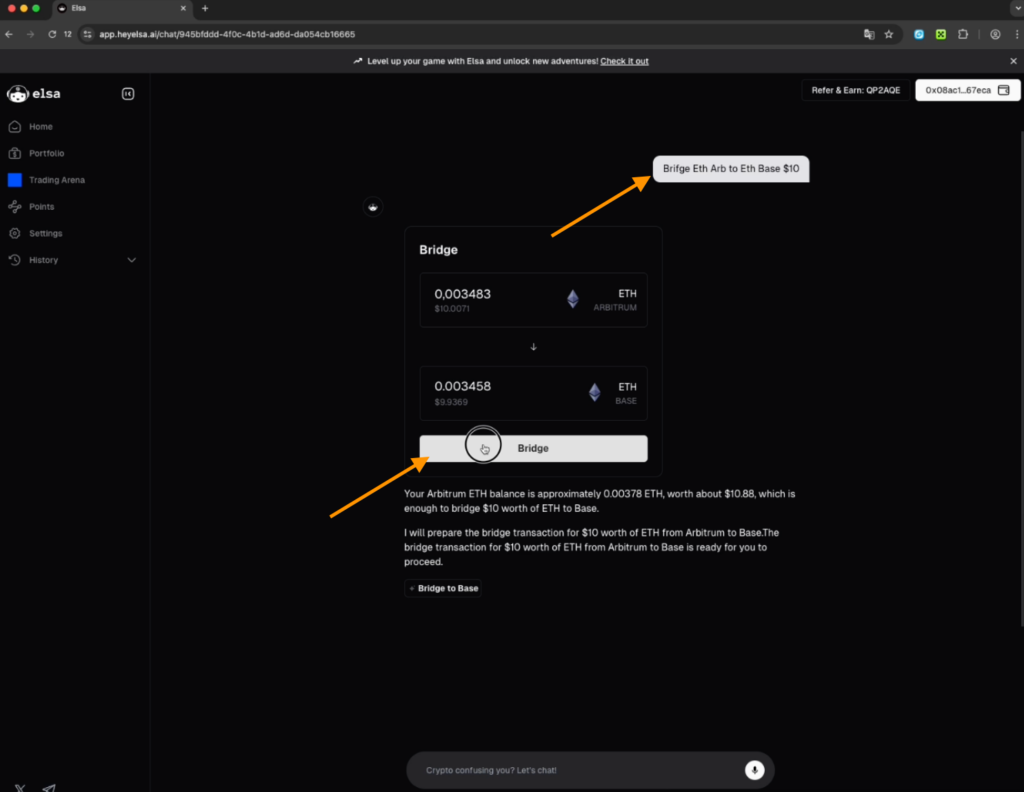
- Confirm the transaction.
- Check your points accrual in the Points section.
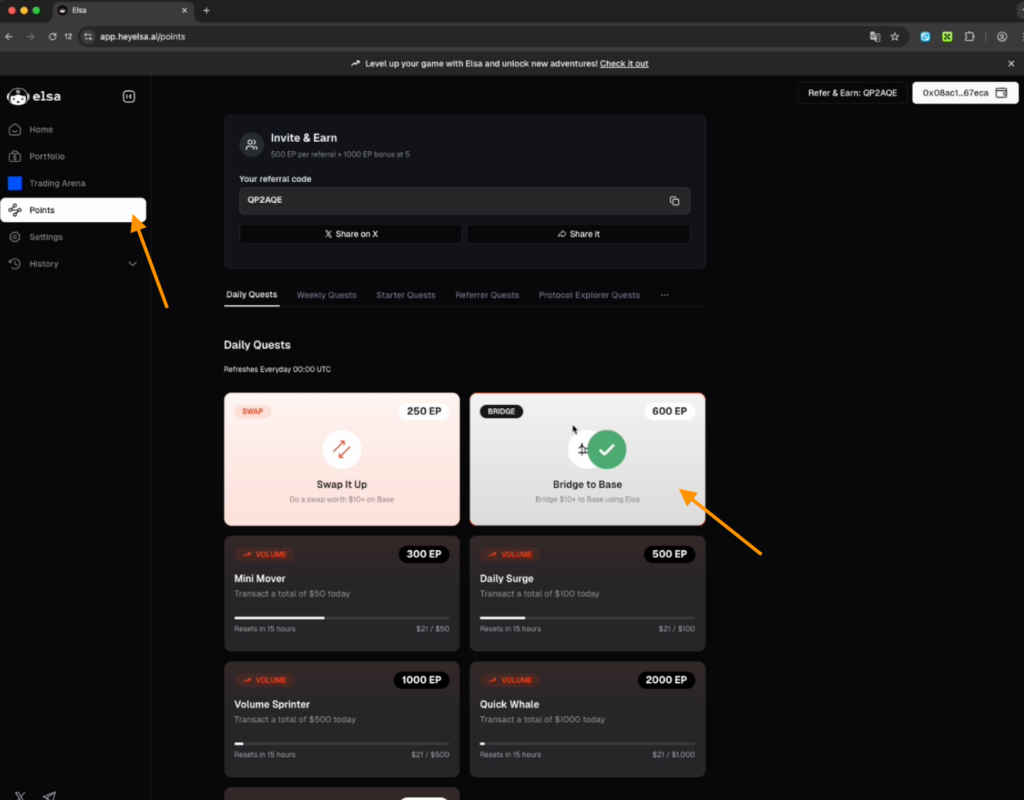
Swap
Make a swap for an amount of $10 or more on the Base network and complete the swap on Base via Elsa AI
- Open a new chat from the left-hand menu and enter the following command in the input field:
“swap Ethereum to USDC Base 10$”.
The AI will automatically execute the transaction. Click Confirm. - Once the transaction is completed, check your USDC balance in the Portfolio section.
- Open the Points section to refresh your points accrual.
Social tasks
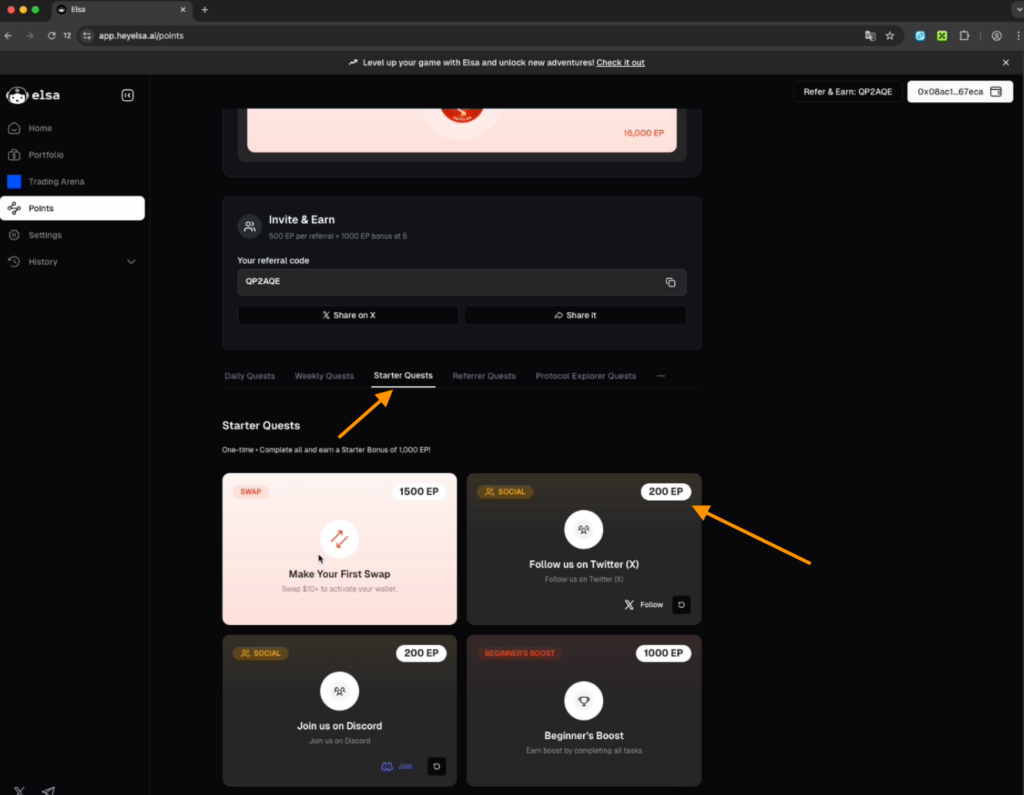
- Click the X icon to follow the Hey Elsa account.
- The task will be counted once you click the X icon again and select Authorization App. You will receive +200 points to your account.
- Use the Join Discord button to enter the server, accept the invitation, and complete the verification — at the bottom you will see a code that needs to be entered in the captcha field.
- Post a short message in the general chat to show your presence and also see how other participants are interacting.
- Go to the project’s website and connect your Discord account to it. Authorize the connection so this task is also counted.
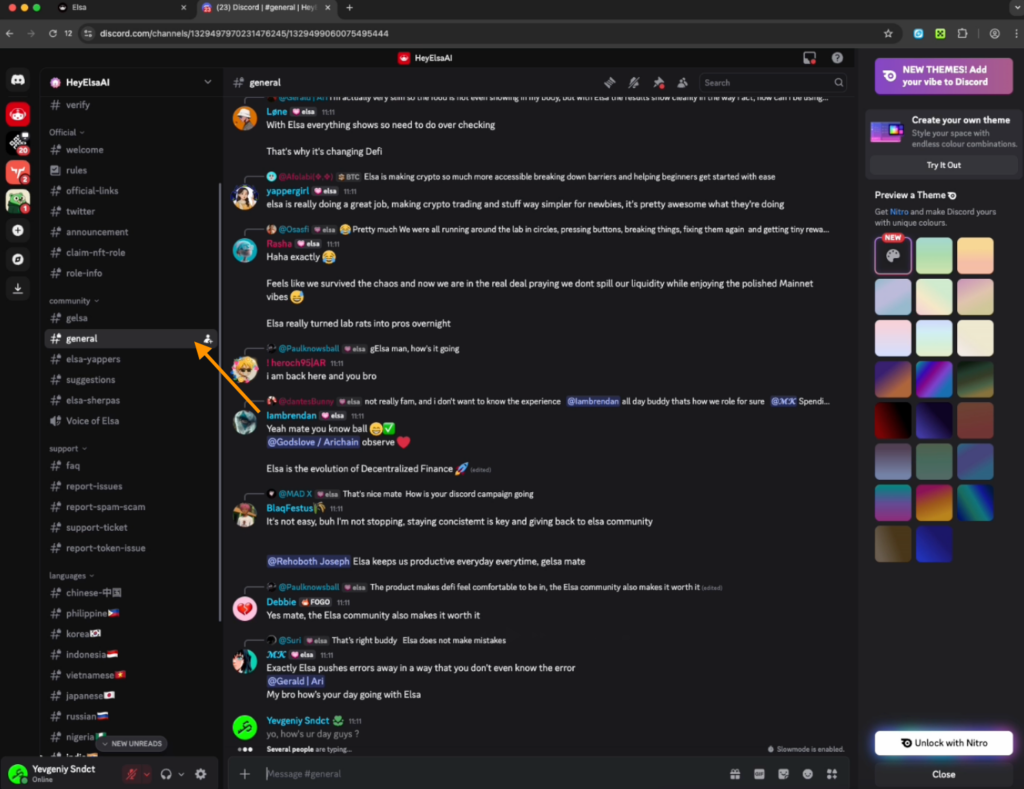
By completing these two tasks, you will receive +1000 points.
Make one more transaction to generate a total volume of $50
- Go back to the Elsa chat and enter the following prompt: “Swap Ethereum Base to USDC Base 35$”.
- After that, immediately perform the reverse swap by typing: “Swap all USDC Base to Ethereum Base”.
- You will be shown all the transaction details, after which you need to confirm the transaction.
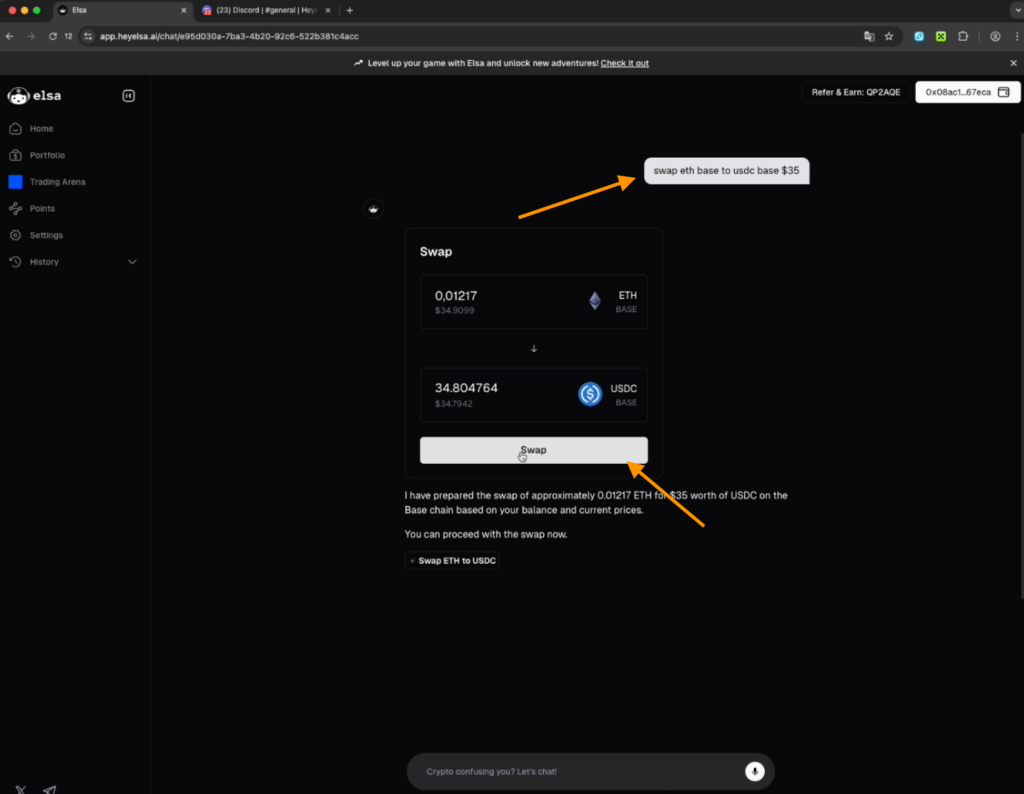
- Go to the Portfolio section to see your updated balance.
If you plan to interact with the project regularly, you can quickly complete the daily tasks with a single $1000 swap each day.
Referral program
In the Prefer task, send your referral code to a friend or post your referral link directly on your X account. Once someone joins through your link and starts earning points in their own account, that user will be credited to you as a referral.
Explorer protocol quests
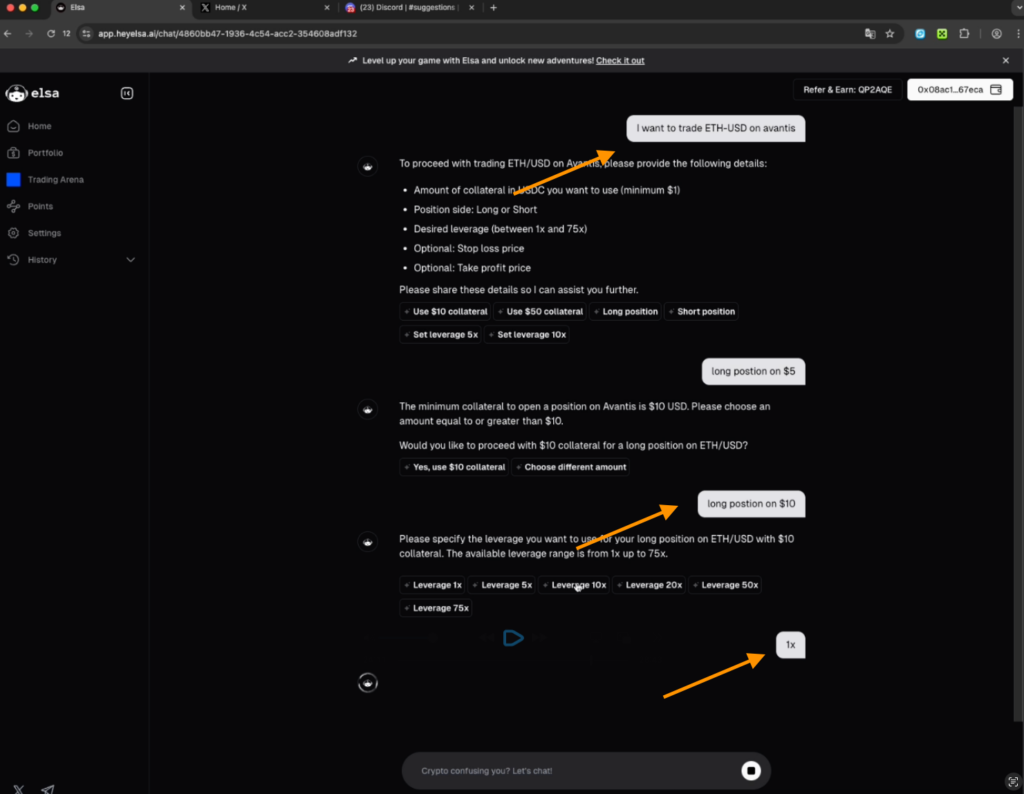
- Go back to the AI assistant chat and type: “I want to trade Ethereum USDC”.
- The chat will show you a window with pre-filled parameters, which you can adjust if needed. Execute a swap from Ethereum to USDC for $11 and confirm it.
- Then type “long position on 10$”. After that, the chat will ask about leverage — reply with 1x.
- Next, enter: “Trade Ethereum to USD Avantis” to open the Avantis Trade platform.
- The AI will show you the Ethereum–USD pair. Type: “Open Ethereum on USD position”.
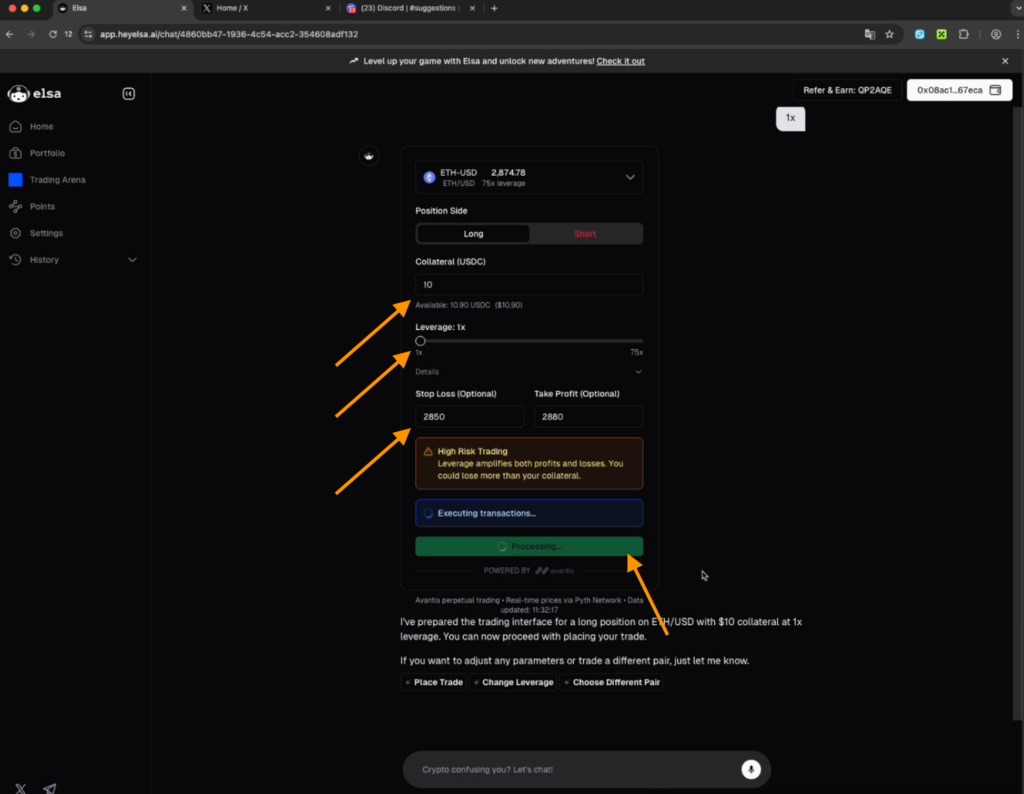
- Select Perp Position Avantis and open the ETH/USD position.
- Your balance will show 10.90 USDC. Set the leverage to 1x, and you can set a stop-loss at 2850 and a take-profit at 2880.
- Click the Long ETH-USD button and confirm in your wallet that you are opening this position. You have now opened a $10 futures trade.
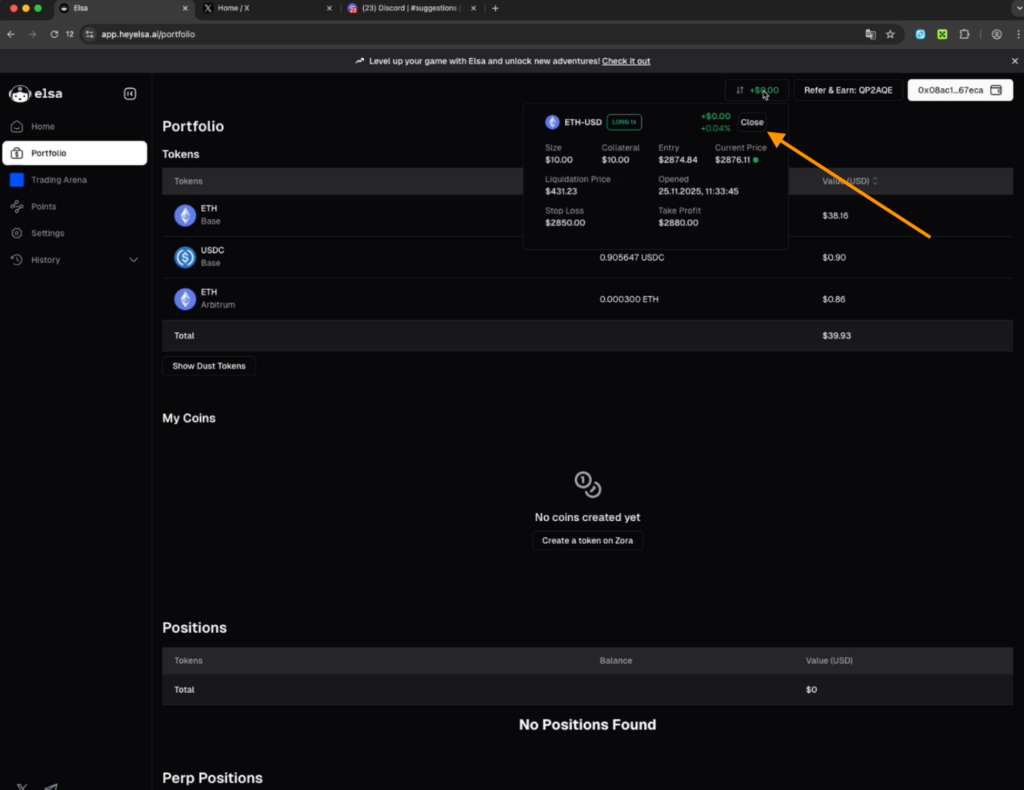
- Close the position using the Closed button at the top and click Confirm in your wallet. The USDC should return to your account.
- Check the Points section to ensure everything has been credited.
This task can be completed twice a day for $5 each or once for $10.
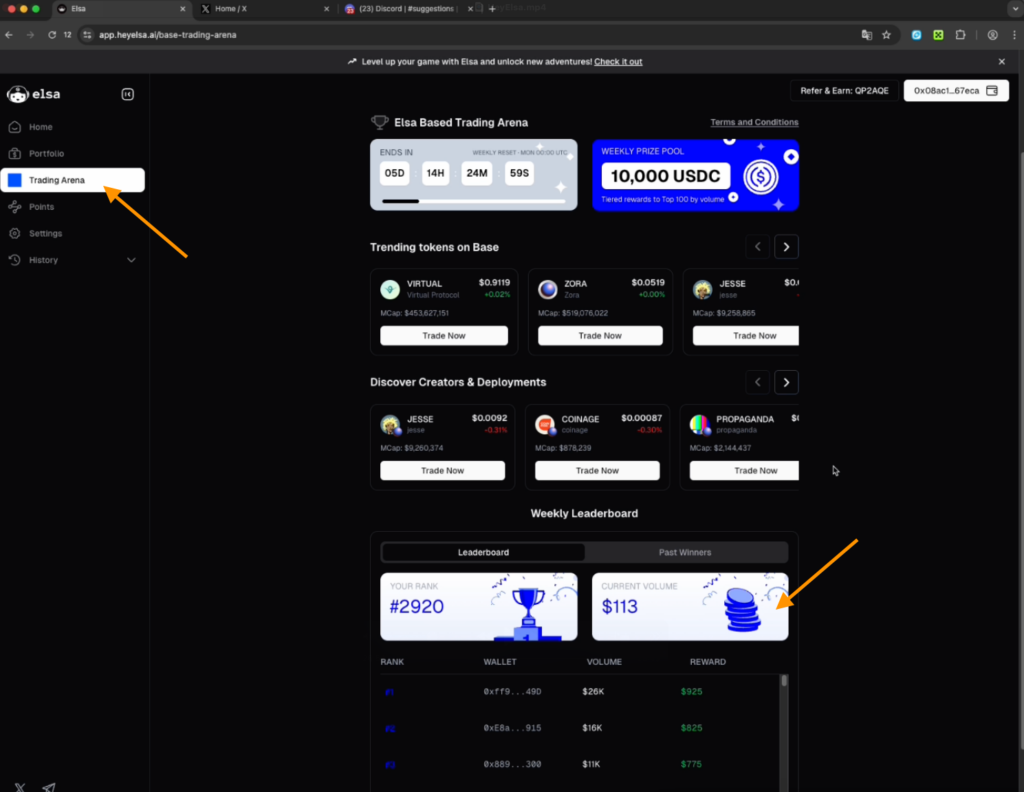
Elsa Trading Arena
Here, a 10,000 USDC pool is distributed weekly based on trading volume. Your goal is to trade as much as possible during the week. The higher your trading turnover, the higher your rank on the leaderboard, and the bigger your rewards at the end of the week.
We recommend accumulating at least 60,000–70,000 points to qualify for the project’s airdrop.

Important information
To make sure you don’t miss the airdrop, enable notifications for project updates in the Syndicate app.
You can also watch a video with a detailed guide about the project on our YouTube.
Share this post
Link copied!