




Polymarket is the largest decentralized prediction markets platform operating on the Polygon blockchain. In 2024–2025, its market odds proved to be more accurate than sociological surveys and expert forecasts.
How the project works. Users buy and sell shares of event outcomes — just like company stocks. On Polymarket, you can place bets on almost any sector: politics, sports, culture, crypto markets. You choose an event and purchase a “Yes” or “No” share depending on your confidence in the outcome.
Project activity
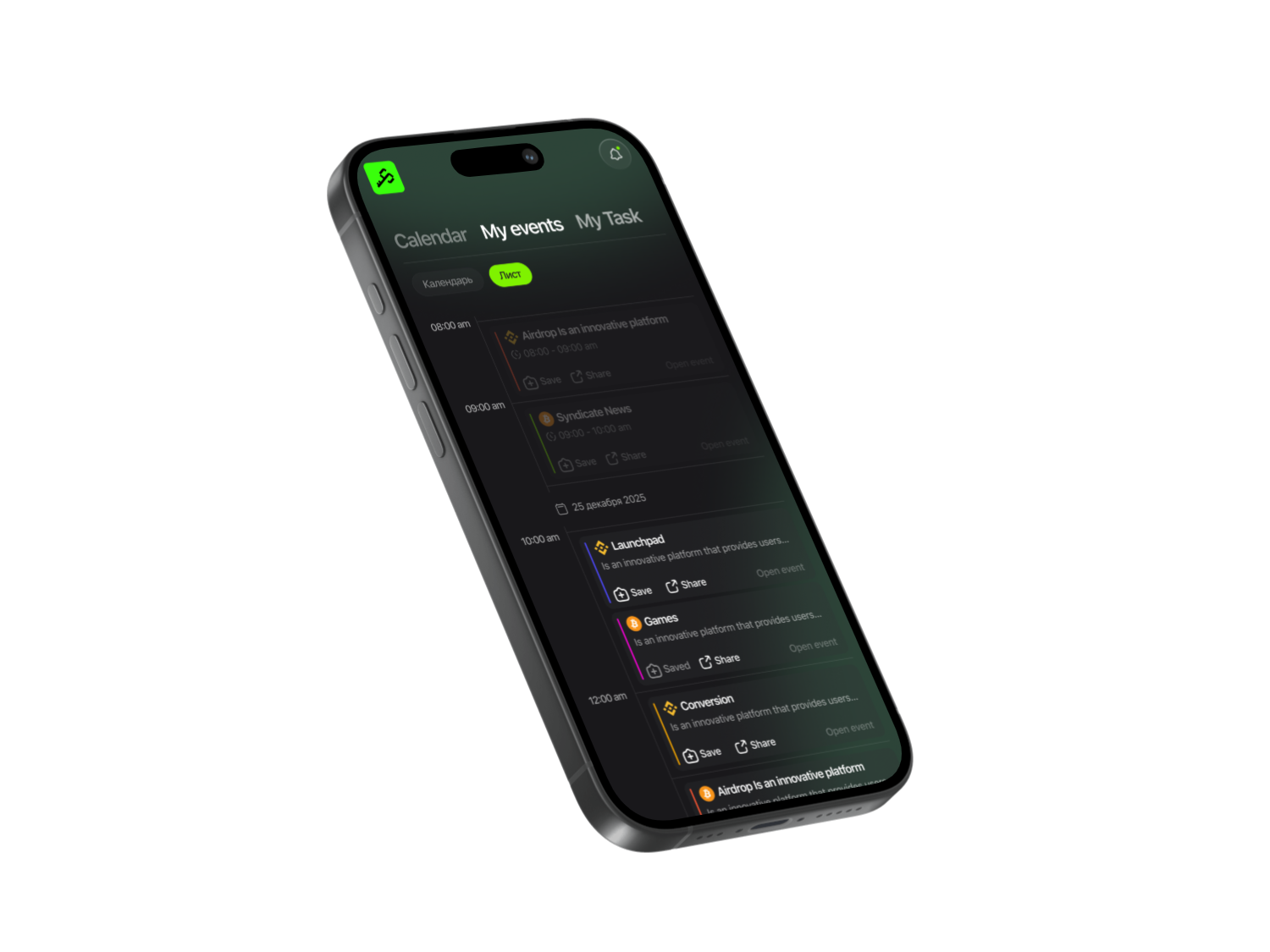
The first step is to open the Syndicate app. Find the Polymarket project there and subscribe to it. Why is this important? This way, you’ll receive notifications about all project updates and won’t miss the first airdrop distributions. We curate verified projects with official links, prepare step-by-step guides, and build a community that helps you get started from scratch. The full project guide includes a link to the platform — follow it and let’s get started.
Get More with Syndicate App


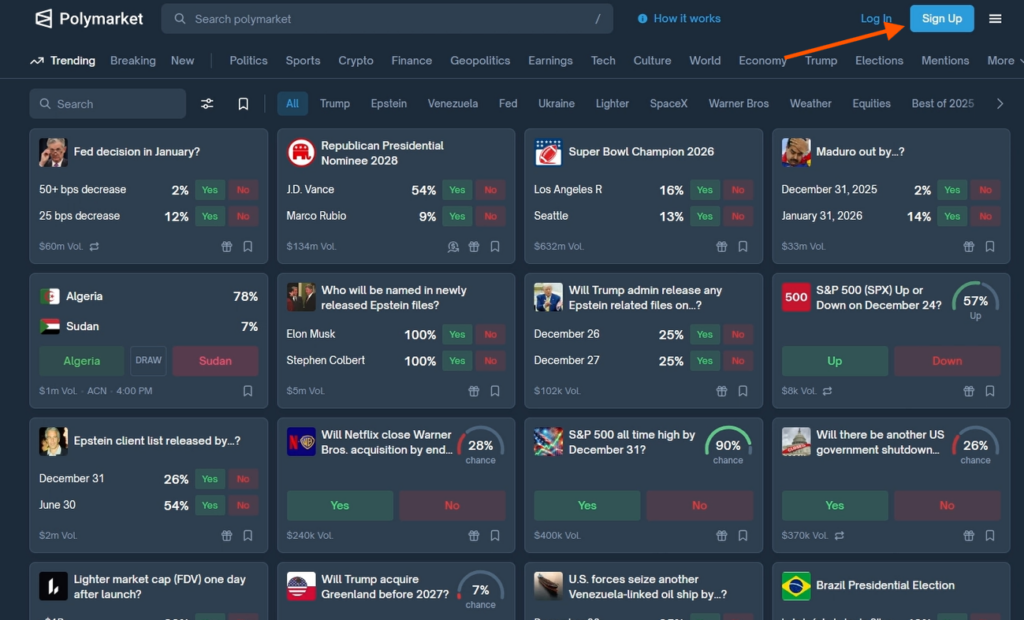
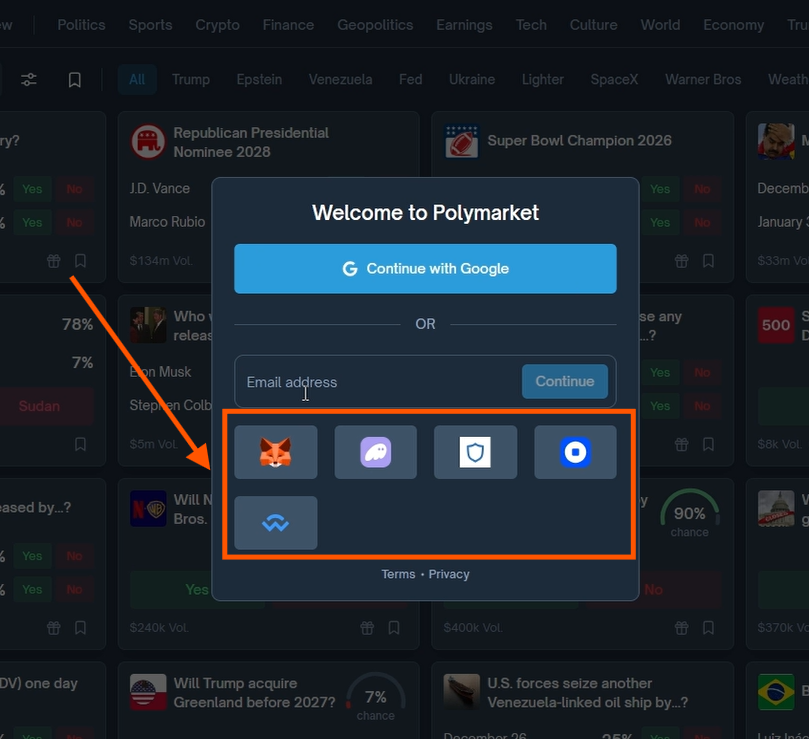
Go to the Polymarket website, click Sign Up, and choose to register by connecting your wallet.
Click Connect and Switch to change your wallet network to Polygon.
Sign the transaction by clicking Confirm.
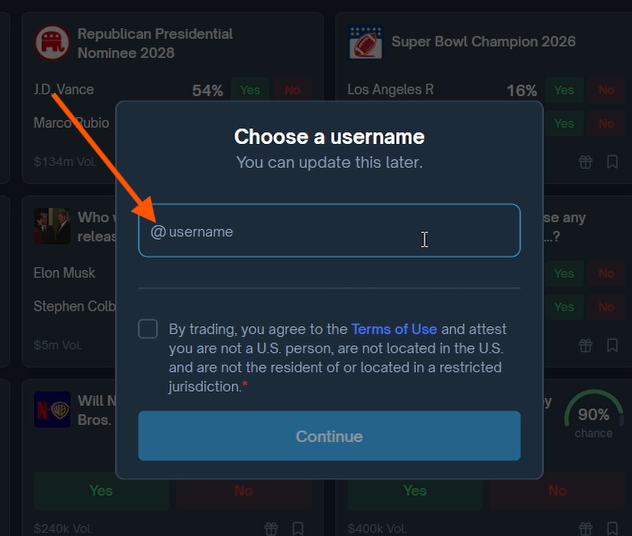
Create a username using only Latin letters and save it.
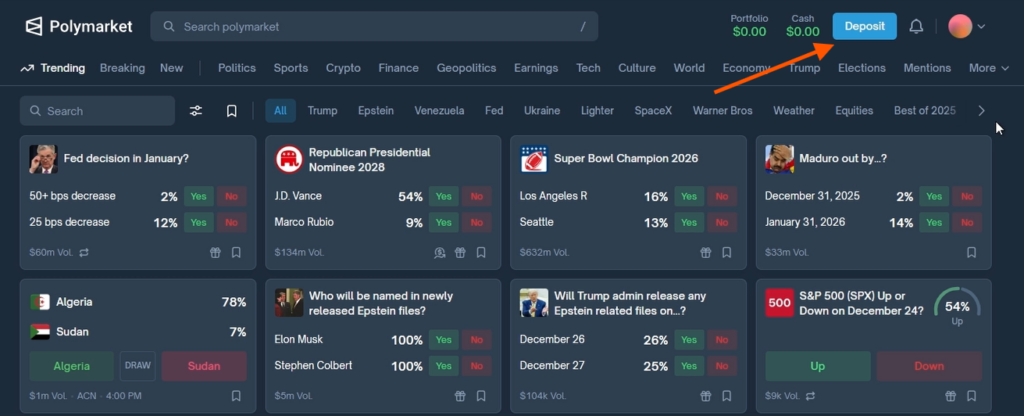
On Polymarket, in the top right corner, click Deposit, then Enable Trading and Confirm to approve the transaction in your wallet.
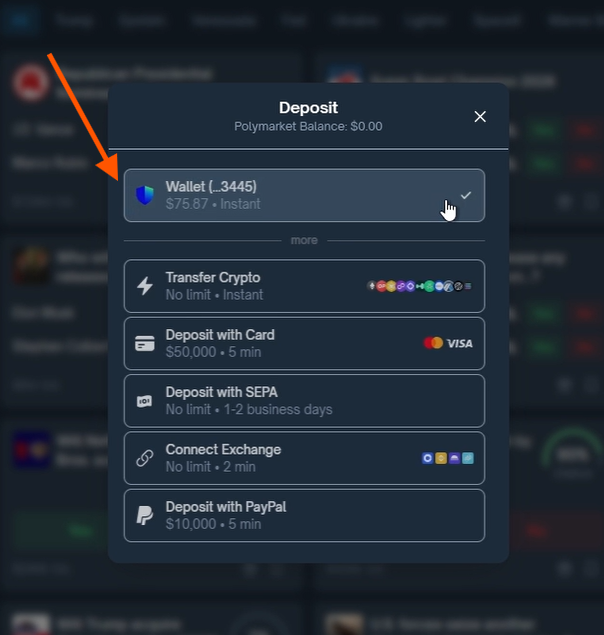
- Select Deposit Funds and wait for your wallet to connect.
- Click on your wallet, choose the token for deposit (for example, USDC), and click Continue.
- Enter the desired amount: optimally $10–20. However, the larger your deposit, the more bets you place and the higher their amounts — the greater the potential airdrop you may receive from the project in the future. In our guide, we use a $70 deposit.
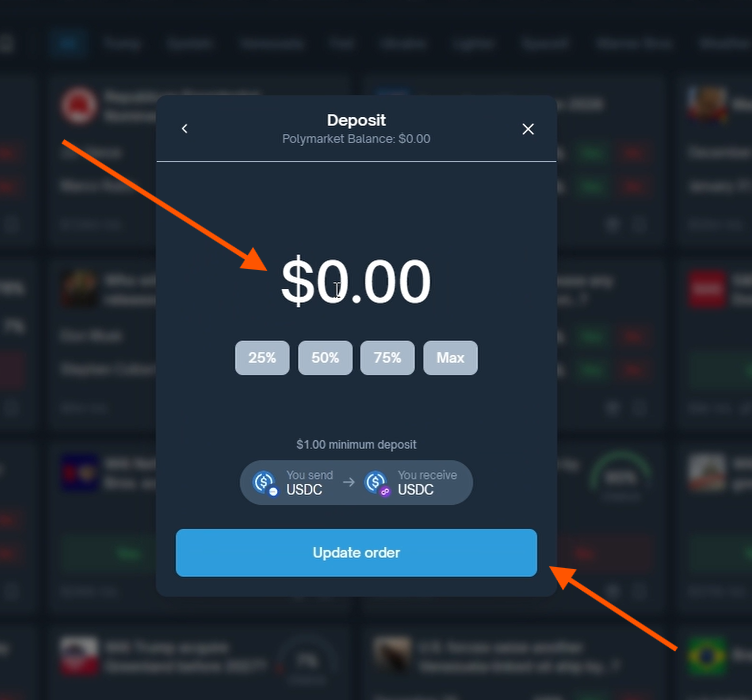
Confirm via the Confirm Order button, then in your wallet click Switch and Confirm in sequence. After the transaction is completed, close the window and return to the homepage.
How to place your first bet
Open any event. The system will request two confirmations:
- Sign a transaction in your wallet to authorize the new browser and start using the Polymarket platform. Click Sign, then Switch, and Confirm in sequence.
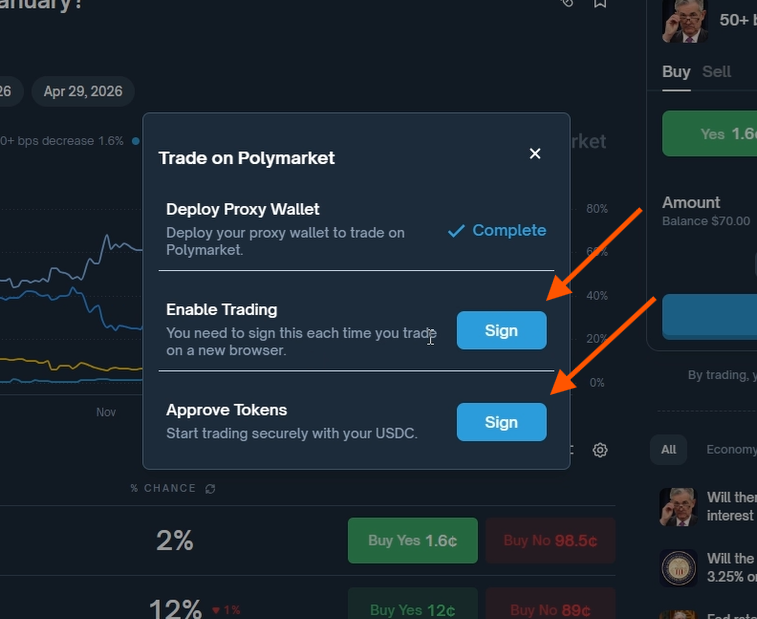
- Sign the transaction to approve token access for the Polymarket platform to ensure the security of your tokens.
How to place a bet
- Choose a main event, for example, “US Federal Reserve decision in January.”
- Within it, select an outcome option. For example, “rate will remain unchanged” with an 88% probability.
- Place your YES/NO bet. For example, NO for $20, which means you expect there will be a change.
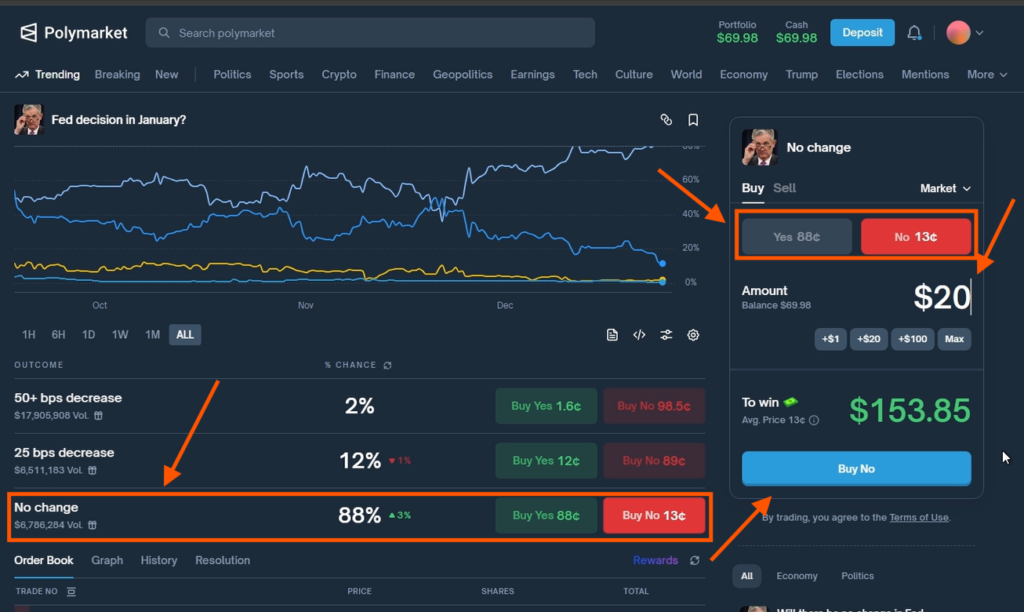
- Click Buy No, confirm the action in your wallet by pressing Confirm, and you’re done!
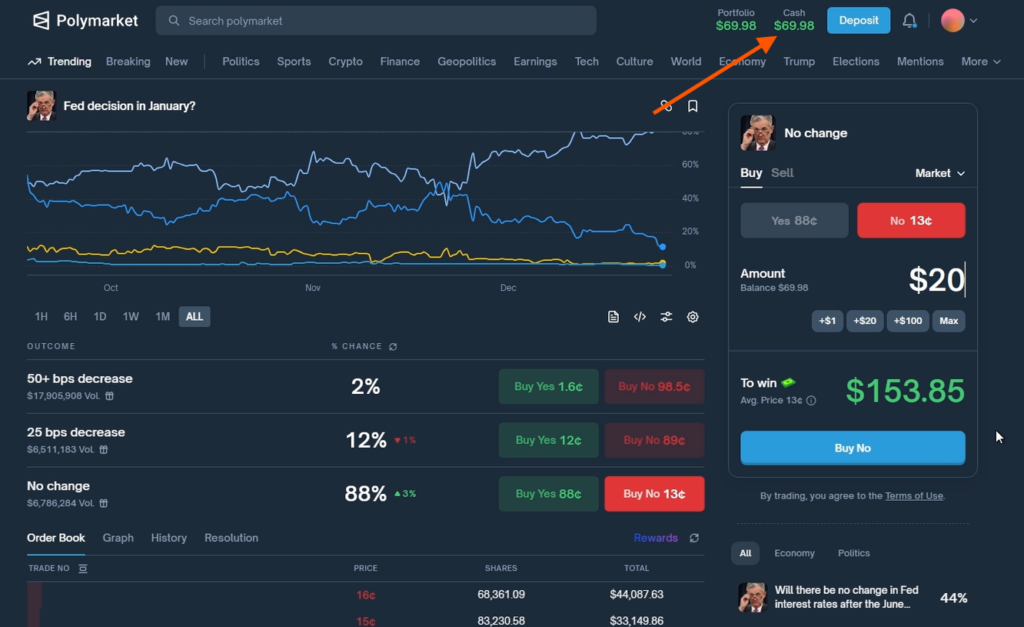
- You can check your active bets in the Cash tab at the top.
Place several other bets in different sectors
Return to the event list and choose, for example, Sports.
- For instance, open Super Bowl Champion 2026 and click on an event related to a specific team, such as Buffalo: will they become champions in 2026?
- Place a bet, for example, NO for $10.
- Click Buy No and confirm the transaction in your wallet.
- The specific choice — YES or NO — is not important. The key is to demonstrate activity.
- Repeat this action several times on other events, placing bets with an amount that is comfortable for you.
After completing, open the Cash section at the top of the page to see your updated balance and the list of all active bets.
Strategy to maximize your airdrop
- The more bets you place and the higher their volume, the greater your potential reward from the project.
- Place bets 2–3 times per week and do not close all positions immediately. Your position-closing strategy may look like this:
- leave some positions open until the resolution date to demonstrate genuine interest in the bet and regular platform usage
- close some at different intervals: after an hour, a day, two days, or a week
For example, in the morning you opened a bet “Will Bitcoin rise by the end of the day.” You can wait until the end of the day — the position will close automatically, and you won’t exit prematurely. Such trades closed at expiration may be a significant advantage when the airdrop is distributed.
Regularly open and close positions — this demonstrates your activity. The key is to spread your actions throughout the entire participation period. It’s not advisable to be super active for one week and then not log in for a month.
How to close a bet
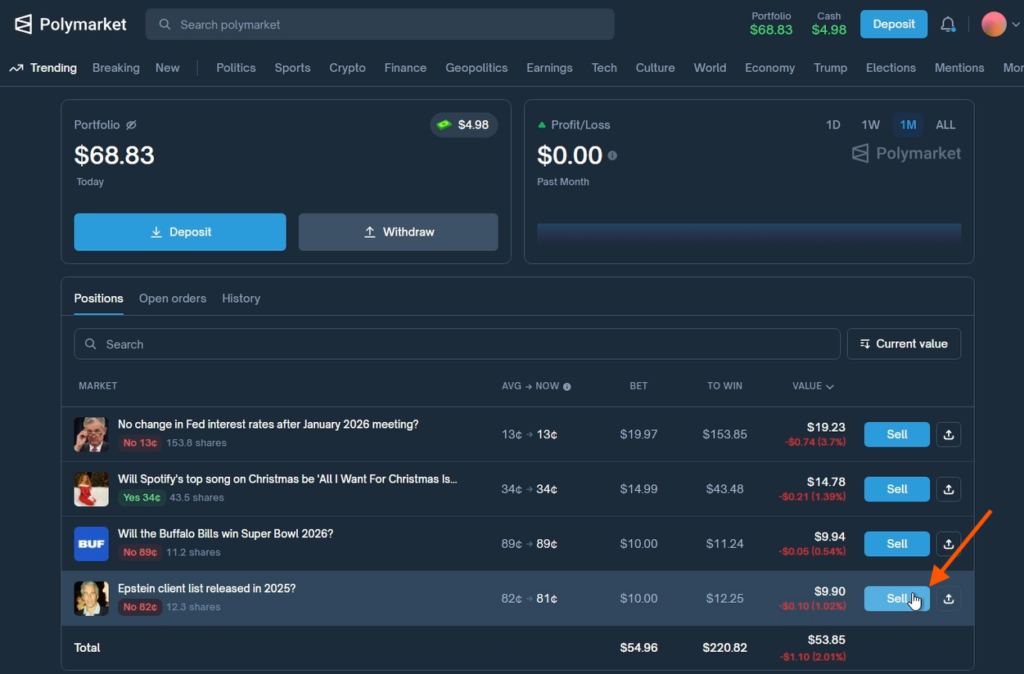
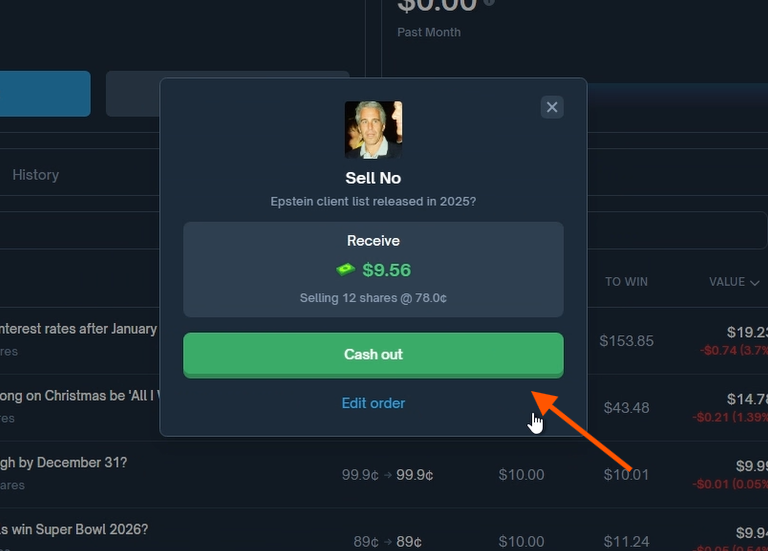
Open the Portfolio tab, click Sell next to the desired position, and in the window select Cash Out. Then confirm the transaction in your wallet.
Rewards
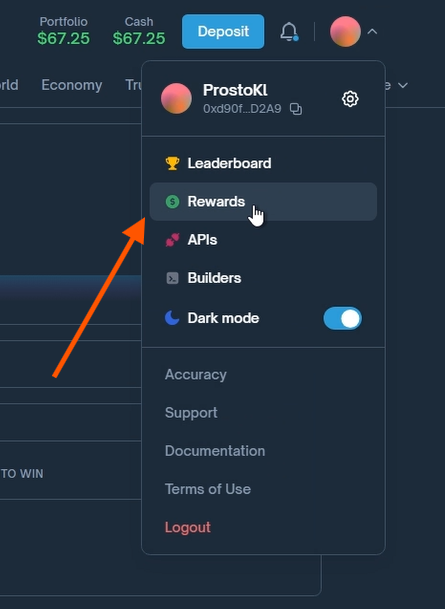
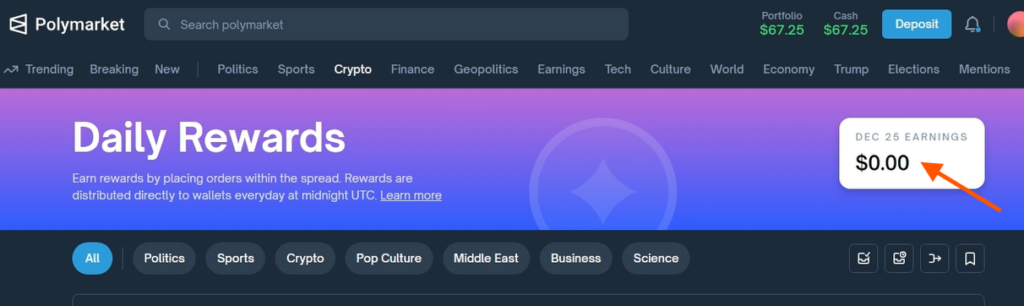
For each open position, the platform accrues daily rewards that can be claimed after midnight.
Go to the Rewards section and click Claim.
You can also watch a video with a detailed guide about the project on our YouTube.
Share this post
Link copied!